Get 20% OFF All Premium 3D & STL Models!

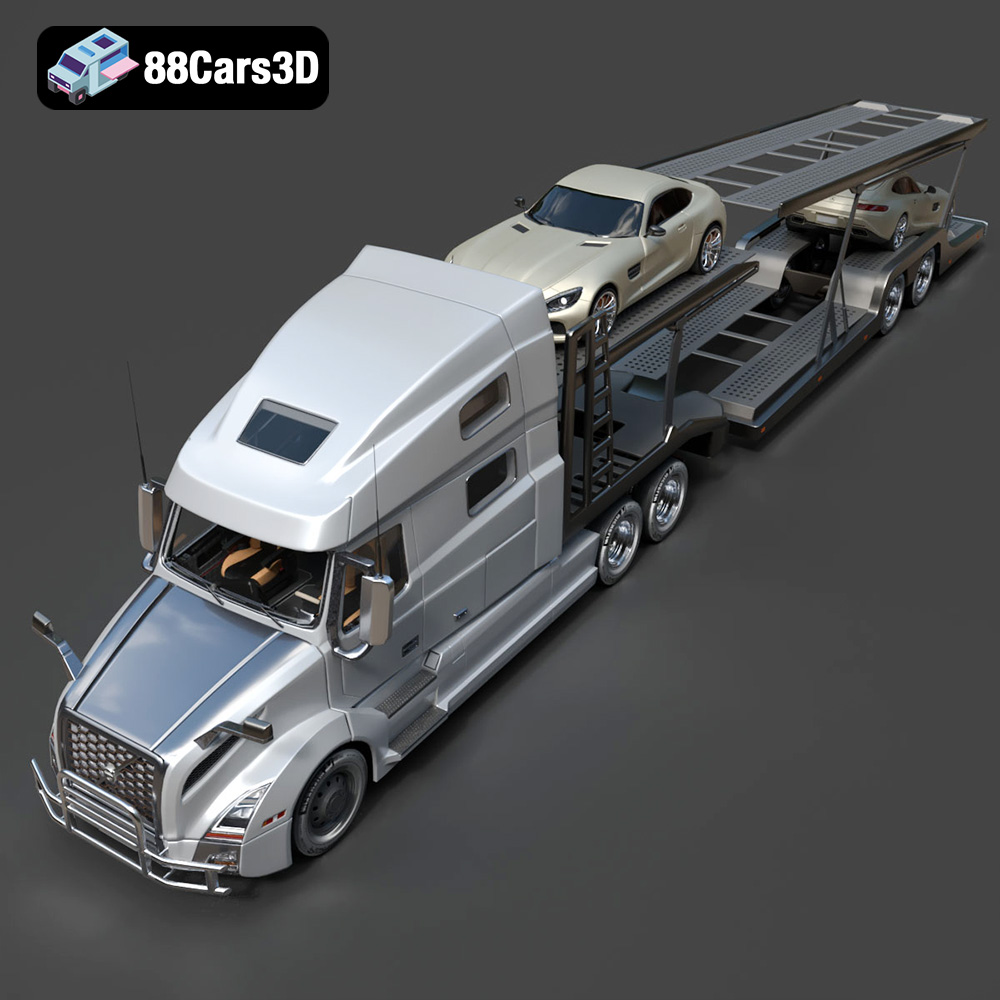
The Volvo Trucks Benz GT-001 3D Model from 88cars3d.com is a stunning piece of digital engineering. Its intricate design and robust presence make it an ideal subject for 3D printing enthusiasts. However, printing a model of this complexity requires careful planning and execution. This guide provides a comprehensive overview of how to successfully 3D print the Volvo Trucks Benz GT-001, covering everything from pre-print preparation to post-processing techniques. Whether you’re a seasoned 3D printing pro or a beginner looking for a rewarding project, this article will equip you with the knowledge to create a tangible replica of this impressive concept truck.
Choosing the right file format is crucial for a successful 3D printing experience. While the Volvo Trucks Benz GT-001 3D Model package includes various formats, some are better suited for 3D printing than others. Let’s delve into the details of each format:
The .stl (Stereolithography) file format is the industry standard for 3D printing. It represents the surface geometry of a 3D object using a collection of triangles. This simplicity makes it universally compatible with virtually all 3D printers and slicing software. When preparing the Volvo Trucks Benz GT-001 for printing, the .stl file will be your primary choice.
* **Advantages:** Universal compatibility, simple structure, widely supported.
* **Disadvantages:** Lacks color and texture information, represents curved surfaces with facets (triangles), can result in lower detail if not properly optimized.
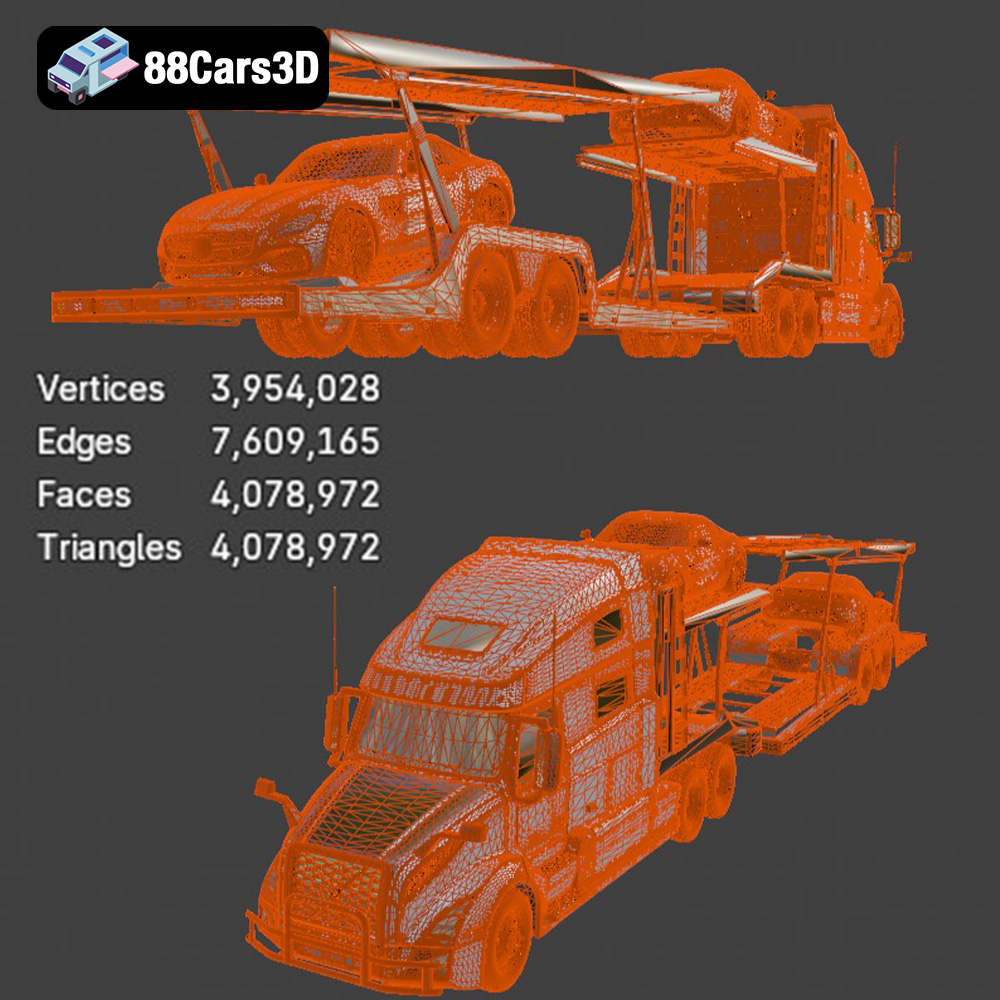
For the Volvo Trucks Benz GT-001, the quality of the .stl file is paramount. A high-resolution .stl will contain more triangles, resulting in a smoother and more detailed print. However, a very high triangle count can increase file size and processing time. Before slicing, inspect the .stl file in a mesh editor (like MeshLab or Blender) to ensure there are no errors such as holes, self-intersections, or non-manifold edges. These errors can lead to printing failures. Many slicing programs have built-in repair tools, but it’s best to fix issues at the source if possible. The 88cars3d.com model is meticulously crafted, minimizing the likelihood of such issues, but a quick check is always recommended.
The .obj (Object) format is a more versatile format that can store both geometry and texture information. While less common for basic 3D printing, it becomes relevant if you plan to add color to your 3D printed Volvo Trucks Benz GT-001 using multi-material printers or post-processing techniques like airbrushing.
* **Advantages:** Supports color and texture, widely compatible.
* **Disadvantages:** Larger file size than .stl, less streamlined for 3D printing.
The .ply (Polygon File Format) is another format capable of storing color information and is often used for storing data captured by 3D scanners. It’s a precision mesh format good for maintaining high detail.
* **Advantages:** High detail
* **Disadvantages:** May require format conversion to STL for printing.
The .blend file is the native format for Blender, a powerful open-source 3D modeling software. This format allows you to directly edit the Volvo Trucks Benz GT-001 model before exporting it for printing. You can make modifications, simplify the geometry, or add custom details.
* **Advantages:** Fully editable model, access to materials and lighting setups.
* **Disadvantages:** Requires Blender software, may require expertise in 3D modeling.
The .fbx (Filmbox) format is commonly used for exchanging 3D models between different software applications, especially in game development. It supports geometry, textures, and animations. While not directly used for 3D printing, you can import the .fbx file into slicing software and then export it as an .stl.
* **Advantages:** Can carry material information when importing for printing
* **Disadvantages:** Not always optimized for printing
The .glb (GL Transmission Format Binary) is a binary file format designed for efficient delivery and loading of 3D models, particularly in AR/VR applications. It’s optimized for real-time rendering and often used for showcasing models online.
* **Advantages:** Lightweight and efficient for web-based viewing.
* **Disadvantages:** Not suitable for 3D printing.
Similar to .blend, the .max file is the native format for 3ds Max, another popular 3D modeling software. It allows for complete editing of the model.
* **Advantages:** Fully editable in 3ds Max.
* **Disadvantages:** Requires 3ds Max software, not directly printable.
In conclusion, for 3D printing the Volvo Trucks Benz GT-001, the .stl file is the most practical choice. Ensure the .stl file is high-resolution and error-free to achieve the best possible print quality. If modifications are needed, use the .blend or .max file to edit the model in Blender or 3ds Max before exporting it as an .stl.
Before sending the Volvo Trucks Benz GT-001 model to your 3D printer, you’ll need to process the .stl file using slicing software. This software converts the 3D model into a series of layers that the printer can understand and build upon.
Popular slicing software options include Cura, PrusaSlicer, Simplify3D, and IdeaMaker. Each offers a range of settings to fine-tune the printing process. Cura and PrusaSlicer are excellent free options, while Simplify3D and IdeaMaker offer more advanced features for experienced users.
Model orientation is crucial for print quality and support structure. For the Volvo Trucks Benz GT-001, consider orienting the model to minimize the need for supports on visible surfaces. Experiment with different orientations in your slicing software to identify the most optimal placement.
Scaling the model is another important consideration. The original model from 88cars3d.com is designed with accurate proportions. Depending on your printer’s build volume and desired level of detail, you may need to scale the model up or down. Be mindful of potential loss of detail when scaling down, particularly for smaller features. If scaling up, make sure your printer can handle the increased size and that you have sufficient filament.
Due to the complex geometry of the Volvo Trucks Benz GT-001, support structures will be necessary to print overhanging features. Choose support settings in your slicing software that provide adequate support without being overly difficult to remove. Consider using tree supports or manually placed supports for more control over support placement. Careful support placement minimizes surface blemishes during removal.
The choice of material and printer settings will significantly impact the final outcome of your 3D printed Volvo Trucks Benz GT-001 model.
* **PLA (Polylactic Acid):** PLA is a biodegradable thermoplastic that is easy to print and offers good detail. It’s a good choice for beginners and for models that don’t require high heat resistance.
* **PETG (Polyethylene Terephthalate Glycol-modified):** PETG is stronger and more heat-resistant than PLA. It’s a good option for parts that need to withstand some stress or higher temperatures.
* **ABS (Acrylonitrile Butadiene Styrene):** ABS is a durable and heat-resistant plastic commonly used for automotive parts. However, it requires a heated bed and enclosure to prevent warping.
* **Resin (SLA/DLP):** Resin printing offers exceptional detail and smooth surfaces. It’s a good option for smaller-scale models or for parts that require fine details.
* **Layer Height:** A lower layer height (e.g., 0.1mm – 0.15mm) results in finer details and smoother surfaces but increases print time. A higher layer height (e.g., 0.2mm – 0.3mm) prints faster but sacrifices some detail.
* **Infill Density:** Infill density determines the internal strength of the model. For a display model like the Volvo Trucks Benz GT-001, an infill density of 15-20% is generally sufficient. Increase the infill for parts that require more strength.
* **Print Speed:** A slower print speed (e.g., 40-60mm/s) improves print quality and reduces the risk of errors.
* **Temperature:** Follow the manufacturer’s recommended temperature settings for your chosen material.
* **Bed Adhesion:** Ensure good bed adhesion to prevent warping or detachment during printing. Use a heated bed, a raft, or a brim as needed.
Once the 3D printing is complete, post-processing is essential to refine the appearance and functionality of the Volvo Trucks Benz GT-001 model.
Carefully remove support structures using pliers, knives, or specialized support removal tools. Take your time to avoid damaging the model. After removing supports, sanding is crucial for smoothing out any remaining support marks and layer lines. Start with coarse sandpaper (e.g., 220 grit) and gradually move to finer grits (e.g., 400, 600, 800 grit) for a smooth finish. Wet sanding can further improve surface smoothness.
Applying a primer coat is essential for preparing the surface for painting. Primer fills in minor imperfections and provides a uniform surface for the paint to adhere to. Choose a primer that is compatible with your chosen material. After the primer has dried, you can apply paint using spray paint, airbrush, or hand-painting techniques. Multiple thin coats of paint are better than one thick coat to avoid runs and drips. Consider using masking tape to create clean lines and separate different colored areas.
If the Volvo Trucks Benz GT-001 model consists of multiple parts, assemble them carefully using glue or screws. Ensure proper alignment and secure connections.
Even with careful planning, 3D printing can sometimes present challenges. Here are some common issues and their solutions:
Warping occurs when the corners of the print lift off the build plate. This is often caused by poor bed adhesion or temperature fluctuations. Ensure a clean and level build plate, use a heated bed, and consider using a raft or brim.
Stringing is when thin strands of filament are left between different parts of the print. This is usually caused by excessive retraction distance or temperature. Adjust retraction settings in your slicing software and lower the printing temperature.
Layer shifting occurs when the print layers are misaligned. This can be caused by loose belts, a wobbly printer, or excessive print speed. Tighten belts, stabilize the printer, and reduce print speed.
Underextrusion is when the printer doesn’t extrude enough filament, resulting in weak or incomplete layers. Check for clogs in the nozzle, ensure the filament is feeding properly, and increase the extrusion multiplier in your slicing software.
Overextrusion is the opposite of underextrusion, where the printer extrudes too much filament, resulting in blobs or rough surfaces. Reduce the extrusion multiplier in your slicing software.
Before embarking on your 3D printing journey, it’s helpful to estimate the print time and material costs. Your slicing software will provide an estimated print time based on your chosen settings. This estimate can vary depending on the complexity of the model and the speed of your printer.
Material costs depend on the type of filament or resin you use and the amount required for the print. Your slicing software will also estimate the amount of material needed. Factor in the cost of supports when calculating material costs.
By carefully considering these factors, you can budget your time and resources effectively. The Volvo Trucks Benz GT-001 is a substantial model, so prepare for a multi-hour (or even multi-day) print, depending on size and settings.
Discover exceptional digital realism with the Volvo Trucks Benz GT-001 3D Model, crafted for professionals seeking precision and accuracy in vehicle design. This model captures the robust presence and intricate aesthetic of the original vehicle, providing an incredible asset for your digital environment.
$39.99
3D printing the Volvo Trucks Benz GT-001 model from 88cars3d.com is a rewarding project that combines technical skill with creative expression. By carefully considering pre-print preparation, material selection, printer settings, and post-processing techniques, you can achieve a stunning replica of this impressive concept truck. Remember to choose the right file format (.stl is the primary choice), optimize model orientation, use appropriate support structures, and fine-tune your printer settings for the chosen material. Don’t be afraid to experiment and learn from your experiences. With patience and dedication, you can bring the Volvo Trucks Benz GT-001 to life and proudly display your 3D printing masterpiece. Consider exploring other fantastic 3D printed models available at 88cars3d.com to continue your additive manufacturing journey.
.arvr
.benz
.blend
.car3dmodel
.commercialvehicle
.concepttruck
.fbx
.gameasset
.glb
.gt001
.max
.obj
.ply
.rendering
.simulation
.stl
.truck
.unreal
.volvo
.volvotrucks