Get 20% OFF All Premium 3D & STL Models!

“`html
In the rapidly evolving world of 3D printing, where new technologies and file formats emerge constantly, one format has maintained its undisputed reign: the STL (Stereolithography) file. This seemingly simple format, born in the early days of 3D printing, continues to be the workhorse for countless 3D printing enthusiasts, professionals, and marketplaces like 88cars3d.com. But why has STL endured? What makes it so popular, even when more advanced formats exist? This comprehensive guide will delve into the intricacies of STL files, exploring their strengths, weaknesses, and the reasons behind their persistent dominance in the 3D printing landscape. We’ll cover everything from the file’s structure and advantages to practical tips for optimizing STL files for the best possible print results, ensuring your models, especially those from platforms like 88cars3d.com, translate flawlessly into physical objects.
By the end of this article, you’ll understand the technical reasons behind STL’s popularity, learn how to prepare STL files for printing, and gain valuable insights to overcome common challenges associated with this ubiquitous file format. Whether you’re a seasoned 3D printing expert or just starting your journey, this guide will equip you with the knowledge to leverage the power of STL files effectively.
At its core, the STL file format is remarkably simple. It represents a 3D object’s surface as a collection of triangles. Each triangle is defined by the coordinates of its three vertices (points in 3D space) and a normal vector, which indicates the triangle’s orientation. This simplicity is both its greatest strength and, arguably, its biggest limitation. Let’s break down the key elements:
The entire 3D model is approximated by a mesh of interconnected triangles. The more triangles used to represent a surface, the smoother and more accurate the approximation. However, a higher triangle count also leads to larger file sizes and increased processing demands on your 3D printing software and hardware. For printable car models, like those available on 88cars3d.com, finding the right balance between detail and file size is crucial for efficient printing.
Each triangle is defined by three vertices, each with its X, Y, and Z coordinates in 3D space. The normal vector is a unit vector perpendicular to the plane of the triangle, indicating its outward-facing direction. This is vital for ensuring that the 3D printer knows which side of the triangle is the “outside” of the object. Incorrectly oriented normals can lead to printing errors.
The STL format comes in two flavors: ASCII and Binary. ASCII STL files are human-readable, listing the coordinates and normals as plain text. Binary STL files store the same data in a more compact, machine-readable format, resulting in smaller file sizes. Binary STL is generally preferred for 3D printing due to its efficiency.
The enduring popularity of STL stems from several key advantages that have made it the de facto standard for 3D printing for decades:
Virtually every 3D printer, slicing software, and 3D modeling program supports the STL file format. This universal compatibility makes it incredibly easy to share and use 3D models across different platforms and devices. Whether you’re using a budget-friendly FDM printer or a high-end resin printer, you can be confident that it will accept STL files. When downloading models from marketplaces such as 88cars3d.com, you know that the STL files will be readily usable with your chosen software and hardware.
The relatively simple structure of STL files makes them easy to parse and process. This simplicity translates to lower computational overhead, which is particularly important for resource-constrained devices like older 3D printers or low-powered computers. Slicing algorithms can quickly interpret and convert STL data into printing instructions.
Due to its long history, a vast library of 3D models is available in STL format. This extensive collection includes everything from simple geometric shapes to highly complex designs, and of course, a huge range of printable car models. The abundance of readily available STL files makes it easier for users to find and print the models they need without having to create them from scratch.
Despite its many advantages, STL also suffers from certain limitations that can impact print quality and workflow efficiency:
As mentioned earlier, STL approximates curved surfaces using triangles. This approximation can lead to visible faceting, especially on models with complex curves. While increasing the triangle count can mitigate this issue, it also increases file size and processing time. The STL format inherently lacks information about the true curvature of the object.
The STL format only stores geometric data; it does not include any information about color, texture, or material properties. This means that all STL models are essentially monochrome and require post-processing to add color or other surface details. This can be a significant drawback for applications that require accurate representation of visual appearance.
STL files are prone to errors such as non-manifold geometry (e.g., edges shared by more than two triangles, holes, or self-intersections). These errors can prevent the model from being properly sliced and printed. Repairing these errors can be a time-consuming and challenging process. Models with many of these errors often fail to print at all or result in a distorted finished product.
Properly preparing STL files is essential for achieving high-quality 3D prints. This involves several steps, including mesh repair, orientation optimization, and slicing.
Before printing, always inspect your STL file for errors and repair them using specialized software like Meshmixer, Netfabb, or online services. These tools can automatically detect and fix common issues such as holes, inverted normals, and non-manifold edges. Additionally, consider optimizing the mesh by reducing the triangle count to improve printing performance without significantly sacrificing detail.
The orientation of the model on the build platform can significantly impact print quality, support structure requirements, and printing time. Choose an orientation that minimizes the need for support structures, maximizes bed adhesion, and reduces the visibility of layer lines on critical surfaces. For models with overhangs or intricate details, you’ll need to generate support structures to prevent sagging or collapse during printing. Optimize the placement and density of support structures to balance print quality with material usage and removal effort. Models from 88cars3d.com are often designed with optimized support structures in mind.
Slicing is the process of converting the 3D model into a series of 2D layers that the 3D printer can understand. The slicing software (e.g., Cura, PrusaSlicer, Simplify3D) generates the toolpath instructions that guide the printer’s movements and material deposition. The choice of slicing parameters significantly affects the print quality, strength, and printing time.
Layer height is the thickness of each individual layer. Smaller layer heights result in smoother surfaces and finer details but also increase printing time. Infill is the internal structure of the 3D print, which provides strength and support. Infill density determines the amount of material used for the infill. Higher infill densities result in stronger prints but also increase printing time and material consumption. Print speed affects the overall printing time and can also impact print quality. Slower speeds generally result in better quality but longer printing times. The optimal values for these parameters depend on the specific model, material, and printer being used.
Different 3D printing materials require different temperature, speed, and cooling settings. Consult the material manufacturer’s recommendations for optimal settings. It’s crucial to calibrate your 3D printer for the specific material being used to ensure accurate extrusion and bed adhesion. This typically involves adjusting the nozzle temperature, bed temperature, and flow rate. Fine-tuning these settings can significantly improve print quality and reduce the risk of printing failures.
Post-processing is the set of techniques used to refine the appearance and functionality of 3D printed objects after they have been removed from the printer.
Removing support structures is often the first step in post-processing. Use appropriate tools (e.g., pliers, cutters, or dissolving agents) to carefully remove the supports without damaging the model. After support removal, you may need to sand the surface to remove any remaining support marks or layer lines. Start with coarse sandpaper and gradually move to finer grits to achieve a smooth finish. Consider using power tools (e.g., rotary tools or orbital sanders) for larger surfaces. After sanding, you can apply coatings (e.g., paint, primer, or epoxy resin) to further enhance the appearance and durability of the print. Models of cars often benefit from careful post processing to get smooth surfaces before painting.
If the model consists of multiple parts, you’ll need to assemble them using appropriate adhesives or fasteners. Ensure that the parts fit together properly and are securely joined. For functional parts, you may need to perform additional finishing steps such as drilling, tapping, or threading to add features for mounting or attaching other components. Consider using lubricants to reduce friction and wear in moving parts.
Despite the emergence of more advanced file formats, STL remains the dominant standard in 3D printing due to its simplicity, universality, and extensive support. While it has limitations, such as the lack of color information and the approximation of curved surfaces with triangles, these can be mitigated through careful design, preparation, and post-processing techniques. For users downloading models from platforms like 88cars3d.com, understanding the intricacies of STL files is crucial for achieving optimal print results.
To take your 3D printing skills to the next level, focus on mastering mesh repair techniques, optimizing slicing parameters for different materials, and exploring various post-processing methods. By understanding the strengths and weaknesses of the STL format, you can unlock its full potential and create stunning 3D printed objects. Experiment with different settings, materials, and techniques, and continuously refine your workflow to achieve the best possible results. The world of 3D printing is constantly evolving, so stay curious, keep learning, and embrace the possibilities.
“`

Texture: Yes | Material: Yes
Download the highly detailed, game-ready Toyota Camry 2018 3D Model. Features an aggressive aerodynamic body, distinct LED lighting signature, and precise interior detailing. Includes .blend, .fbx, .obj, .glb, .stl, .ply, .unreal, and .max formats for game development, AR/VR, and rendering.
Price: $19.99

Texture: Yes | Material: Yes
Download the highly detailed, game-ready Ford Mustang Hardtop 1968 3D Model. Features the iconic galloping pony grille, signature tri-bar taillights, and an authentic vintage interior. Includes .blend, .fbx, .obj, .glb, .stl, .ply, .unreal, and .max formats for game development, AR/VR, and rendering.
Price: $19.99

Texture: Yes | Material: Yes
Download the highly detailed, game-ready Ferrari J50 2017 3D Model. Features aggressive aerodynamic styling, twin-turbo V8 engine details, and targa top design. Includes .blend, .fbx, .obj, .glb, .stl, .ply, .unreal, and .max formats for game development, AR/VR, and rendering.
Price: $19.99
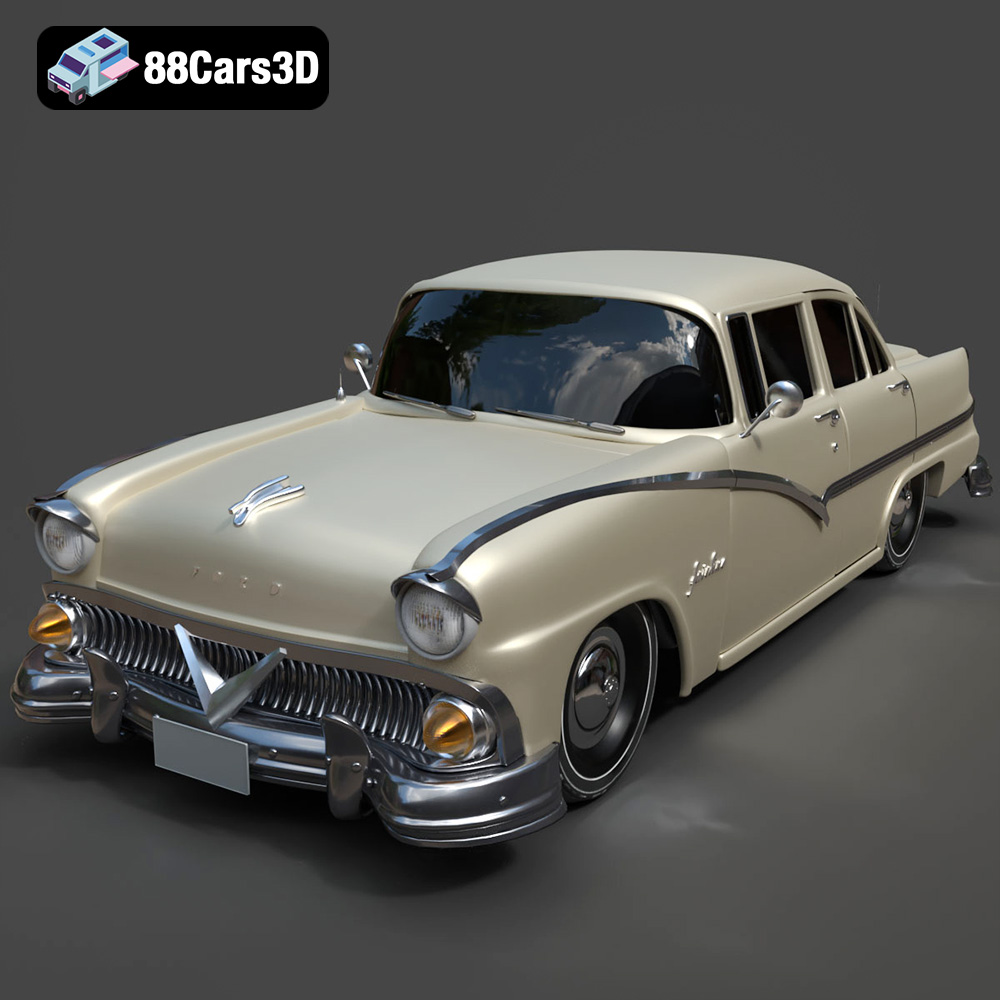
Texture: Yes | Material: Yes
Download the highly detailed, game-ready Ford Fairlin 3D Model. Features iconic classic styling, sweeping bodylines, and an accurate vintage interior. Includes .blend, .fbx, .obj, .glb, .stl, .ply, .unreal, and .max formats for game development, AR/VR, and rendering.
Price: $19.99
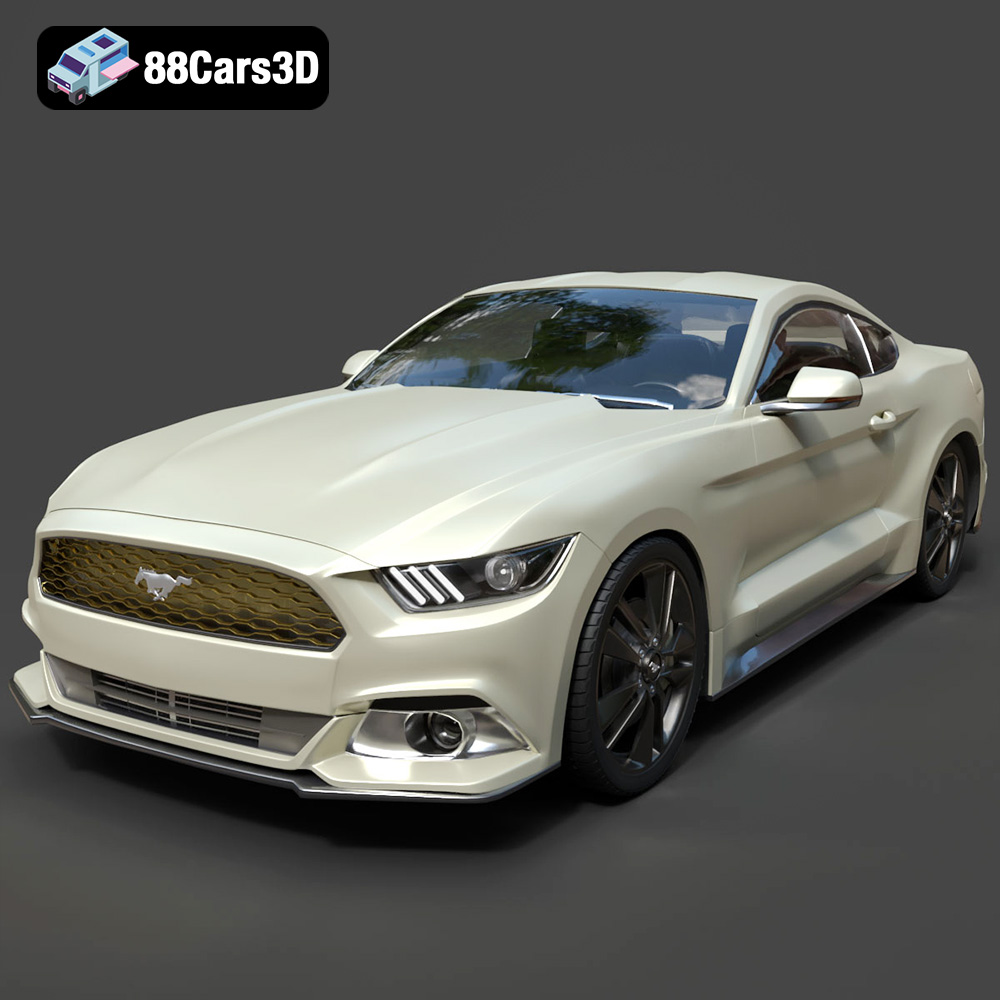
Texture: Yes | Material: Yes
Download the highly detailed, game-ready Ford Mustang GT 3D Model. Features aggressive muscle car styling, a highly detailed V8 engine bay, and accurate interior cockpit. Includes .blend, .fbx, .obj, .glb, .stl, .ply, .unreal, and .max formats for game development, AR/VR, and rendering.
Price: $19.99

Texture: Yes | Material: Yes
Download the highly detailed, game-ready Renault Megane CC 2011 3D Model. Features an accurately modeled folding glass roof, sleek aerodynamic body lines, and a detailed interior. Includes .blend, .fbx, .obj, .glb, .stl, .ply, .unreal, and .max formats for game development, AR/VR, and rendering.
Price: $19.99

Texture: Yes | Material: Yes
Download the highly detailed, game-ready Ford GT 2005 3D Model. Features signature aerodynamic bodylines, mid-mounted supercharged V8 detailing, and iconic racing stripes. Includes .blend, .fbx, .obj, .glb, .stl, .ply, .unreal, and .max formats for game development, AR/VR, and rendering.
Price: $19.99

Texture: Yes | Material: Yes
Download the highly detailed, game-ready Yamaha YZF-R125 EU 3D Model. Features an aggressive aerodynamic fairing, twin LED headlights, and a detailed 125cc engine block. Includes .blend, .fbx, .obj, .glb, .stl, .ply, .unreal, and .max formats for game development, AR/VR, and rendering.
Price: $19.99

Texture: Yes | Material: Yes
Download the highly detailed, game-ready Yamaha R1 3D Model. Features aggressive aerodynamic fairings, a detailed crossplane inline-4 engine, and track-focused suspension geometry. Includes .blend, .fbx, .obj, .glb, .stl, .ply, .unreal, and .max formats for game development, AR/VR, and rendering.
Price: $19.99

Texture: Yes | Material: Yes
Download the highly detailed, game-ready Yamaha XV950 Racer 3D Model. Features an aggressive cafe-racer front cowl, detailed air-cooled V-twin engine, and classic retro styling. Includes .blend, .fbx, .obj, .glb, .stl, .ply, .unreal, and .max formats for game development, AR/VR, and rendering.
Price: $19.99

