Get 20% OFF All Premium 3D & STL Models!

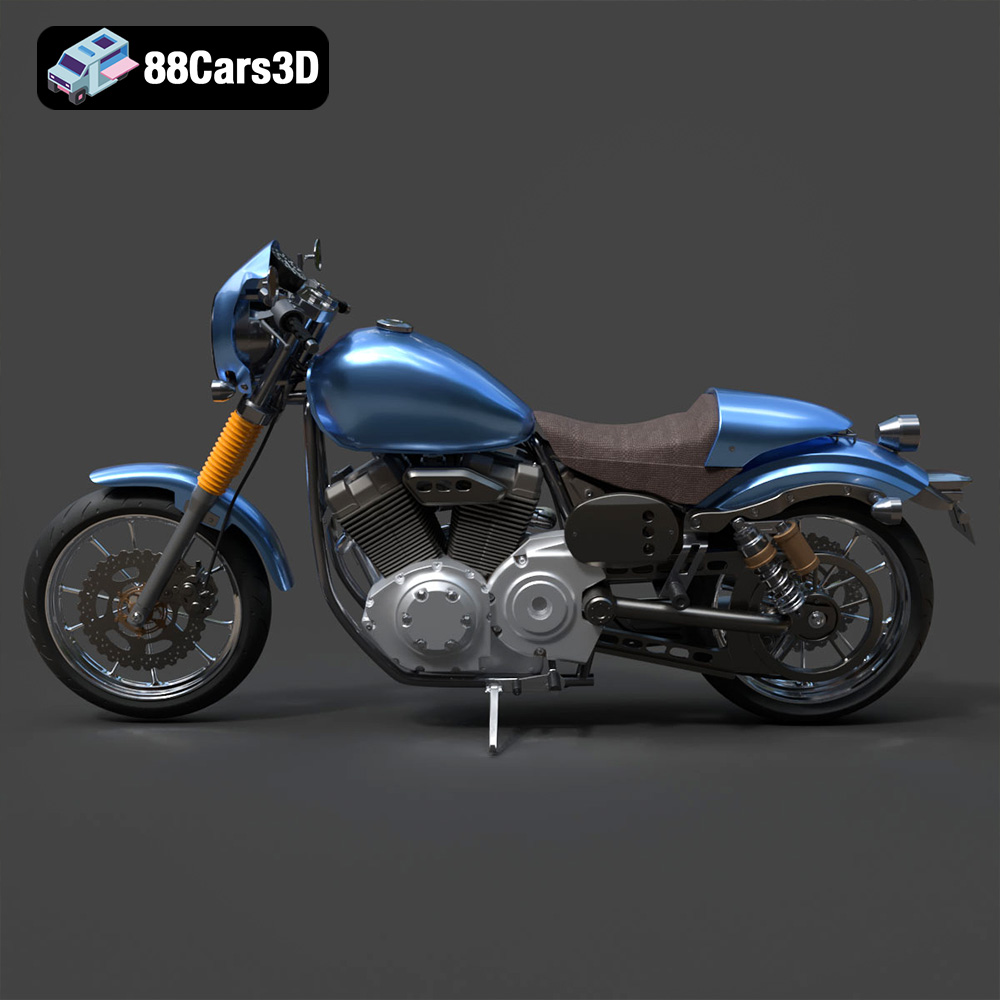
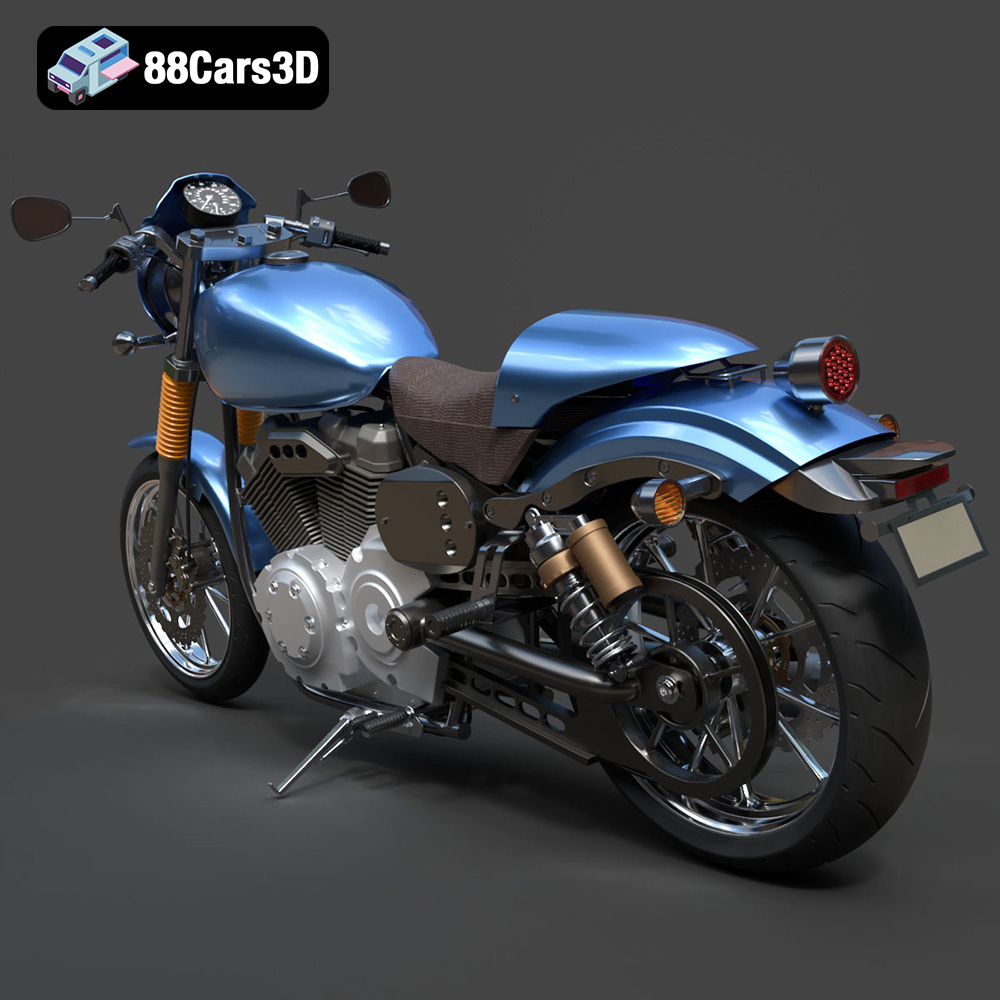
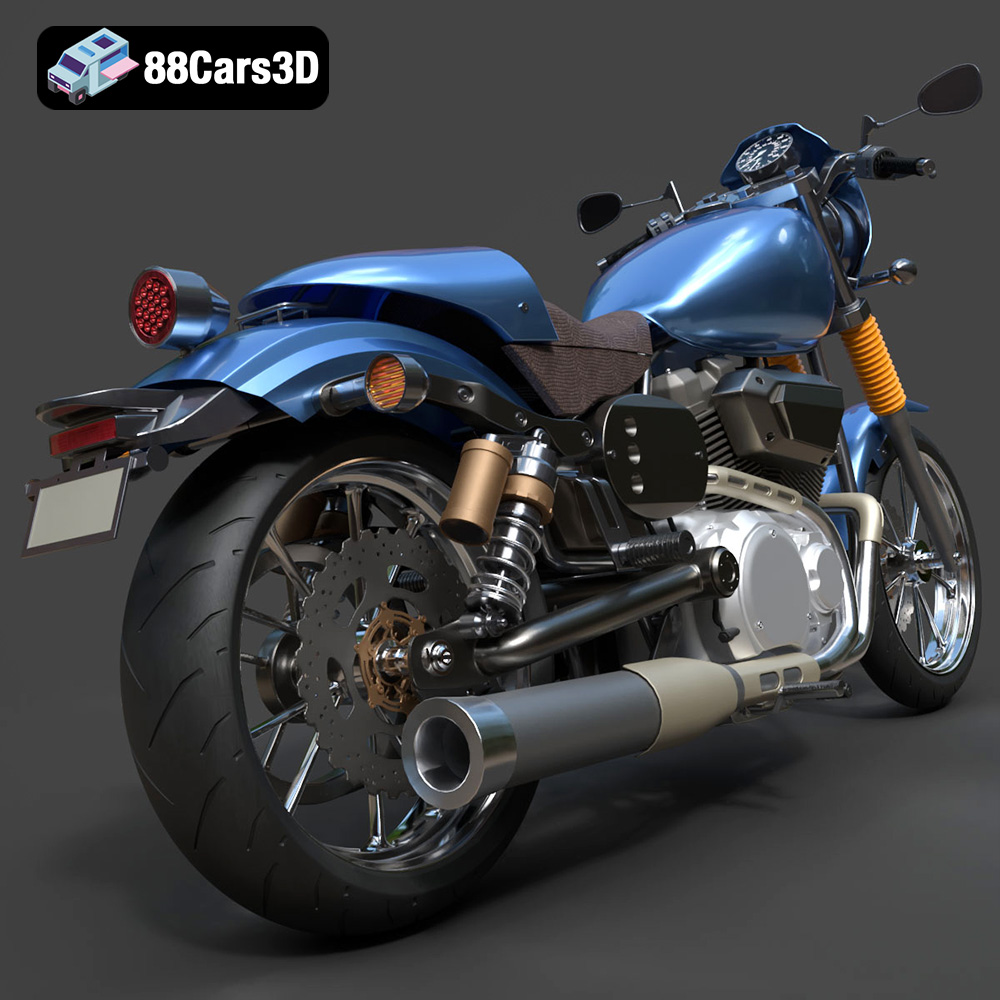
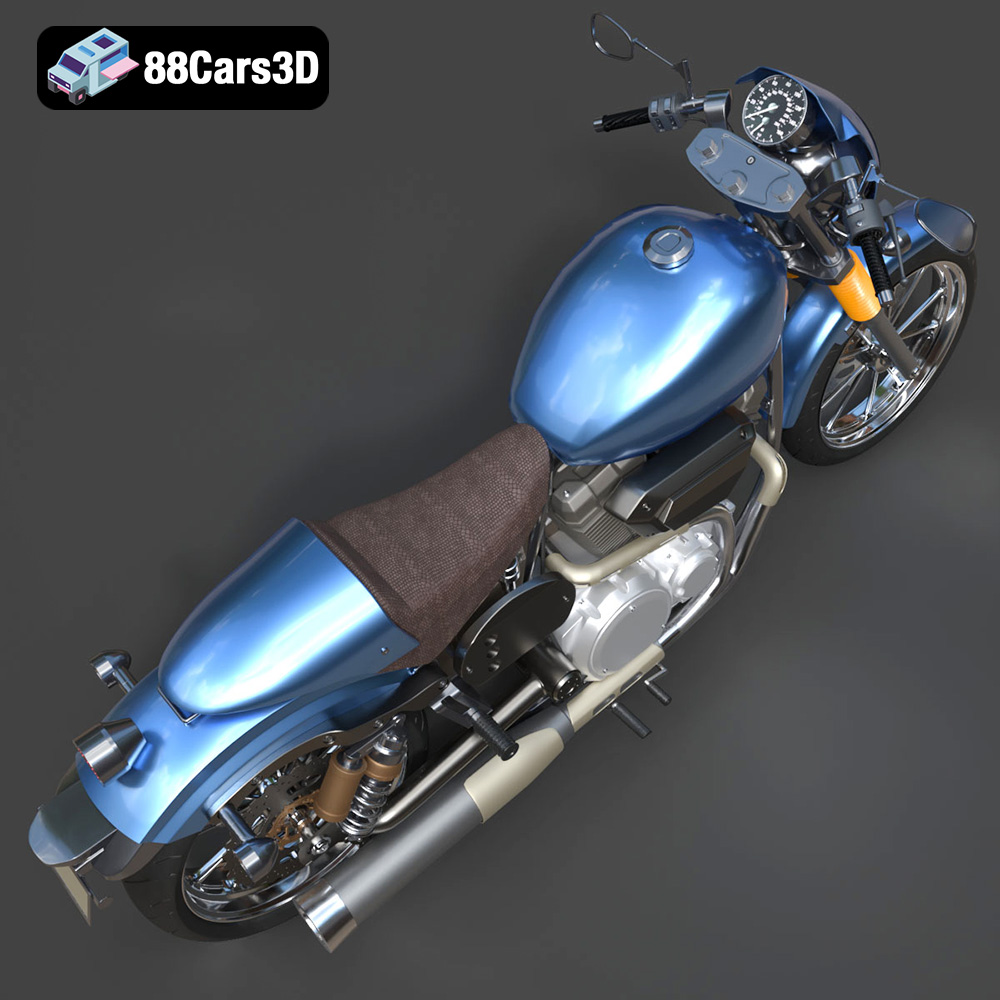
The Yamaha XV950 Racer, a fusion of classic cafe racer aesthetics and modern engineering, makes for a compelling 3D printing project. Its detailed design and iconic silhouette translate beautifully into a tangible model. This guide will walk you through the process of bringing this stunning motorcycle to life through 3D printing, covering everything from file preparation to post-processing. With the high-quality STL files available at 88cars3d.com, achieving a professional-looking replica is within reach.
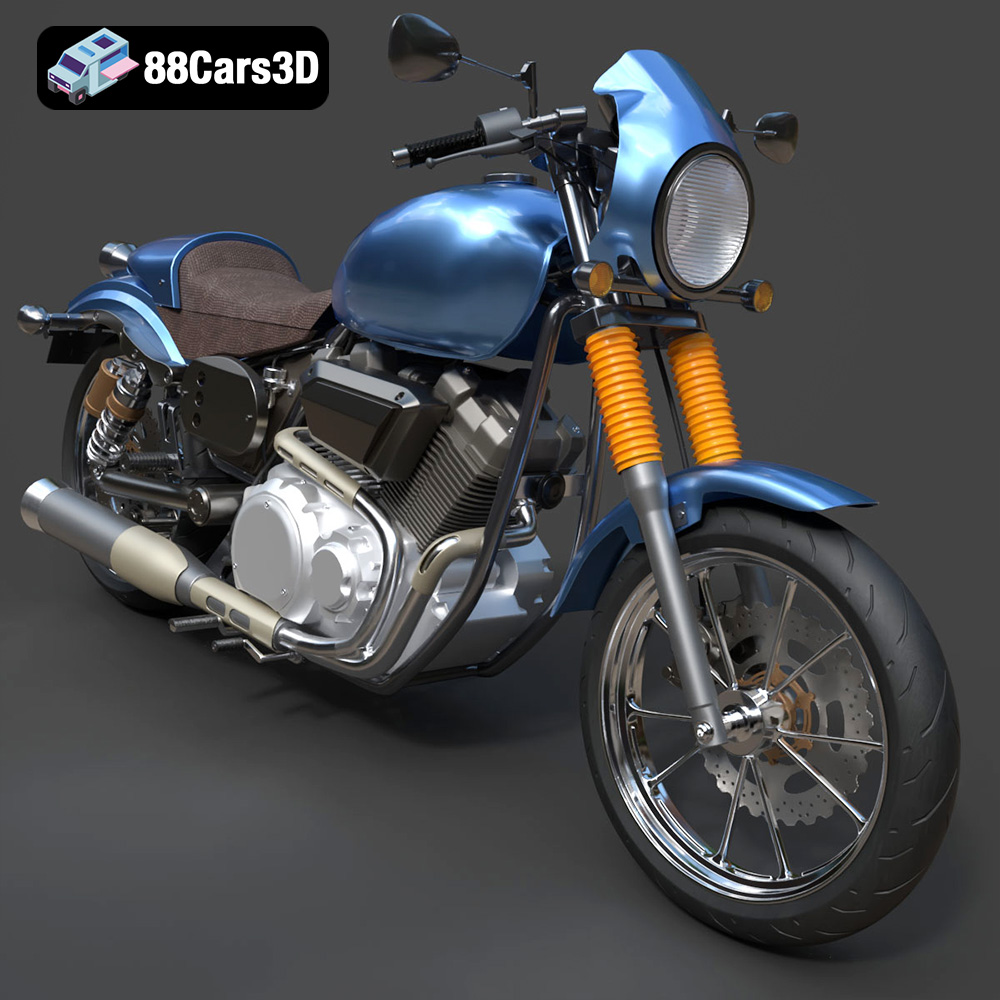
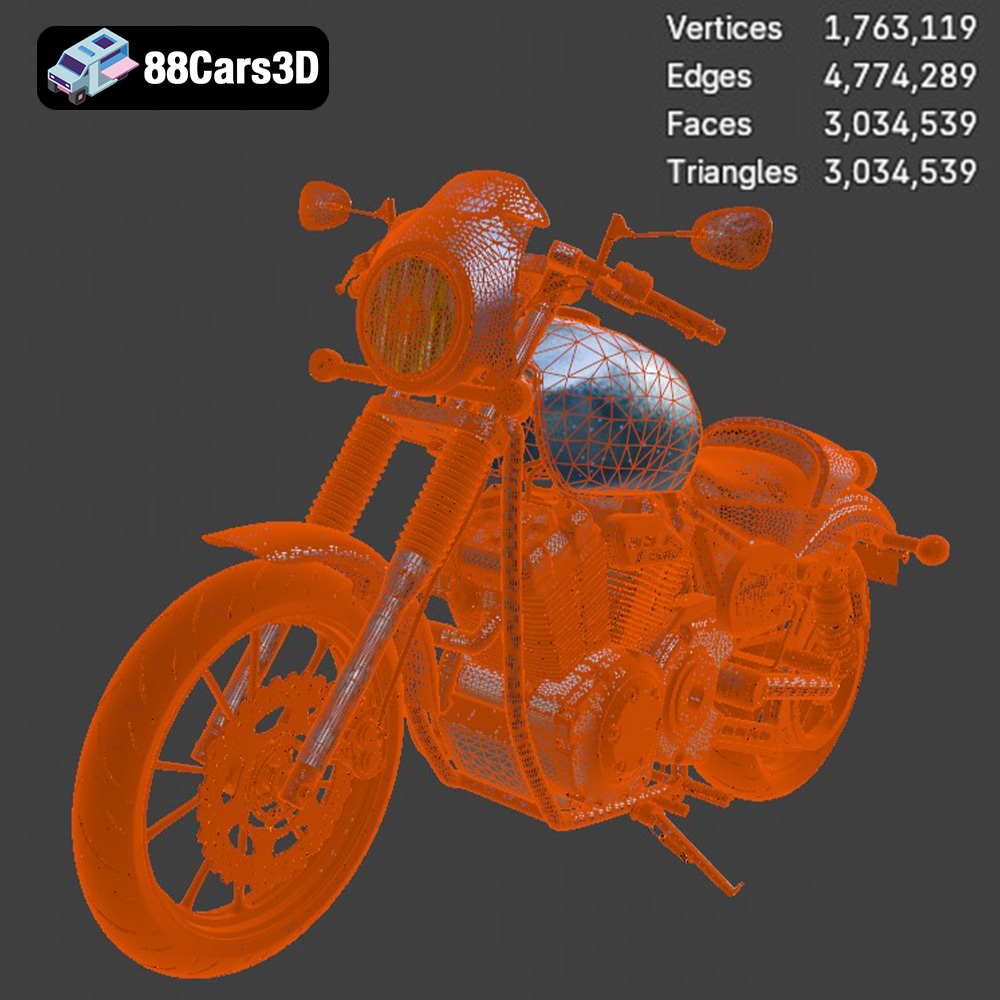
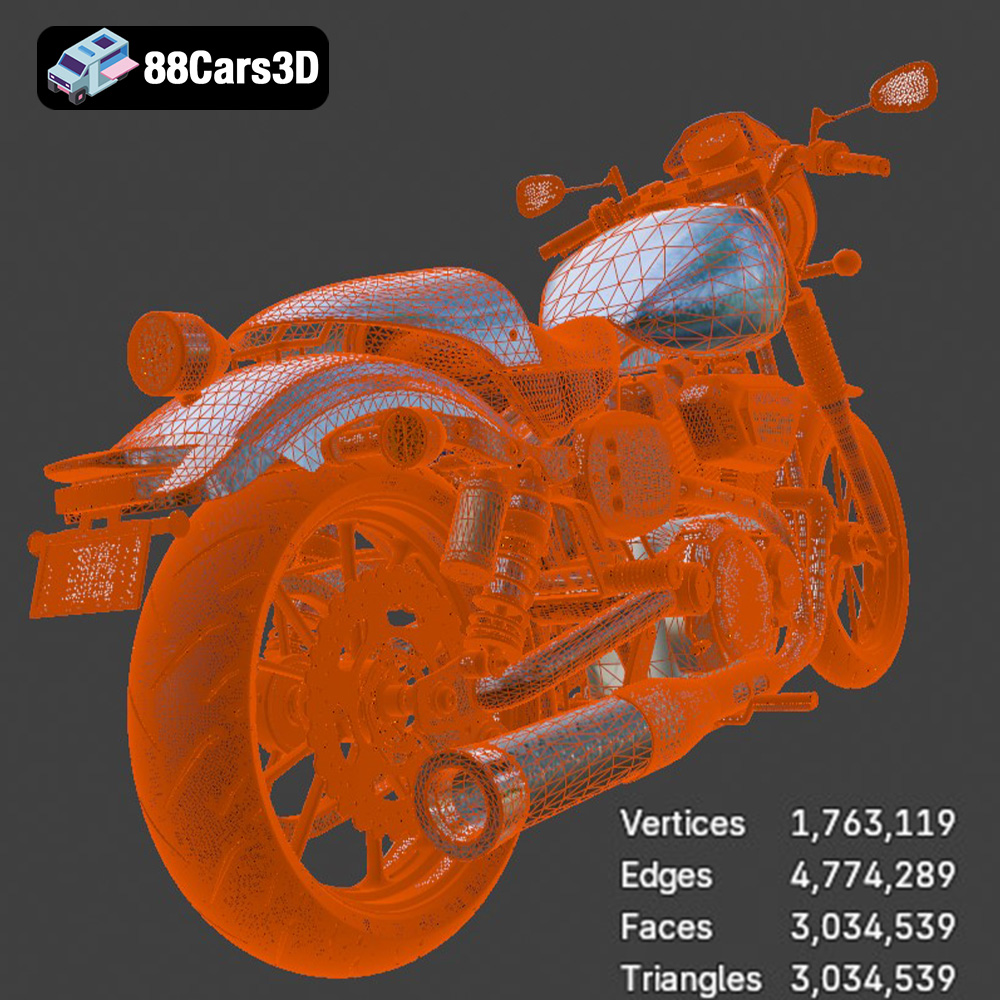
Before diving into the printing process, it’s essential to understand the intricacies of the Yamaha XV950 Racer 3D model. This model, designed for game development, AR/VR, rendering, and 3D printing, boasts a high level of detail while maintaining optimized topology. This means the model features intricate parts like the 942cc V-twin engine, exhaust system, and detailed cockpit, but also has a manageable polygon count, which is essential for successful 3D printing. Understanding the model’s design considerations will help you make informed decisions about print settings, orientation, and support structures. Given the complexity, planning is key.
The Yamaha XV950 Racer model features several complex geometries, including the engine fins, exhaust pipes, and the intricate wheel designs. These areas will require careful attention when setting up your print. Overhangs will be prevalent, demanding well-placed support structures. Consider the model’s overall size and the limitations of your 3D printer’s build volume when planning your print. Scaling the model appropriately is important if your printer has a smaller build area.
The product description recommends scales of 1:12, 1:18, and 1:24. The choice of scale depends on your printer’s capabilities and desired level of detail. Larger scales (e.g., 1:12) will capture more intricate details but require more material and longer print times. Smaller scales (e.g., 1:24) are faster and more economical but may sacrifice some finer details.
The availability of multiple file formats (.stl, .obj, .ply, .blend, .fbx, .glb, .max) for the Yamaha XV950 Racer model offers flexibility, but not all formats are equally suited for 3D printing. Understanding the nuances of each format is crucial for a successful print.
The STL (stereolithography) format is the de facto standard for 3D printing. It represents a 3D object’s surface as a collection of triangles, essentially a mesh. This simplicity makes it universally compatible with slicing software. However, STL files only contain geometric data and lack color or texture information. This means your print will be a single color, based on the filament you use.
When using an STL file, ensure the mesh quality is adequate. A low-resolution STL will result in a faceted, pixelated print, while an excessively high-resolution STL can increase file size and processing time without significantly improving print quality. Most slicing software allows you to adjust the STL import resolution. Look for options like “deviation” or “angle tolerance.” A smaller deviation value will create a denser mesh with more triangles, capturing finer details. The models available at 88cars3d.com are optimized to strike the perfect balance between detail and printability.
The OBJ format is another widely supported 3D model format. Unlike STL, OBJ can store color and texture information, making it suitable for multi-color 3D printing (if your printer supports it). OBJ files can also store material properties, such as reflectivity and transparency. However, OBJ files can be more complex and larger than STL files.
The PLY (Polygon File Format) is designed to store 3D data acquired from 3D scanners. It supports more complex data types than STL, including color, normals, and texture coordinates. PLY is suitable for high-detail prints where accuracy is paramount. However, not all slicing software fully supports PLY files, and the file size can be significant.
The BLEND format is the native file format for Blender, a popular open-source 3D modeling software. BLEND files contain the entire Blender scene, including the model, textures, lighting, and animation data. If you want to customize the Yamaha XV950 Racer model before printing, the BLEND file gives you complete control over the model’s geometry and appearance. Once you’ve made your modifications, you can export the model as an STL file for 3D printing.
FBX (Filmbox) is a proprietary file format developed by Autodesk. It’s commonly used for exchanging 3D data between different software applications. FBX files can store geometry, textures, materials, and animation data. While some slicing software can import FBX files, it’s generally recommended to export the model as an STL file for 3D printing to ensure compatibility and optimal performance.
GLB is a binary file format that represents 3D models using the glTF (GL Transmission Format) standard. GLB files are designed for efficient transmission and loading of 3D models in web and mobile applications. They’re often used for augmented reality (AR) applications, allowing you to preview the Yamaha XV950 Racer model in your real-world environment before printing it.
The MAX format is the native file format for Autodesk 3ds Max, another popular 3D modeling software. Similar to BLEND, MAX files contain the entire 3ds Max project, allowing for extensive customization of the model. If you’re familiar with 3ds Max, the MAX file gives you complete control over the Yamaha XV950 Racer’s geometry and appearance.
Ultimately, for 3D printing, the STL format is the most reliable and widely supported. Ensure that the STL file is properly prepared and optimized for your specific printer and slicing software.
Choosing the right material is critical for achieving the desired aesthetic and functional properties in your 3D printed Yamaha XV950 Racer. Several factors should be considered, including the desired level of detail, strength requirements, and post-processing techniques you plan to use.
PLA is a popular, biodegradable thermoplastic known for its ease of use and low printing temperature. It’s a good choice for beginners and general-purpose 3D printing projects. PLA produces relatively smooth surfaces and can capture intricate details well. However, PLA is not as strong or heat-resistant as other materials like ABS or PETG. If you plan to display your model indoors and aren’t concerned about high temperatures, PLA is a suitable option.
PETG offers a good balance of strength, flexibility, and ease of printing. It’s more durable and heat-resistant than PLA, making it a better choice for functional parts or models that may be exposed to higher temperatures. PETG also has good layer adhesion, reducing the risk of delamination. It’s a versatile material suitable for a wide range of 3D printing applications, including the Yamaha XV950 Racer.
Resin 3D printing (SLA or DLP) excels at producing highly detailed models with smooth surfaces. Resin printers use liquid resin that is cured by a UV light source. This technology is capable of capturing extremely fine details, making it ideal for intricate parts like the engine fins or the instrument cluster of the Yamaha XV950 Racer. However, resin prints are typically more brittle than FDM (Fused Deposition Modeling) prints and may require more post-processing, such as washing and curing. Resin printing can also be more expensive than FDM printing.
Slicing software converts the 3D model into a series of instructions that the 3D printer can understand. Optimizing your slicing settings is crucial for achieving high-quality prints.
Layer height determines the thickness of each printed layer. Lower layer heights result in smoother surfaces and finer details but increase print time. Higher layer heights are faster but may sacrifice surface quality. For the Yamaha XV950 Racer, a layer height of 0.1mm to 0.15mm is recommended for FDM printing, balancing detail and print time. For resin printing, layer heights as low as 0.025mm can be used to achieve exceptional detail.
Infill density determines the amount of material used inside the model. Higher infill densities increase strength and rigidity but also increase print time and material consumption. For a display model like the Yamaha XV950 Racer, an infill density of 20% to 30% is usually sufficient. Experiment with different infill patterns (e.g., gyroid, honeycomb) to optimize strength and weight.
Support structures are necessary to support overhanging features during printing. The Yamaha XV950 Racer has several overhangs, including the exhaust pipes, handlebars, and the underside of the fuel tank. Properly placed support structures are crucial for preventing print failures and ensuring accurate geometry. Consider using tree supports or manually placing supports in strategic locations to minimize material usage and simplify removal.
The orientation in which you print the Yamaha XV950 Racer can significantly impact the print quality, strength, and the amount of support material required. Printing the frame at an angle can improve its structural integrity and reduce the need for supports on the top surfaces. The wheels and other circular components are best printed upright.
Post-processing is the final stage in the 3D printing process and involves cleaning, sanding, painting, and assembling the printed parts to achieve a polished and professional finish.
Carefully remove support structures using pliers, cutters, or a sharp knife. Take your time and avoid damaging the model’s surface. For PLA and PETG, supports can often be snapped off relatively easily. Resin prints may require more delicate removal techniques.
Sanding is essential for removing layer lines and creating a smooth surface. Start with coarse sandpaper (e.g., 220 grit) and gradually move to finer grits (e.g., 400, 600, 800 grit) to achieve a smooth finish. Wet sanding can help reduce dust and improve the sanding process.
Priming prepares the surface for painting and helps the paint adhere better. Apply several thin coats of primer, allowing each coat to dry completely before applying the next. Once the primer is dry, you can paint the model with your desired colors. Use high-quality paints designed for plastic models. Consider using an airbrush for a smooth and even finish. The product description recommends authentic factory colors with metallic finishes to achieve a realistic look.
The Yamaha XV950 Racer model consists of several separate parts, such as the frame, wheels, suspension, and engine components. Assemble these parts using glue or screws. Ensure proper alignment and secure connections.
Even with careful planning and optimized settings, 3D printing can sometimes present challenges. Here are some common issues and their solutions:
Warping occurs when the corners of the print lift off the build plate. This is often caused by poor bed adhesion or uneven temperature distribution. Ensure your build plate is clean and level. Use a heated bed and adjust the bed temperature according to the material recommendations. Applying an adhesive like glue stick or hairspray to the build plate can also improve adhesion.
Stringing occurs when thin strands of plastic are left between different parts of the print. This is often caused by excessive nozzle temperature or retraction settings. Lower the nozzle temperature and increase the retraction distance and speed.
Layer delamination occurs when the printed layers separate from each other. This is often caused by poor layer adhesion or insufficient cooling. Increase the nozzle temperature and reduce the printing speed. Ensure proper cooling of each layer.
Elephant’s foot is when the first few layers of the print flare out, creating a wider base than the rest of the model. Lower the bed temperature slightly or reduce the flow rate for the first few layers.
With these tips and techniques, you should be well-equipped to successfully 3D print the Yamaha XV950 Racer model. Remember to experiment with different settings and techniques to find what works best for your printer and material. Don’t hesitate to consult online resources and communities for additional guidance and support.
3D printing the Yamaha XV950 Racer is a rewarding project that combines technical skill with artistic creativity. By carefully selecting materials, optimizing slicing settings, and mastering post-processing techniques, you can create a stunning replica of this iconic motorcycle. The availability of high-quality 3D models from sources like 88cars3d.com makes the process more accessible than ever. Whether you’re a seasoned 3D printing enthusiast or a beginner looking for a challenging and rewarding project, the Yamaha XV950 Racer offers a unique opportunity to showcase your skills and bring a piece of automotive history to life. Remember to start with the STL file, meticulously prepare your print, and take your time with post-processing. The result will be a tangible testament to the power of 3D printing.
The Yamaha XV950 Racer is a stunning motorcycle that beautifully merges classic cafe-racer heritage with modern V-twin cruiser performance. Known for its aggressive riding posture and stripped-down aesthetic, this bike boasts a muscular 942cc air-cooled engine, a distinctive front mini-cowl, and swept-back exhaust lines that capture the essence of retro-modern custom culture. This premium 3D model is meticulously crafted with highly optimized topology, striking the perfect balance between high-end visual fidelity and real-time performance.
$19.99
.blend
.cruiser
.fbx
.glb
.max
.motorcycle
.obj
.ply
.rendering
.stl
.unreal
.yamaha
cafe-racer
game asset
game-ready
low-poly
motorcycle-3d-model
optimized
VR/AR
xv950-racer