Get 20% OFF All Premium 3D & STL Models!

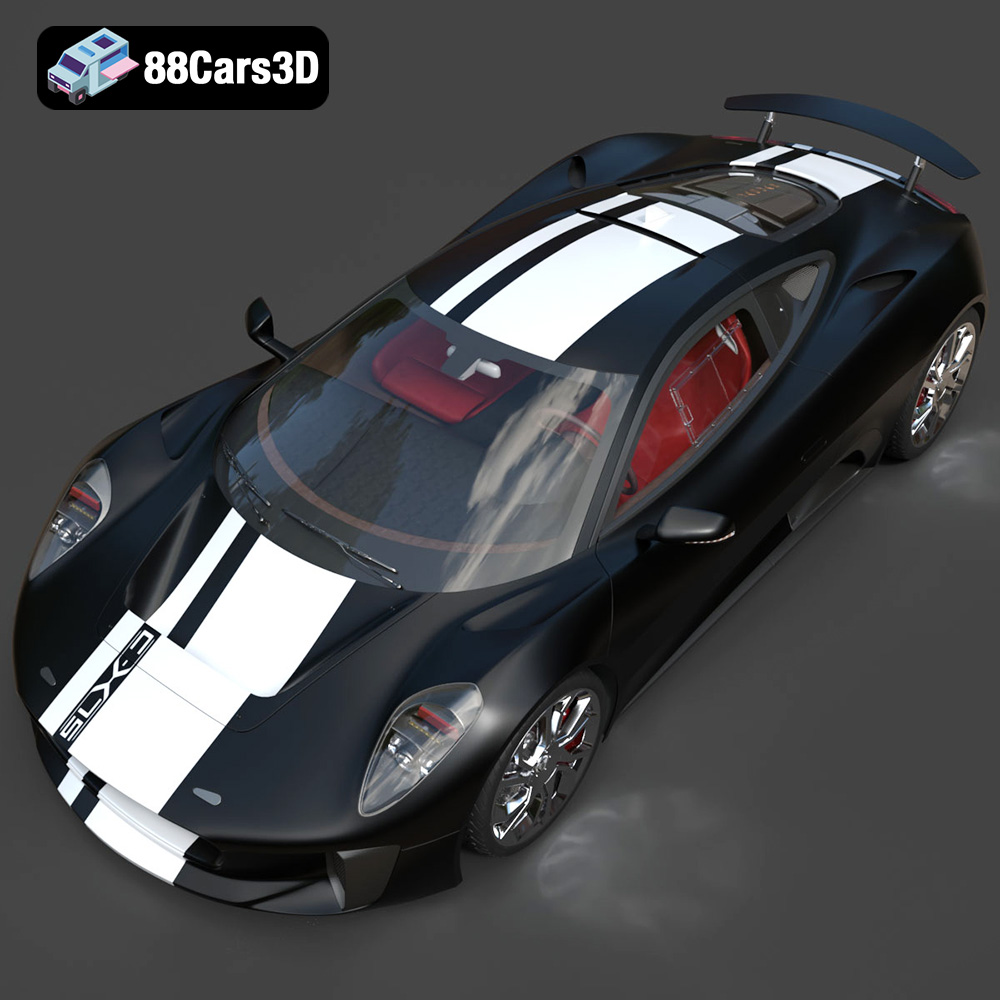
The Jaguar C-X75, a stunning hybrid-electric concept car, represents the pinnacle of automotive design and engineering. Now, thanks to 88cars3d.com, you can bring this masterpiece to life through the power of 3D printing. This guide will provide you with the knowledge and techniques necessary to successfully 3D print the Jaguar C-X75 2014 3D Model, transforming digital data into a tangible work of art. Whether you’re a seasoned 3D printing enthusiast or a newcomer to additive manufacturing, this article will cover essential aspects, from file preparation to post-processing, ensuring a rewarding and impressive final result. Let’s dive into the exciting world of 3D printing this iconic vehicle.
The digital world of 3D models revolves around various file formats, each with its strengths and weaknesses. When it comes to 3D printing, the choice of file format can significantly impact the final outcome. Understanding these formats is crucial for achieving high-quality prints.
The STL (Stereolithography) file format is the undisputed champion of 3D printing. It represents a 3D model as a collection of triangles, forming a mesh that describes the object’s surface geometry. STL files are simple, widely supported, and universally compatible with slicing software, making them the go-to choice for most 3D printing applications.
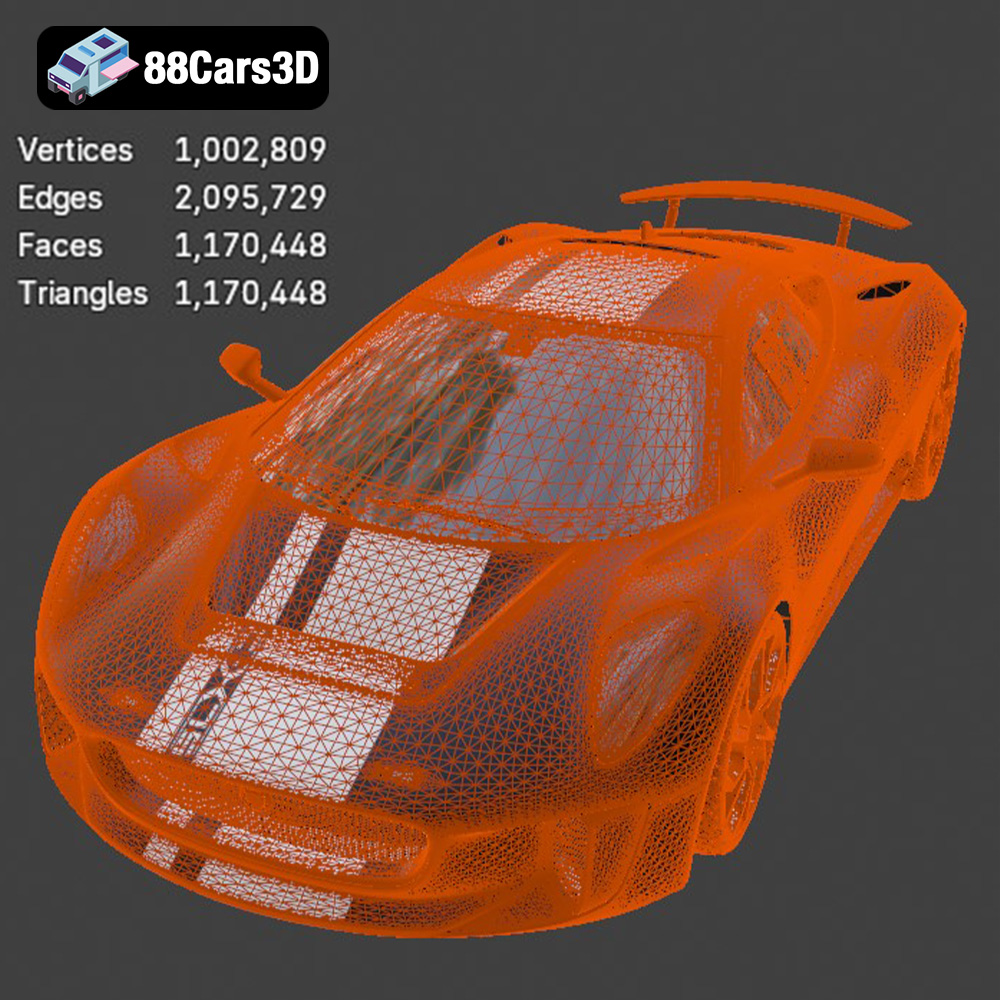
For the Jaguar C-X75 2014 3D Model, the STL file provided by 88cars3d.com is the primary format for 3D printing. When working with STL files, it’s essential to inspect the mesh quality. A high-quality STL file will have a dense mesh with small triangles, resulting in a smoother surface finish on the printed part. Conversely, a low-quality STL file will have larger triangles, leading to a faceted or blocky appearance. Many slicing software programs offer tools to repair and optimize STL files, ensuring they are watertight and free of errors before printing.
OBJ (Object) files are another common 3D model format. Unlike STL, OBJ files can store color and texture information, making them suitable for colored 3D prints or visualization purposes. While OBJ is supported by most slicing software, it’s not as universally preferred as STL for 3D printing due to its complexity and larger file size.
PLY (Polygon File Format) is designed for storing 3D data acquired from 3D scanners. It supports complex meshes and can store various properties, such as color, normals, and texture coordinates. PLY files are often used for high-detail prints where accuracy is paramount.
BLEND files are specific to Blender, a popular open-source 3D modeling software. The Jaguar C-X75 model available on 88cars3d.com includes a .blend file, allowing users to customize the model before exporting it to a printable format like STL. This is beneficial for making modifications, adding details, or preparing specific parts for printing.
FBX (Filmbox) is a proprietary file format developed by Autodesk, widely used in the game development and animation industries. It supports complex scenes with animation, materials, and textures. While some slicing software can import FBX files, they are primarily intended for transferring models between different software applications rather than direct 3D printing.
GLB (GL Transmission Format Binary) is a binary file format that represents 3D models in a compact and efficient manner. It’s commonly used for AR/VR applications and web-based visualization. GLB files are not directly used for 3D printing, but they can be helpful for previewing the model in augmented reality before committing to a print.
MAX files are native to 3ds Max, another popular 3D modeling and rendering software. Similar to .blend files, .max files allow for extensive customization and modification of the Jaguar C-X75 model before exporting it to a printable format.
In conclusion, while various file formats are available for 3D models, the STL format remains the most reliable and widely supported choice for 3D printing. Ensure the STL file is of high quality and optimized for printing before proceeding with the slicing process.
Before you even load the STL file into your slicing software, some crucial pre-print preparations can drastically improve the success and quality of your 3D printed Jaguar C-X75.
Even high-quality 3D models can sometimes contain minor errors that can cause issues during printing. These errors can include non-manifold geometry, holes, or overlapping faces. Before slicing, it’s crucial to inspect the STL file using software like MeshMixer, Netfabb, or even the built-in repair tools in your slicer. These tools can automatically identify and fix common mesh errors, ensuring a watertight and printable model. For the Jaguar C-X75, pay close attention to intricate areas like the grilles, vents, and thin body panels, as these are often prone to errors.
The orientation of the model on the build plate is a critical factor that influences print quality, support requirements, and overall print time. For the Jaguar C-X75, consider orienting the model with the flattest side facing down to minimize support structures. However, this may not always be optimal, especially for complex geometries. Experiment with different orientations to find the best balance between minimizing supports and preserving detail. Consider tilting the model slightly to reduce the staircase effect on curved surfaces.
Depending on the size of your 3D printer and your desired final product, you may need to scale the Jaguar C-X75 model. Be mindful of the minimum feature size your printer can accurately reproduce. Scaling the model too small can result in the loss of fine details. If you’re printing a large model, consider hollowing it out to reduce material consumption and print time. Most slicing software allows you to create a hollow interior with a specified wall thickness. Remember to add drainage holes to allow excess resin (for resin printing) or unmelted powder (for SLS printing) to escape.
The choice of material is paramount to the final appearance, strength, and functionality of your 3D printed Jaguar C-X75. Different materials offer varying properties and require different printing parameters.
PLA is a biodegradable thermoplastic polymer derived from renewable resources like cornstarch or sugarcane. It’s a popular choice for 3D printing due to its ease of use, low printing temperature, and minimal warping. PLA is ideal for printing the Jaguar C-X75 if you prioritize ease of printing and aesthetic appearance over high strength and heat resistance. It’s a great option for creating display models or prototypes. Consider using PLA+ for improved strength and impact resistance compared to standard PLA.
PETG is a glycol-modified version of PET, the material used in water bottles. It offers a good balance of strength, flexibility, and heat resistance, making it a versatile choice for a wide range of 3D printing applications. PETG is more durable than PLA and has better impact resistance. It’s a suitable material for printing functional parts or models that will be subjected to some stress.
Resin 3D printing, using technologies like SLA (Stereolithography), DLP (Digital Light Processing), or LCD (Liquid Crystal Display), offers exceptional detail and smooth surface finishes. Resin is ideal for printing the Jaguar C-X75 if you want to capture every intricate detail and achieve a flawless surface. However, resin prints tend to be more brittle than filament prints and require thorough post-processing, including washing and curing.
The slicing process involves converting the 3D model into a set of instructions that the 3D printer can understand. Fine-tuning the slicing parameters is crucial for achieving optimal print quality and minimizing printing issues.
Layer height determines the resolution of the print. A smaller layer height results in a smoother surface finish but increases print time. For the Jaguar C-X75, a layer height of 0.1mm to 0.2mm is recommended for FDM printing. For resin printing, layer heights can be even smaller, typically ranging from 0.025mm to 0.05mm. Print speed also affects print quality. Slower print speeds generally result in better layer adhesion and reduced warping, especially for intricate details.
Infill density determines the amount of material used to fill the interior of the model. A higher infill density increases the strength of the print but also increases material consumption and print time. For the Jaguar C-X75, an infill density of 15% to 25% is typically sufficient for display models. Choose an infill pattern that provides adequate support for the outer layers. Gyroid and cubic patterns are popular choices for their strength and efficiency.
Support structures are necessary to support overhanging features during printing. However, supports can be difficult to remove and can leave marks on the printed surface. Minimize support usage by carefully orienting the model and using support blockers in your slicing software to prevent supports from being generated in unnecessary areas. Experiment with different support types, such as tree supports or linear supports, to find the best balance between support strength and ease of removal.
Post-processing is the final step in the 3D printing process, involving various techniques to refine the appearance and functionality of the printed part.
Carefully remove support structures using pliers, cutters, or a sharp knife. Be patient and avoid damaging the printed surface. Once the supports are removed, use sandpaper to smooth any rough edges or support marks. Start with coarse-grit sandpaper and gradually move to finer grits to achieve a smooth finish. For hard-to-reach areas, consider using small files or rotary tools.
Painting can transform a 3D printed model from a raw prototype to a polished masterpiece. Apply a primer to the model to create a smooth and even surface for the paint to adhere to. Use acrylic paints or automotive paints for the best results. Apply multiple thin coats of paint, allowing each coat to dry completely before applying the next. Consider using masking tape to create clean lines and intricate details. Once the paint is dry, apply a clear coat to protect the paint and add a glossy or matte finish.
If the Jaguar C-X75 model is printed in multiple parts, carefully assemble them using glue or screws. Ensure that the parts fit together properly before applying glue. Use clamps or tape to hold the parts in place while the glue dries.
Even with careful preparation and fine-tuning, 3D printing can sometimes present challenges. Here are some common issues and their solutions:
Warping occurs when the corners of the print lift off the build plate. This is often caused by poor bed adhesion or temperature fluctuations. To prevent warping, ensure that the build plate is clean and level. Use a heated bed and enclosure to maintain a consistent temperature. Apply a bed adhesion aid, such as hairspray or glue stick.
Stringing occurs when thin strands of filament are left between different parts of the print. This is often caused by excessive retraction distance or high printing temperature. To prevent stringing, adjust the retraction settings in your slicing software. Lower the printing temperature and increase the travel speed.
Layer shifting occurs when the print suddenly shifts in one direction. This is often caused by loose belts or stepper motors. To prevent layer shifting, tighten the belts and ensure that the stepper motors are properly calibrated. Reduce the printing speed and check for any obstructions that may be preventing the printer from moving smoothly.
By following this comprehensive guide, you can successfully 3D print the Jaguar C-X75 2014 3D Model from 88cars3d.com and create a stunning replica of this iconic vehicle. Remember to experiment with different materials, settings, and post-processing techniques to achieve your desired results. With patience and practice, you can transform your digital dreams into tangible reality.
Experience unparalleled realism with the Jaguar C-X75 2014 3D Model. This exceptionally detailed digital replica captures the essence of the renowned hybrid-electric concept car, offering automotive enthusiasts and professionals an immaculate asset for their digital projects. Engineered with precision, this model brings the stunning aerodynamics and aggressive styling of the C-X75 to your virtual environments.
$39.99
.arvr
.blend
.c-x75
.car3dmodel
.conceptcar
.cx75
.fbx
.gameasset
.glb
.hybrid
.hypercar
.jaguar
.max
.obj
.ply
.rendering
.simulation
.sportsCar
.stl
.unreal