Get 20% OFF All Premium 3D & STL Models!

“`html
3D printing has revolutionized manufacturing and hobbyist projects alike. Creating stunning 3D printed car models from platforms like 88cars3d.com requires more than just hitting the “print” button. A crucial step is preparing your STL files for optimal printing. This comprehensive guide walks you through the entire process, from understanding STL file structure to advanced slicing techniques, ensuring your 3D printed car models are a perfect reflection of the digital design. Whether you’re using FDM or resin printers, this article will provide you with the knowledge and techniques to achieve high-quality, detailed prints every time. Learn how to optimize your 3D models, select the right printer settings, and troubleshoot common issues to unlock the full potential of your 3D printer.
The STL (stereolithography) file format is the cornerstone of 3D printing. It represents the surface geometry of a 3D object using a collection of triangles. Understanding the structure of STL files is fundamental for preparing models for printing, especially when dealing with intricate car designs from sources like 88cars3d.com.
An STL file describes the outer surface of a 3D object using a mesh of interconnected triangles. Each triangle is defined by its three vertices and a normal vector, which indicates the triangle’s orientation. The density of the triangle mesh directly affects the model’s visual fidelity. A higher triangle count results in a smoother, more detailed surface but also increases the file size and processing time. For printable car models, balancing detail and file size is key.
A “manifold” mesh is a crucial concept in 3D printing. A manifold mesh ensures that every edge is shared by exactly two triangles, forming a closed, watertight surface. Non-manifold geometry, such as holes, self-intersections, or disconnected components, can cause significant printing problems. Common issues include slicing errors, incomplete layers, and even printer failures. Before printing, it’s essential to check and repair your STL files to ensure they are manifold.
Tip: Many software tools like Meshmixer or Netfabb can automatically detect and repair non-manifold geometry in STL files. Always run a repair process before slicing.
Slicing is the process of converting a 3D model into a series of 2D layers that a 3D printer can understand. The slicer software takes the STL file as input and generates G-code, the programming language used to control the printer’s movements, temperature, and extrusion. Selecting the right slicing parameters is critical for achieving optimal print quality.
For FDM (Fused Deposition Modeling) printing, which is a popular method for creating car models, several parameters significantly impact the outcome:
Resin printing (SLA/DLP) uses liquid resin cured by UV light to create 3D objects. Slicing for resin printing involves different parameters:
Support structures are temporary scaffolding used to support overhanging parts of a 3D model during printing. They prevent these parts from collapsing or warping due to gravity. Generating and removing supports effectively is crucial for printing complex car models with intricate features. When downloading models from marketplaces such as 88cars3d.com, pre-supported models can save significant time and effort.
Most slicing software packages, such as Cura and PrusaSlicer, offer automatic support generation tools. However, manual customization is often necessary to optimize support placement and minimize material usage:
Removing support structures can be a delicate process. Take these precautions to avoid damaging the printed model:
Tip: Consider using dissolvable support materials (e.g., PVA for PLA) for intricate prints. These supports dissolve in water, leaving a pristine surface finish.
The orientation of your 3D model on the print bed and ensuring proper bed adhesion are critical for a successful print. The right orientation can minimize support requirements, improve surface finish, and enhance structural strength. Good bed adhesion prevents warping and ensures that the model stays firmly attached to the print bed throughout the printing process.
Consider the following factors when choosing the print orientation:
Poor bed adhesion is a common cause of print failures. Here’s how to improve it:
Tip: A brim or raft can significantly improve bed adhesion, especially for models with small contact areas.
Choosing the right material and properly calibrating your 3D printer are essential for achieving high-quality prints. Different materials offer varying properties in terms of strength, flexibility, temperature resistance, and surface finish. Printer calibration ensures that your printer is operating within its optimal parameters, resulting in accurate and consistent prints. For 3D printable car models, consider the desired properties of the final product when selecting materials.
Common 3D printing materials include:
Proper printer calibration is crucial for achieving accurate and consistent prints:
Tip: Regularly perform maintenance on your 3D printer, including cleaning the nozzle, lubricating moving parts, and tightening belts and screws. This will help to ensure that your printer operates smoothly and consistently.
Despite careful preparation, 3D printing can sometimes present challenges. Understanding common issues and their solutions is vital for achieving consistent and high-quality prints. Here are a few common problems and ways to address them.
Problem: The corners of the print lift off the bed during printing (warping).
Solutions:
Problem: Thin strands of filament are left between different parts of the print (stringing), or excess material accumulates on the print (blobs).
Solutions:
Problem: Layers of the print do not adhere properly, leading to cracks or delamination.
Solutions:
Problem: The first few layers of the print are wider than the rest, creating a flared base.
Solutions:
By understanding these common issues and their solutions, you can effectively troubleshoot problems and achieve successful 3D prints of your car models.
Preparing 3D models for printing is a multifaceted process that requires a solid understanding of STL files, slicing parameters, support structures, print orientation, material selection, and printer calibration. By following the step-by-step guide outlined in this article, you can significantly improve the quality and consistency of your 3D prints. Remember to always check and repair your STL files, optimize your slicing settings for the specific material and printer, and carefully plan your support structures and print orientation. Platforms like 88cars3d.com provide excellent starting points with high-quality models, but mastering the preparation process is what truly unlocks the potential of 3D printing. Now, take your newly acquired knowledge and start creating stunning 3D printed car models!
“`

Texture: Yes | Material: Yes
Download the highly detailed, game-ready Ford Transit Mk1 Panel Van 1965 3D Model. Features iconic flat-front styling, vintage steel wheels, and a period-correct cargo bay. Includes .blend, .fbx, .obj, .glb, .stl, .ply, .unreal, and .max formats for game development, AR/VR, and rendering.
Price: $19.99

Texture: Yes | Material: Yes
Download the highly detailed, game-ready BMW X3 2024 3D Model. Features the iconic kidney grille, dynamic SUV proportions, and precise lighting elements. Includes .blend, .fbx, .obj, .glb, .stl, .ply, .unreal, and .max formats for game development, AR/VR, and rendering.
Price: $19.99

Texture: Yes | Material: Yes
Download the highly detailed, game-ready Tesla Model S Plaid 2021 3D Model. Features sleek aerodynamic styling, signature LED lighting, and the revolutionary Yoke steering interior. Includes .blend, .fbx, .obj, .glb, .stl, .ply, .unreal, and .max formats for game development, AR/VR, and rendering.
Price: $19.99

Texture: Yes | Material: Yes
Download the highly detailed, game-ready Rolls-Royce Ghost EWB 2018 3D Model. Features the iconic Pantheon grille, elongated luxury chassis, and elegant exterior lines. Includes .blend, .fbx, .obj, .glb, .stl, .ply, .unreal, and .max formats for game development, AR/VR, and rendering.
Price: $19.99

Texture: Yes | Material: Yes
Download the highly detailed, game-ready Chevrolet Suburban 75th Diamond 3D Model. Features the iconic Diamond Edition styling, detailed interior, and accurate full-size SUV proportions. Includes .blend, .fbx, .obj, .glb, .stl, .ply, .unreal, and .max formats for game development, AR/VR, and rendering.
Price: $19.99

Texture: Yes | Material: Yes
Download the highly detailed, game-ready Lamborghini Terzo Millenio 2017 3D Model. Features glowing Y-shaped LED signatures, extreme aerodynamic channels, and an aggressive hypercar stance. Includes .blend, .fbx, .obj, .glb, .stl, .ply, .unreal, and .max formats for game development, AR/VR, and rendering.
Price: $19.99

Texture: Yes | Material: Yes
Download the highly detailed, game-ready Mazda CX-5 2011 3D Model. Features the signature Kodo design exterior, detailed alloy wheels, and a fully modeled interior cabin. Includes .blend, .fbx, .obj, .glb, .stl, .ply, .unreal, and .max formats for game development, AR/VR, and rendering.
Price: $19.99

Texture: Yes | Material: Yes
Download the highly detailed, game-ready Toyota FJ Cruiser 2010 3D Model. Features a retro-inspired rugged exterior, iconic white roof, and an ultra-detailed HQ interior. Includes .blend, .fbx, .obj, .glb, .stl, .ply, .unreal, and .max formats for game development, AR/VR, and rendering.
Price: $19.99
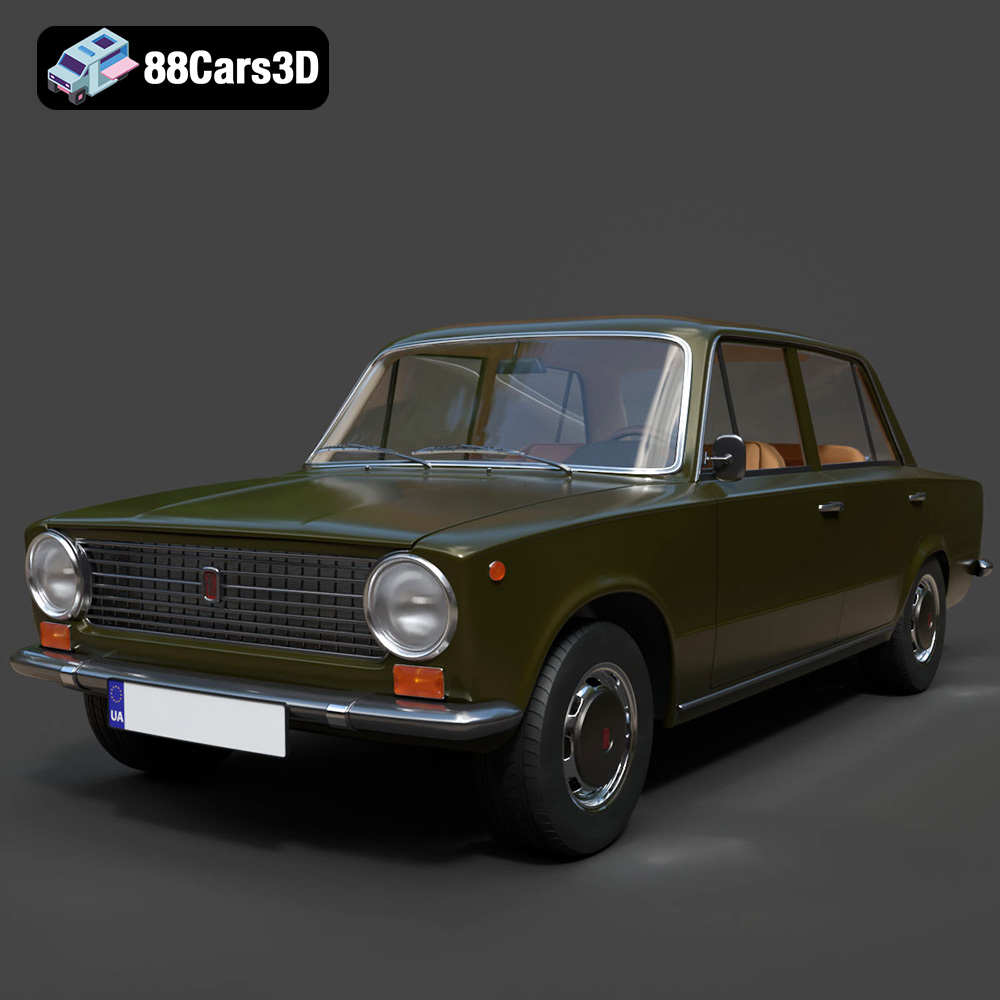
Texture: Yes | Material: Yes
Download the highly detailed, game-ready Fiat 124 Mk1 1966 3D Model. Features classic round headlights, authentic sedan bodywork, and detailed chrome hubcaps. Includes .blend, .fbx, .obj, .glb, .stl, .ply, .unreal, and .max formats for game development, AR/VR, and rendering.
Price: $19.99
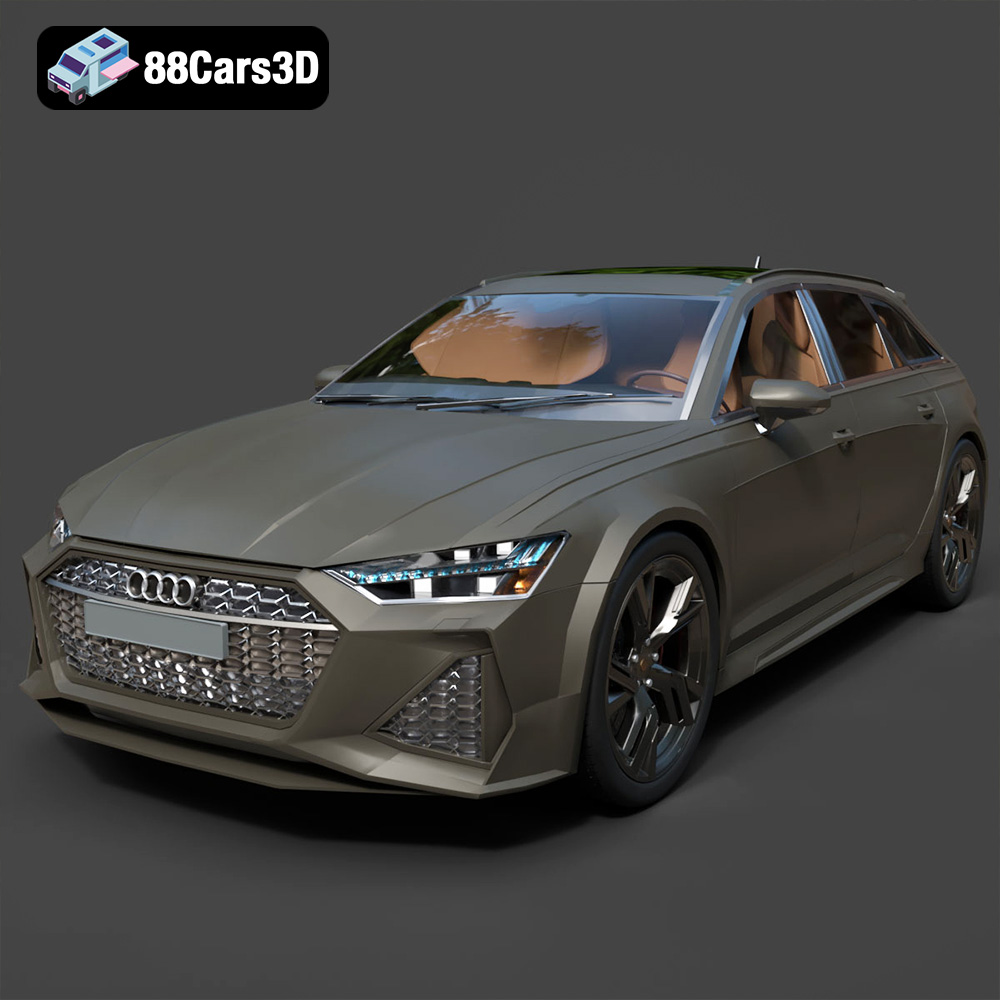
Texture: Yes | Material: Yes
Download the highly detailed, game-ready Audi RS6 3D Model. Features aggressive RS bodywork, detailed alloy wheels, and signature LED lighting. Includes .blend, .fbx, .obj, .glb, .stl, .ply, .unreal, and .max formats for game development, AR/VR, and rendering.
Price: $19.99

