Get 20% OFF All Premium 3D & STL Models!

“`html
The allure of bringing digital designs to life has never been stronger, thanks to the accessibility of 3D printing. For beginners eager to dive into this exciting field, especially for those dreaming of creating their own collection of 3D printable car models from platforms like 88cars3d.com, the initial investment can be daunting. Fear not! This comprehensive guide will navigate you through the best budget-friendly 3D printers that can handle STL files and deliver impressive results. We’ll explore key printer features, essential slicing techniques, crucial settings, and troubleshooting tips, all tailored to help you successfully print those intricate car models.
This article will empower you with the knowledge to choose the right machine, prepare your STL files, optimize your print settings, and ultimately, bring your favorite automotive designs from 88cars3d.com into the physical world. Let’s embark on this journey to transform digital dreams into tangible realities.
Selecting the right 3D printer for a beginner involves balancing cost with performance and ease of use. While professional-grade printers boast advanced features, several affordable options provide a fantastic entry point into the world of 3D printing, perfectly suited for printing car models from STL files. Here are a few top contenders in the budget category:
Two primary 3D printing technologies dominate the budget market: Fused Deposition Modeling (FDM) and Resin printing (SLA/DLP). FDM printers, like the Ender 3 series or the Prusa Mini, extrude heated plastic filament layer by layer to build the object. They are known for their affordability, ease of maintenance, and wider range of printable materials. Resin printers, on the other hand, use liquid resin cured by UV light. They excel at producing highly detailed prints with smoother surfaces, making them ideal for intricate car models. However, resin printers typically involve a steeper learning curve, require more careful handling of materials, and necessitate proper ventilation.
For beginners, the Ender 3 series (Ender 3 V2, Ender 3 Pro, Ender 3 S1) consistently ranks high in terms of value and community support. These printers offer a large build volume for their price range and are highly customizable, allowing you to upgrade components as your skills progress. The Prusa Mini is another excellent option, renowned for its reliability and print quality right out of the box.
Here are a few key features to consider:
If intricate details are a priority, consider a budget resin printer like the Elegoo Mars series or the Anycubic Photon series. These printers offer impressive resolution and surface finish, making them ideal for creating highly detailed car models from platforms such as 88cars3d.com. However, be prepared for the added complexities of resin handling, post-processing, and the need for proper safety precautions (gloves, mask, and well-ventilated workspace).
The quality of your 3D printed car model hinges on proper STL file preparation. Even the best printer will struggle with poorly prepared files. This section will cover essential steps to ensure your STL files from 88cars3d.com are print-ready.
STL (Stereolithography) files represent 3D models as a collection of triangles. A well-formed STL file has a “watertight” mesh, meaning it has no holes, overlaps, or self-intersections. These imperfections can cause slicing errors and print failures. Before printing, it’s crucial to inspect your STL files for these issues.
Software like MeshMixer and Netfabb offer powerful tools for repairing and optimizing STL files. MeshMixer is a free and user-friendly option, allowing you to automatically fix common mesh errors, smooth surfaces, and reduce the file size without sacrificing detail. Netfabb, a more professional-grade software, provides advanced repair and analysis tools for complex models.
Here are a few key operations:
The orientation of your car model on the print bed significantly impacts the print quality, support requirements, and overall success. Consider these factors when orienting your model:
Slicing software acts as the bridge between your STL file and your 3D printer. It converts the 3D model into a series of layers, generating the G-code instructions that the printer follows. Choosing the right settings is crucial for achieving optimal print quality.
Cura and PrusaSlicer are two of the most popular and free slicing software options, offering a wide range of settings and features. Simplify3D is a commercial software known for its advanced control and optimization capabilities. Each slicer has its strengths and weaknesses, so experiment to find the one that best suits your needs.
Understanding and adjusting these key slicing parameters is essential for achieving the desired print quality and strength:
Support structures are temporary scaffolding that support overhangs and prevent them from collapsing during printing. Generating and removing supports effectively is crucial for achieving clean and accurate prints, especially for complex car models.
Consider these factors:
The choice of filament material plays a crucial role in the final appearance, strength, and durability of your 3D printed car model. The most common materials for FDM printing are PLA, PETG, and ABS, each with its own characteristics and applications.
PLA (Polylactic Acid) is a biodegradable thermoplastic derived from renewable resources. It’s known for its ease of printing, low warping tendency, and wide availability. PLA is an excellent choice for beginners and for printing decorative car models that don’t require high heat resistance. However, PLA is not as strong or heat-resistant as other materials.
PETG (Polyethylene Terephthalate Glycol-modified) is a modified version of PET, offering improved strength, flexibility, and heat resistance compared to PLA. PETG is a good all-around material for car models that require some level of durability. It also has better layer adhesion than PLA, resulting in stronger prints.
ABS (Acrylonitrile Butadiene Styrene) is a petroleum-based plastic known for its high heat resistance and impact strength. ABS is commonly used in automotive applications and is a good choice for car models that will be exposed to high temperatures or require high durability. However, ABS is more prone to warping and requires a heated bed and a well-ventilated environment.
For resin printing, various types of resins are available, each with different properties. Standard resin is a good starting point for beginners, offering good detail and ease of use. Tough resin provides increased strength and durability, while flexible resin allows for printing parts with some degree of flexibility. Choose the resin that best suits the specific requirements of your car model.
Post-processing is often necessary to achieve the desired finish and functionality for your 3D printed car model. This involves removing support structures, sanding, painting, and assembling multiple parts.
Carefully remove support structures using pliers, cutters, or a specialized support removal tool. Be gentle to avoid damaging the model. After removing supports, sand the surface with progressively finer grits of sandpaper to smooth out any imperfections and layer lines. Start with a rough grit (e.g., 220) and gradually move to finer grits (e.g., 400, 600, 800) for a smooth finish.
Before painting, apply a primer to the model to create a smooth and uniform surface for the paint to adhere to. Choose a primer that is compatible with the material you are using. Apply multiple thin coats of primer, allowing each coat to dry completely before applying the next. After priming, paint the model with the desired colors using spray paint, airbrush, or hand-painting techniques. Apply multiple thin coats of paint, allowing each coat to dry completely before applying the next. Consider using clear coat to protect the paint and add a glossy finish.
If your car model consists of multiple parts, carefully assemble them using glue, screws, or other fasteners. Add details such as decals, lights, or other accessories to enhance the realism of the model. Use a sharp hobby knife or other precision tools to create fine details. With platforms like 88cars3d.com offering highly detailed STL files, the possibilities are endless.
Even with careful preparation and optimized settings, 3D printing can sometimes present challenges. Understanding common printing issues and how to troubleshoot them is essential for a successful printing experience.
Warping occurs when the corners of the print lift off the bed during printing, especially with materials like ABS. This can be caused by inadequate bed adhesion, drafts, or insufficient bed temperature. To prevent warping, ensure the bed is properly leveled and clean, use a bed adhesive such as glue stick or hairspray, and enclose the printer to minimize drafts. Increase the bed temperature and adjust the first layer settings to improve bed adhesion.
Stringing occurs when small strands of filament are left between different parts of the print. Blobs are small globs of filament that appear on the surface of the print. These issues can be caused by excessive retraction, high printing temperature, or slow travel speed. To reduce stringing and blobs, adjust the retraction settings, lower the printing temperature, and increase the travel speed.
Layer shifting occurs when the layers of the print are misaligned, resulting in a noticeable shift in the X or Y direction. Z-axis issues can cause uneven layer heights or complete print failures. These issues can be caused by loose belts, stepper motor problems, or mechanical obstructions. To resolve layer shifting and Z-axis issues, tighten the belts, check the stepper motor connections, and ensure the Z-axis moves freely.
Venturing into the world of 3D printing with a budget-friendly printer and a passion for creating car models from STL files is an incredibly rewarding experience. By understanding the different printer types, mastering STL file preparation, optimizing your slicing settings, and learning basic troubleshooting techniques, you can unlock the full potential of your 3D printer. Remember to explore platforms like 88cars3d.com for a wide selection of high-quality, print-ready car models.
Now that you’re equipped with this knowledge, take the leap, choose your budget 3D printer, download your favorite STL files, and start creating! The journey of transforming digital designs into tangible masterpieces begins now. Experiment, learn from your successes and failures, and most importantly, have fun!
“`

Texture: Yes | Material: Yes
Download the highly detailed, game-ready BMW X3 2024 3D Model. Features the iconic kidney grille, dynamic SUV proportions, and precise lighting elements. Includes .blend, .fbx, .obj, .glb, .stl, .ply, .unreal, and .max formats for game development, AR/VR, and rendering.
Price: $19.99

Texture: Yes | Material: Yes
Download the highly detailed, game-ready Tesla Model S Plaid 2021 3D Model. Features sleek aerodynamic styling, signature LED lighting, and the revolutionary Yoke steering interior. Includes .blend, .fbx, .obj, .glb, .stl, .ply, .unreal, and .max formats for game development, AR/VR, and rendering.
Price: $19.99

Texture: Yes | Material: Yes
Download the highly detailed, game-ready Rolls-Royce Ghost EWB 2018 3D Model. Features the iconic Pantheon grille, elongated luxury chassis, and elegant exterior lines. Includes .blend, .fbx, .obj, .glb, .stl, .ply, .unreal, and .max formats for game development, AR/VR, and rendering.
Price: $19.99

Texture: Yes | Material: Yes
Download the highly detailed, game-ready Chevrolet Suburban 75th Diamond 3D Model. Features the iconic Diamond Edition styling, detailed interior, and accurate full-size SUV proportions. Includes .blend, .fbx, .obj, .glb, .stl, .ply, .unreal, and .max formats for game development, AR/VR, and rendering.
Price: $19.99

Texture: Yes | Material: Yes
Download the highly detailed, game-ready Lamborghini Terzo Millenio 2017 3D Model. Features glowing Y-shaped LED signatures, extreme aerodynamic channels, and an aggressive hypercar stance. Includes .blend, .fbx, .obj, .glb, .stl, .ply, .unreal, and .max formats for game development, AR/VR, and rendering.
Price: $19.99

Texture: Yes | Material: Yes
Download the highly detailed, game-ready Mazda CX-5 2011 3D Model. Features the signature Kodo design exterior, detailed alloy wheels, and a fully modeled interior cabin. Includes .blend, .fbx, .obj, .glb, .stl, .ply, .unreal, and .max formats for game development, AR/VR, and rendering.
Price: $19.99

Texture: Yes | Material: Yes
Download the highly detailed, game-ready Toyota FJ Cruiser 2010 3D Model. Features a retro-inspired rugged exterior, iconic white roof, and an ultra-detailed HQ interior. Includes .blend, .fbx, .obj, .glb, .stl, .ply, .unreal, and .max formats for game development, AR/VR, and rendering.
Price: $19.99
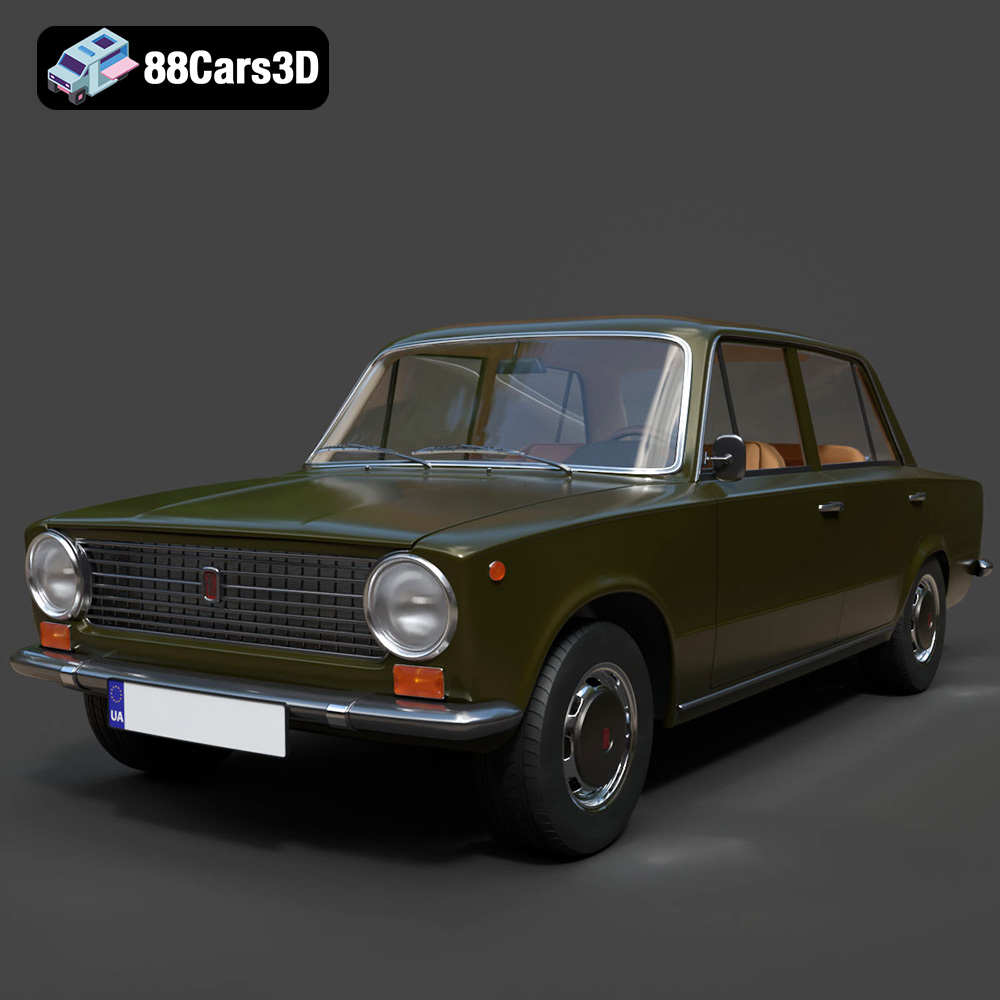
Texture: Yes | Material: Yes
Download the highly detailed, game-ready Fiat 124 Mk1 1966 3D Model. Features classic round headlights, authentic sedan bodywork, and detailed chrome hubcaps. Includes .blend, .fbx, .obj, .glb, .stl, .ply, .unreal, and .max formats for game development, AR/VR, and rendering.
Price: $19.99
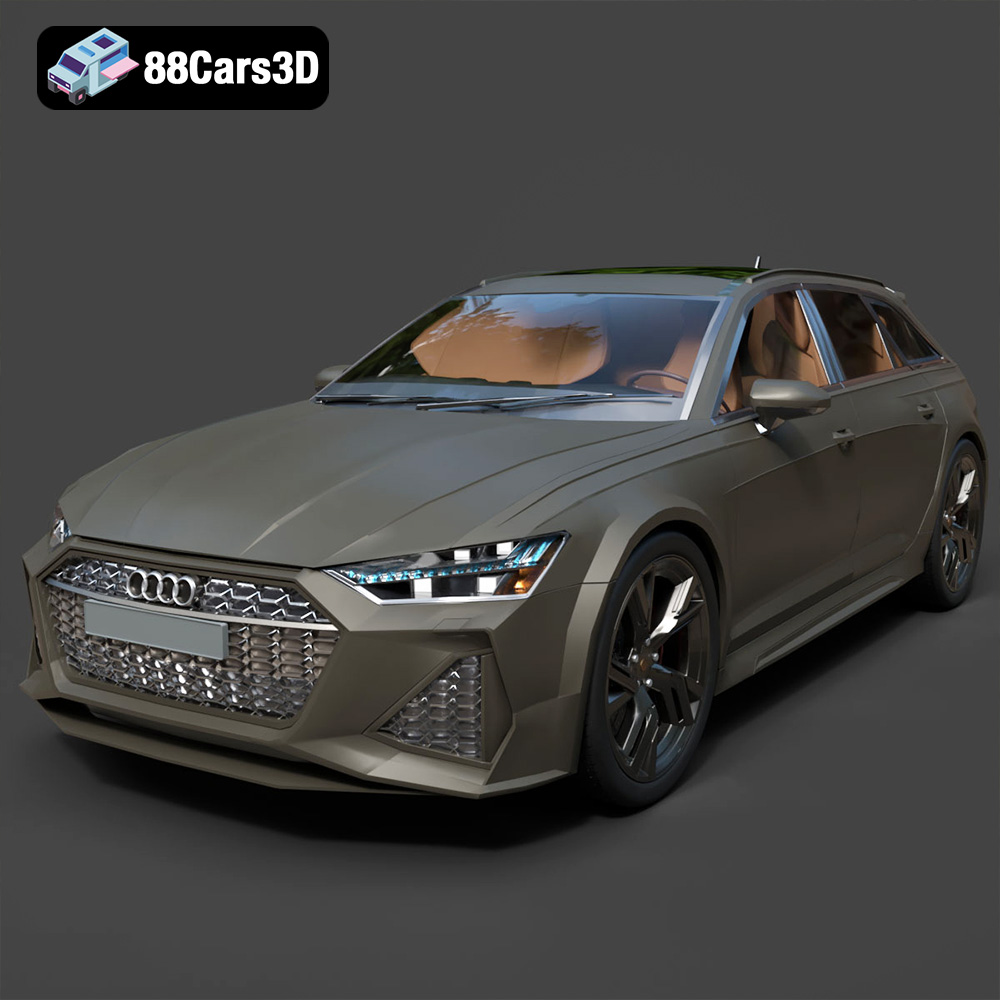
Texture: Yes | Material: Yes
Download the highly detailed, game-ready Audi RS6 3D Model. Features aggressive RS bodywork, detailed alloy wheels, and signature LED lighting. Includes .blend, .fbx, .obj, .glb, .stl, .ply, .unreal, and .max formats for game development, AR/VR, and rendering.
Price: $19.99

Texture: Yes | Material: Yes
Download the highly detailed, game-ready Toyota Camry 2018 3D Model. Features an aggressive aerodynamic body, distinct LED lighting signature, and precise interior detailing. Includes .blend, .fbx, .obj, .glb, .stl, .ply, .unreal, and .max formats for game development, AR/VR, and rendering.
Price: $19.99

