Get 20% OFF All Premium 3D & STL Models!

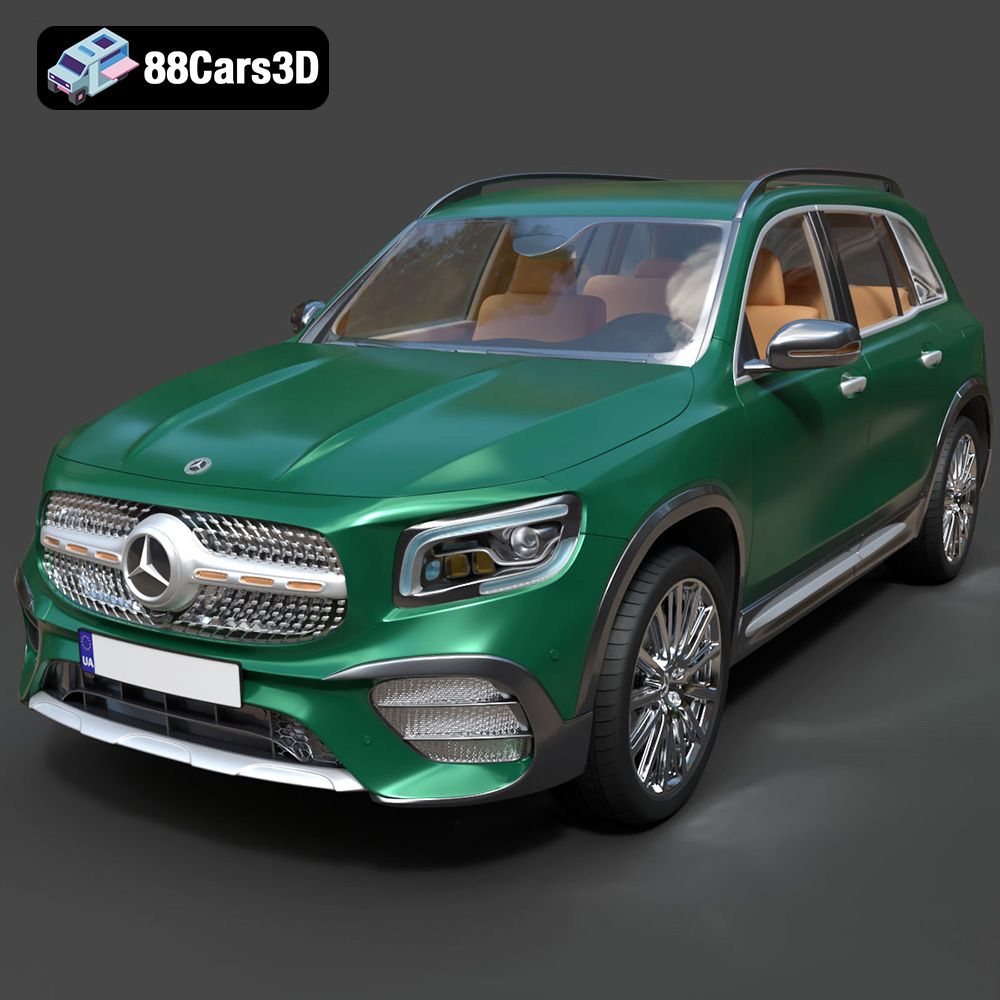
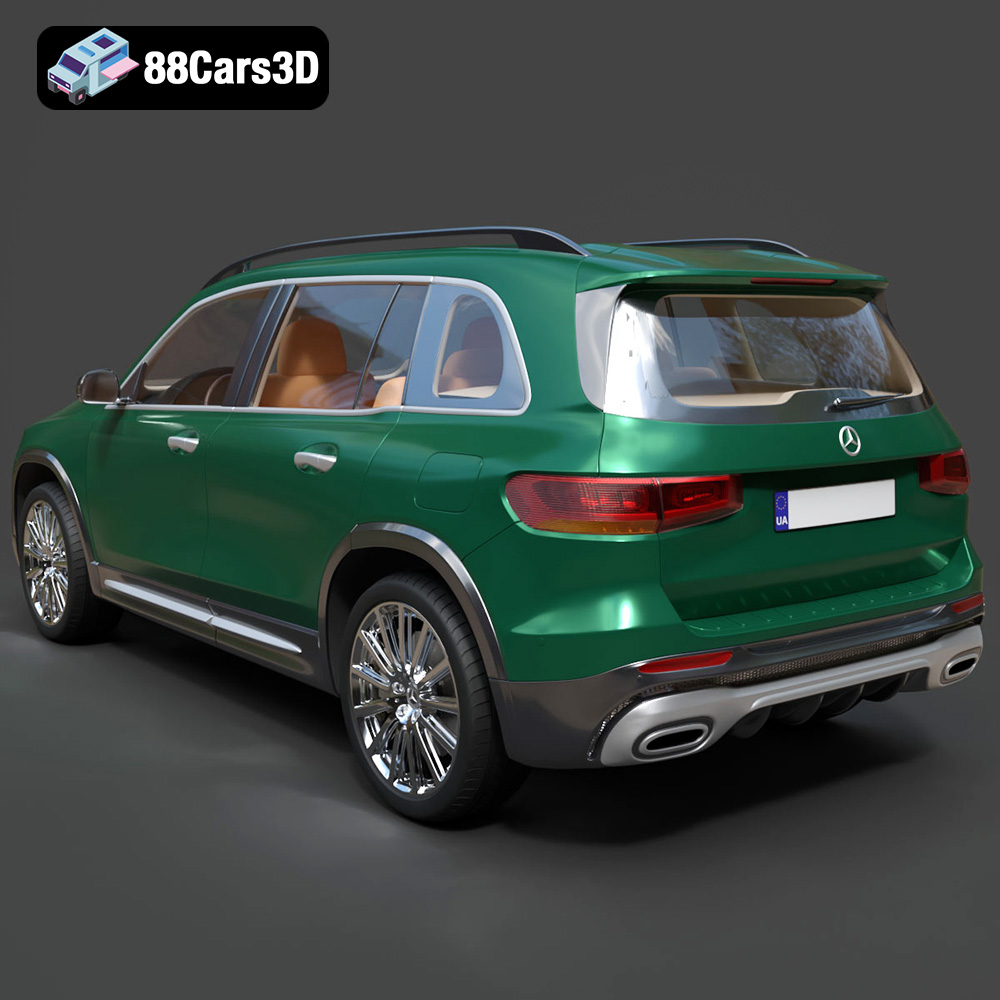
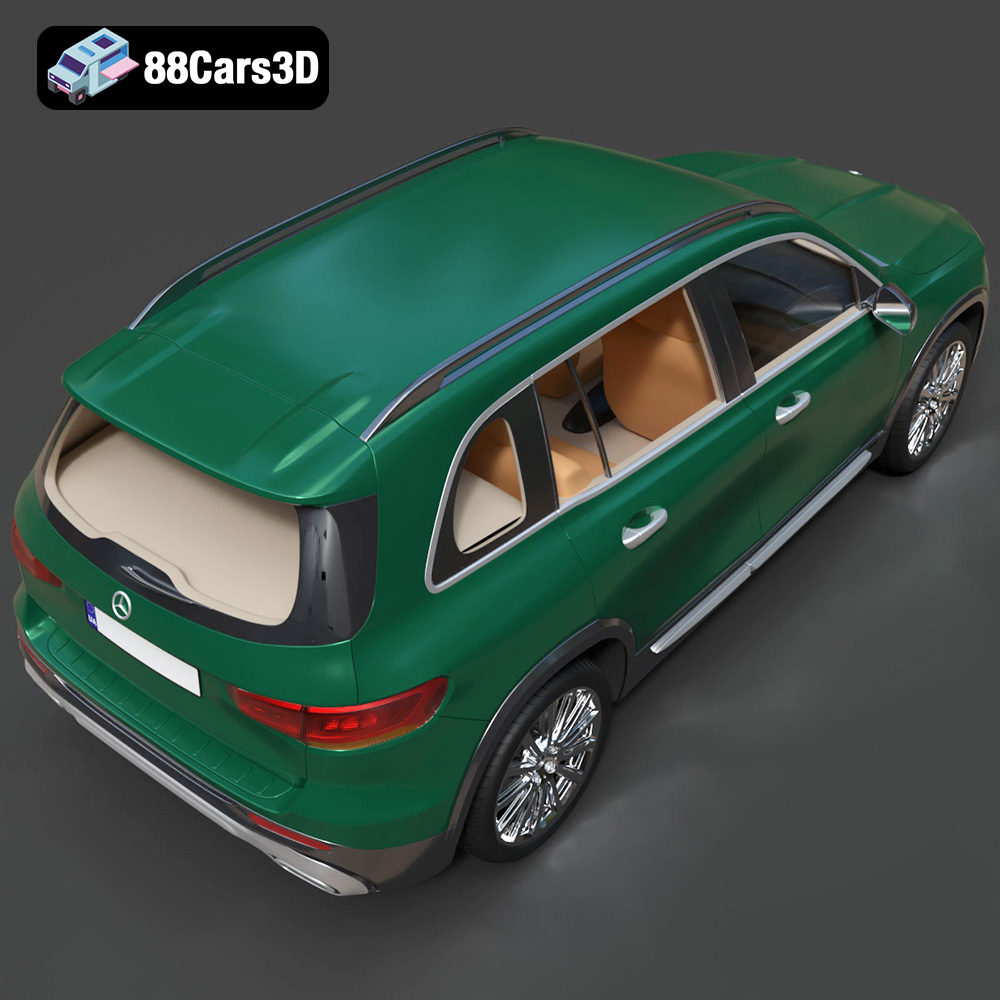
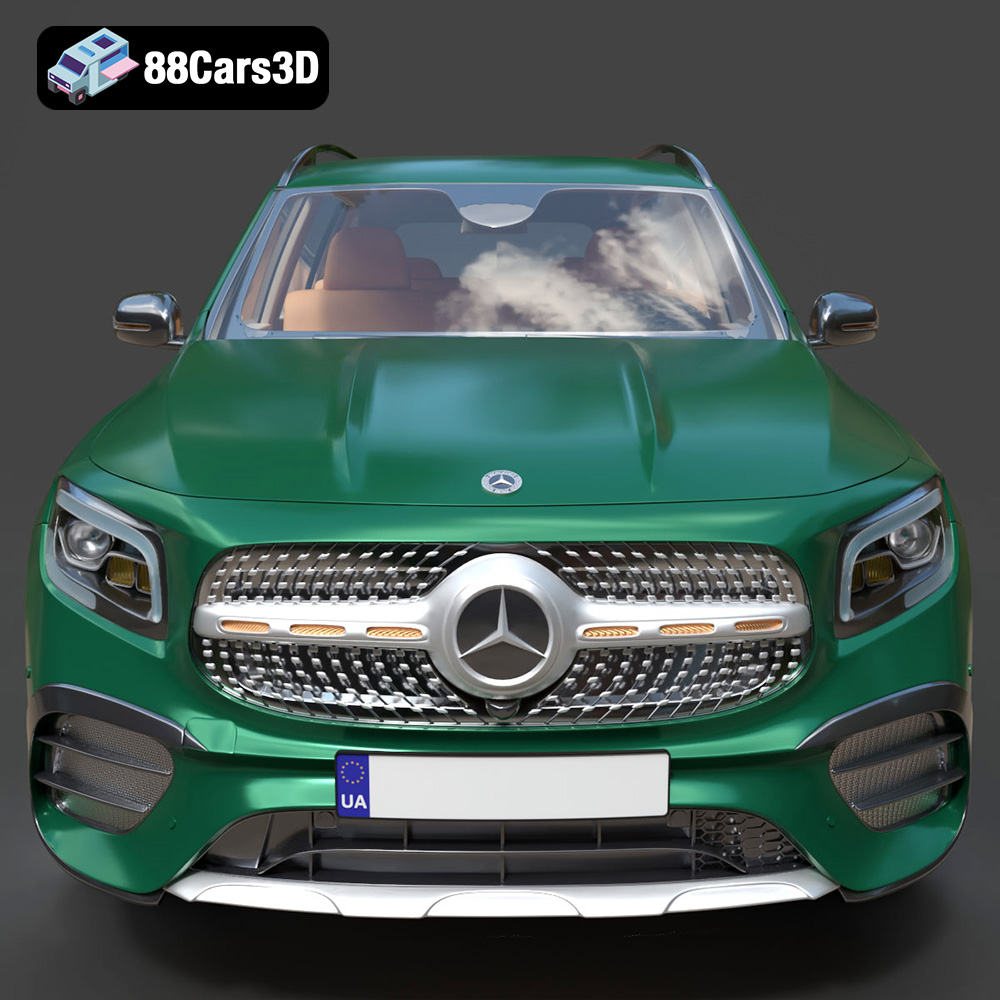
The Mercedes-Benz GLB-Class Mk1 AMG Line 2019 is a striking vehicle, blending luxury with a sporty edge. Thanks to 88cars3d.com, you can now bring this beauty to life through the magic of 3D printing. This blog post provides a detailed guide to 3D printing the Mercedes-Benz GLB-Class Mk1 AMG Line 2019 model, covering everything from pre-print preparation to post-processing techniques. Whether you’re a seasoned 3D printing enthusiast or just starting, this guide will help you achieve a stunning replica.
Before you even think about firing up your 3D printer, meticulous preparation of the 3D model is crucial for a successful outcome. This involves inspecting the model, making any necessary repairs, and optimizing it for your specific printer and material.
* Visual Inspection: Begin by carefully examining the 3D model in your slicing software. Look for any obvious errors, such as non-manifold geometry (holes or gaps in the mesh), self-intersecting faces, or flipped normals. These issues can cause printing failures.
* Mesh Analysis Tools: Most slicing programs have built-in mesh analysis tools that can automatically detect and repair common errors. Cura, PrusaSlicer, and Simplify3D all offer these features. Use these tools to fix any detected issues before proceeding. For more complex repairs, consider using dedicated mesh editing software like Meshmixer or Blender.
* Consider Separating Parts: The GLB-Class AMG Line model features intricate details like wheels, exhaust pipes, and interior components. Consider separating these parts into individual STL files before printing. This will allow for more precise printing and easier post-processing. Software like Meshmixer is useful for this.
* Choosing a Slicer: Select a slicing software compatible with your 3D printer and preferred operating system. Cura, PrusaSlicer, Simplify3D, and Chitubox (for resin printers) are popular choices.
* Orientation Optimization: Proper orientation is paramount for print success. For the GLB-Class body, printing at an angle (e.g., 45 degrees) often provides the best balance between structural integrity and minimizing support material. Wheels and other cylindrical parts are best printed vertically. Experiment with different orientations to find the optimal setup.
* Support Settings: The 88cars3d.com description recommends supports for detailed parts like exhaust pipes, mirrors, and the steering wheel. Configure support settings carefully to ensure adequate support without excessive material usage or difficult removal. Adjust support density, overhang angle, and interface layers as needed.
Choosing the right file format is essential for seamless 3D printing. Different formats offer varying levels of detail, compatibility, and suitability for specific applications. While several formats are available for the Mercedes-Benz GLB-Class Mk1 AMG Line 2019 model, understanding their nuances is key.
The STL (Stereolithography) format is the workhorse of 3D printing. It represents a 3D object’s surface as a collection of triangles. This simplicity makes it universally compatible with nearly all 3D printers and slicing software. The GLB-Class model available on 88cars3d.com includes STL files, making it immediately ready for 3D printing.
* Mesh Quality: The quality of an STL file depends on the number of triangles used to represent the object. A higher triangle count results in a smoother surface but also increases file size and processing time. Consider the balance between detail and printability when selecting an STL file.
* Slicing Compatibility: Almost all slicing software readily accepts STL files. This widespread compatibility simplifies the 3D printing workflow. Simply import the STL file into your slicer, adjust the settings, and generate the G-code for your printer.
* Limitations: STL files only store geometric data (the mesh). They do not contain information about color, textures, or materials. Therefore, if you want to print a multi-colored model, you’ll need to use a different file format or apply colors in post-processing.
* **.obj:** This format is more versatile than STL, as it can store color and texture information in addition to geometry. This is beneficial if you plan to render or visualize the GLB-Class model in color. However, not all 3D printers support printing directly from OBJ files with color information.
* **.ply:** Primarily used for storing 3D data acquired from scanning devices, PLY files can represent color and surface properties. They are not commonly used for general 3D printing but can be useful if you have a scanned version of the GLB-Class.
* **.blend:** This is Blender’s native file format. If you plan to modify or customize the GLB-Class model using Blender, the .blend file will be essential. You can then export the modified model as an STL file for printing.
* **.fbx:** Known for its animation capabilities, FBX is more helpful for transferring the model from one program to another than for printing.
* **.glb:** This format can include material information and is great for AR previews, but is often not optimal for printing.
* **.max:** Similar to .blend, .max is the native format for 3ds Max. This is valuable if you want to make edits to the model using that software before exporting to STL.
For the Mercedes-Benz GLB-Class Mk1 AMG Line 2019, the STL format is the most practical choice for 3D printing. Its simplicity, wide compatibility, and ease of use make it ideal for generating printable G-code. While other formats like OBJ and PLY can store color and texture information, they are typically not required unless you have a specific application in mind, such as color 3D printing or advanced rendering. Regardless of the initial format, the final step before printing will usually involve converting the model to STL for slicing.
The material you choose will significantly impact the final look, feel, and durability of your 3D printed GLB-Class. The 88cars3d.com description recommends resin printing for fine details, but filament-based printers can also produce excellent results with the right material.
* PLA (Polylactic Acid): PLA is a biodegradable thermoplastic derived from renewable resources. It’s easy to print, making it a great choice for beginners. PLA offers good detail resolution and is available in a wide range of colors. However, it’s less heat-resistant and more brittle than other materials.
* PETG (Polyethylene Terephthalate Glycol-modified): PETG combines the ease of printing of PLA with improved strength and heat resistance. It’s more flexible than PLA and offers better impact resistance. PETG is a good all-around choice for the GLB-Class model.
* ABS (Acrylonitrile Butadiene Styrene): ABS is a strong, heat-resistant thermoplastic commonly used in automotive parts. It requires a heated bed and an enclosure to prevent warping, making it more challenging to print than PLA or PETG. However, ABS offers excellent durability and is suitable for parts that will be exposed to high temperatures.
* Resin Types: Resin printing offers superior detail resolution compared to filament printing. Standard resin is affordable and provides good detail. Tough resin offers improved impact resistance and is less brittle. Flexible resin can be used for parts that need to bend or flex.
* Considerations: Resin printing requires post-processing, including washing and curing. It also produces toxic fumes, so proper ventilation and safety precautions are essential. While resin is great for intricate parts, it can be more expensive and time-consuming than filament printing.
* For a balance of ease of printing, detail, and durability, PETG is an excellent choice.
* If you prioritize maximum detail and are comfortable with resin printing, use a standard or tough resin.
* For parts that require high strength or heat resistance, consider ABS, but be prepared for a more challenging printing process.
* PLA is a good starting point for beginners but may not be the best choice for a final product.
The correct printer settings are crucial for achieving a high-quality 3D printed GLB-Class. These settings will depend on your printer, material, and desired level of detail.
* Layer Height: The 88cars3d.com description recommends a layer height of 0.04–0.12 mm for resin printing. For filament printing, start with a layer height of 0.1 mm for good detail. Lowering the layer height will increase print time but improve surface finish.
* Infill: The infill density determines the internal strength of the print. A higher infill percentage will make the model stronger but also increase print time and material usage. The description recommends 20–30% infill. Experiment with different infill patterns (e.g., gyroid, honeycomb, grid) to find the best balance between strength and weight.
* Wall Thickness: The wall thickness affects the outer shell’s strength and appearance. The description recommends 1.2–2.0 mm. A thicker wall will provide greater strength and rigidity.
* Print Speed: Start with a moderate print speed (e.g., 40–60 mm/s) and adjust as needed. Faster speeds can reduce print time but may also decrease print quality.
* Temperature: Follow the manufacturer’s recommended temperature settings for your chosen material. PLA typically prints at 200–220°C, PETG at 220–250°C, and ABS at 230–260°C.
* Bed Adhesion: Ensure good bed adhesion to prevent warping or detachment during printing. Use a heated bed (60°C for PLA, 70–80°C for PETG, 100–110°C for ABS), apply a bed adhesive (e.g., glue stick, hairspray), or use a brim or raft.
Post-processing is the final step in transforming your 3D printed GLB-Class into a polished and realistic replica.
* Support Removal: Carefully remove support structures using pliers, cutters, or a sharp knife. Be gentle to avoid damaging the model.
* Sanding: Sand the surface of the model to remove layer lines and smooth out imperfections. Start with coarse sandpaper (e.g., 220 grit) and gradually move to finer grits (e.g., 400, 600, 800 grit) for a smooth finish. Wet sanding can help reduce dust and improve the sanding process.
* Priming: Apply a primer coat to the model to create a uniform surface for painting. Primer also helps to fill in small imperfections and improve paint adhesion.
* Painting: Use high-quality model paints to achieve an authentic factory finish. The 88cars3d.com description suggests using authentic factory colors with metallic finishes. Apply multiple thin coats of paint for the best results. Consider using masking tape to create clean lines and separate different color areas.
* Joining Parts: If you printed the model in separate parts, use glue or epoxy to assemble them. Ensure proper alignment and secure bonding.
* Detailing: Add fine details such as decals, window tint, and interior trim to enhance the realism of the model.
Even with careful preparation, 3D printing can sometimes present challenges. Here are some common issues and their solutions:
* Cause: Uneven cooling or poor bed adhesion.
* Solution: Use a heated bed, apply bed adhesive, enclose the printer, or increase the brim size.
* Cause: Excessive retraction or high printing temperature.
* Solution: Adjust retraction settings, lower the printing temperature, or dry the filament.
* Cause: Loose belts, stepper motor issues, or overheating.
* Solution: Tighten belts, check stepper motor drivers, or reduce print speed.
* Cause: Over-extrusion on the first layer or excessive bed temperature.
* Solution: Reduce first-layer extrusion multiplier or lower the bed temperature.
By understanding these potential issues and their solutions, you can overcome challenges and achieve a successful 3D print of the Mercedes-Benz GLB-Class Mk1 AMG Line 2019.
The print time and material cost for the Mercedes-Benz GLB-Class model will vary depending on your printer, settings, and material choices. However, here are some general estimates:
* Print Time: Expect the body of the GLB-Class to take anywhere from 12 to 36 hours to print, depending on size and infill. Smaller parts like wheels and mirrors will take a few hours each.
* Material Cost: A 1kg spool of filament will likely be sufficient to print the entire model. Depending on the material type, this could cost between $20 and $50. Resin will likely cost similar amounts per printed model.
Keep in mind these are estimates, and actual values may differ. Adjust your settings and scale the model accordingly to meet your desired print time and budget.
Experience the perfect blend of rugged versatility and premium luxury with our meticulous 3D model of the Mercedes-Benz GLB-Class (Mk1) AMG Line 2019. This compact crossover SUV stands out with its distinctive boxy silhouette, commanding stance, and aggressive AMG Line styling cues, including the signature diamond radiator grille, sporty front aprons, and prominent dual exhaust system.
$39.99
.2019
.blend
.fbx
.glb
.luxury suv
.max
.obj
.ply
.rendering
.stl
.unreal
amg-line
car-3d-model
compact-suv
game asset
game-ready
glb-class
low-poly
mercedes-benz
optimized
VR/AR