Get 20% OFF All Premium 3D & STL Models!

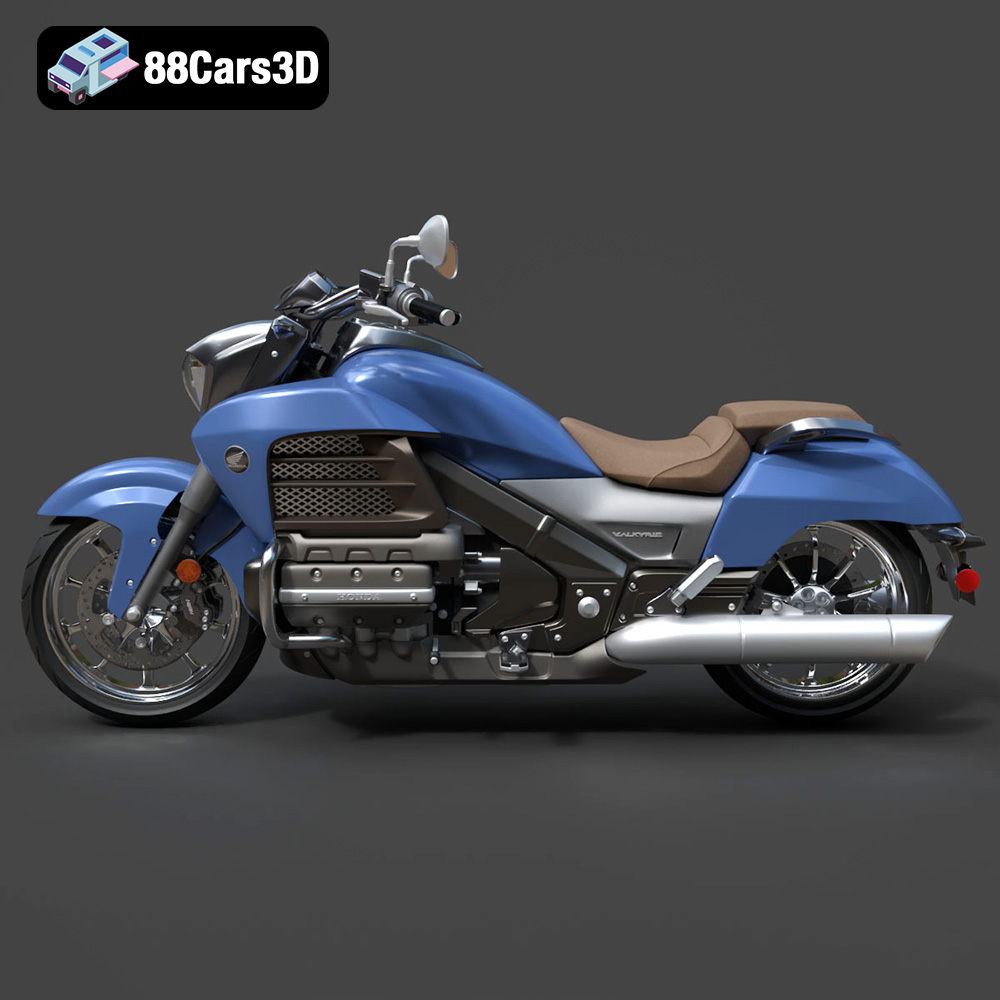
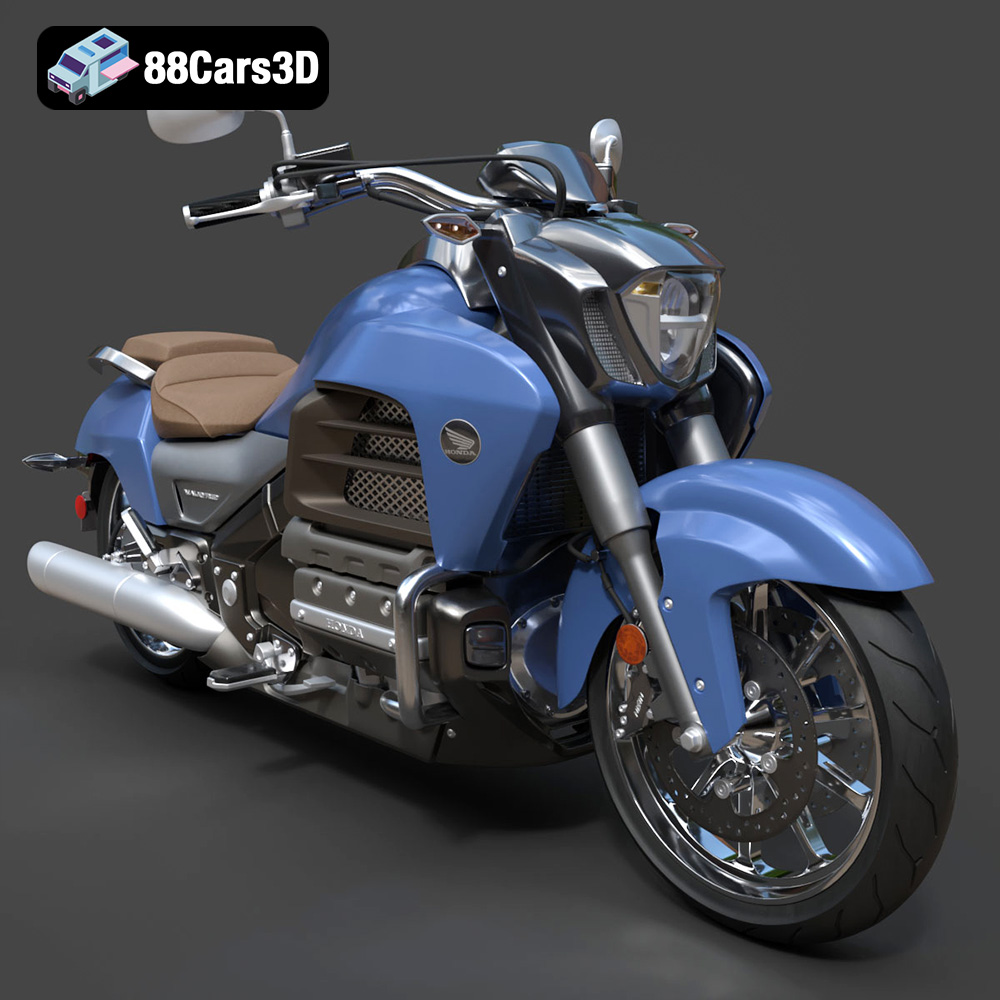
The Honda Valkyrie GL1800C is a motorcycle icon, known for its distinctive style and powerful engine. Now, thanks to 88cars3d.com, you can bring this legendary machine to life in miniature form through the magic of 3D printing. This comprehensive guide will walk you through every step of the process, from preparing the 3D model to achieving a flawless final print. We’ll cover material selection, optimal printer settings, pre-print preparation, post-processing techniques, and troubleshooting tips to ensure your 3D printed Valkyrie is a true masterpiece.
The success of your 3D print hinges on selecting the appropriate 3D printing technology. While several options exist, Fused Deposition Modeling (FDM) and Stereolithography (SLA) are the most common choices for hobbyists and professionals alike.
FDM printing, also known as Fused Filament Fabrication (FFF), is the most widely accessible 3D printing technology. It works by extruding a thermoplastic filament, such as PLA or ABS, through a heated nozzle. The extruded material is deposited layer by layer onto a build platform, gradually forming the 3D object. FDM printers are relatively inexpensive and easy to use, making them a great choice for beginners. For the Honda Valkyrie GL1800C model, FDM printing can produce a detailed result, especially if you choose a printer with good resolution.
* **Pros:** Lower cost, wide range of materials, ease of use.
* **Cons:** Layer lines can be visible, lower resolution compared to SLA, requires more support structures for complex geometries.
SLA printing utilizes a liquid resin that is cured by a UV laser or projector. This technology allows for significantly higher resolution and smoother surfaces compared to FDM printing. SLA printers are ideal for parts with intricate details, making them well-suited for reproducing the complex features of the Honda Valkyrie GL1800C 3D model, such as the engine components and exhaust system.
* **Pros:** High resolution, smooth surface finish, excellent for detailed parts.
* **Cons:** Higher cost, limited material options (typically resins), requires post-curing.
Choosing the right file format is crucial for a seamless 3D printing experience. The Honda Valkyrie GL1800C 3D model from 88cars3d.com comes with a variety of formats, each suited for different purposes. Understanding the nuances of each format will help you optimize your workflow.
The STL (Stereolithography) file format is the undisputed industry standard for 3D printing. It represents the 3D model’s surface geometry as a collection of interconnected triangles, forming a mesh. This simplicity is its strength, as it’s universally compatible with almost all 3D printing software and hardware. However, STL files only store the mesh data and do not contain information about color, texture, or materials.
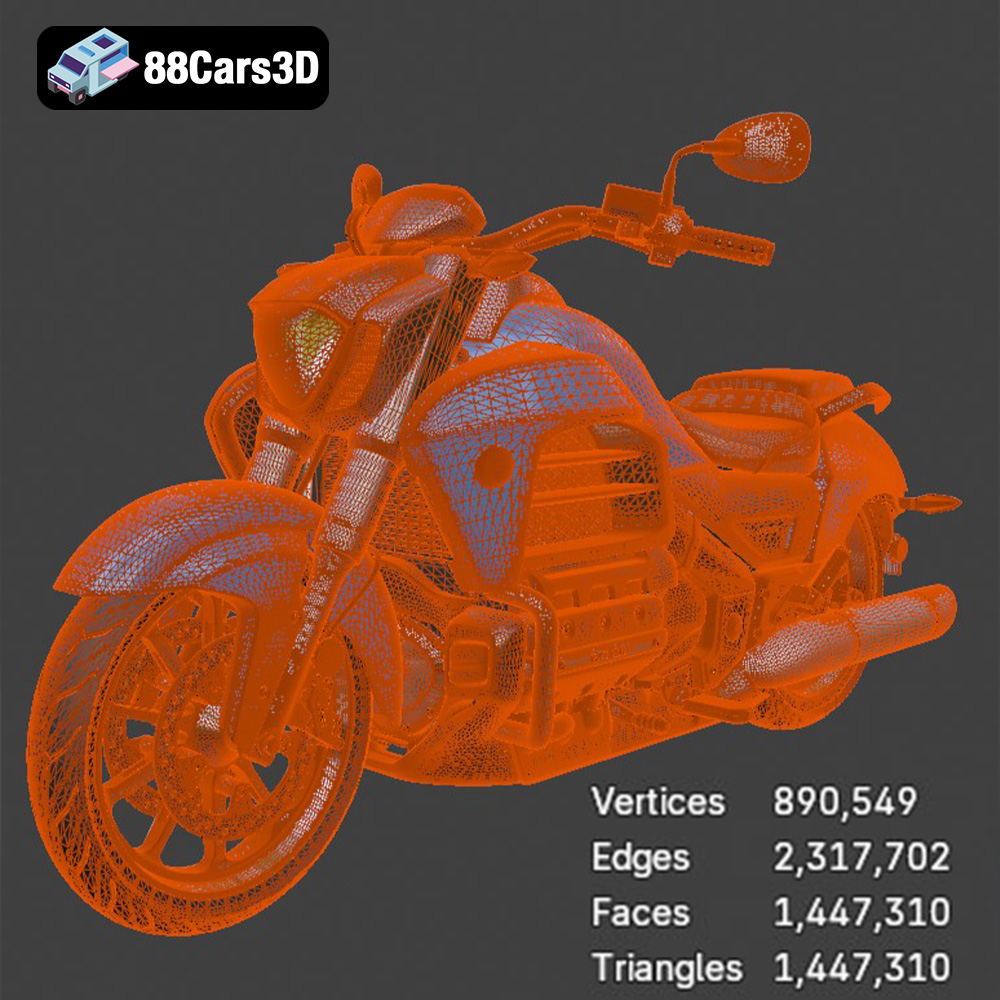
For 3D printing the Honda Valkyrie GL1800C, the .stl file is your primary choice. Slicing software, which converts the 3D model into instructions for the 3D printer, directly utilizes STL files. The quality of the mesh in the STL file directly impacts the final print. A higher number of triangles translates to a smoother surface, but also a larger file size. Ensure the STL file is properly optimized for 3D printing; check for non-manifold edges, flipped normals, and other geometric errors that can cause problems during printing. Many free tools are available online to repair STL files. The STL format is ideal for single-color prints where post-processing (painting) will add the desired visual detail. When downloading models from platforms like 88cars3d.com, the STL version is typically pre-optimized for printing.
The OBJ file format is another widely used 3D model format, but unlike STL, it supports storing color and texture information alongside the geometry. This makes it suitable for models intended for rendering or game development where visual fidelity is paramount. While some 3D printers can handle OBJ files directly (especially those capable of multi-material or color printing), it’s often converted to STL for standard single-material 3D printing.
PLY (Polygon File Format) is designed for storing 3D data acquired from 3D scanners. It is known for its ability to represent complex geometries with high precision, making it suitable for highly detailed models. While it supports color and texture information, it’s less commonly used for 3D printing compared to STL.
The .blend file is the native file format for Blender, a popular open-source 3D modeling software. This file contains the entire Blender scene, including the 3D model, materials, textures, lighting, and camera settings. This format is extremely useful if you want to customize the Honda Valkyrie GL1800C model before 3D printing. You can modify the geometry, add details, or split the model into smaller parts for easier printing. Once you’ve made your modifications, you’ll need to export the model as an STL file for 3D printing.
FBX (Filmbox) is a proprietary file format developed by Autodesk. It’s commonly used for exchanging 3D data between different software applications, particularly in game development and animation. FBX supports complex data such as animations, skeletons, and materials. While some slicing software might be able to import FBX files, it’s generally better to export the model as an STL file for 3D printing.
GLB is a binary file format that represents 3D models in the glTF (GL Transmission Format) standard. It’s designed for efficient transmission and loading of 3D models, especially in web-based applications and AR/VR experiences. While GLB is excellent for previewing the model in AR before printing, it’s not directly used for 3D printing.
.max is the native file format for Autodesk 3ds Max, another professional 3D modeling and animation software package. Like .blend files, .max files contain the entire scene, including models, materials, and lighting. If you have access to 3ds Max, you can use this format to customize the Honda Valkyrie GL1800C model before exporting it as an STL file for 3D printing.
Before you can start 3D printing, you need to prepare the 3D model using slicing software. Slicing software converts the 3D model into a series of layers that the 3D printer can understand. It also allows you to adjust various printing parameters, such as layer height, infill density, and support structures.
Several excellent slicing software options are available, both free and paid. Popular choices include:
* **Cura:** A free, open-source slicer with a user-friendly interface and a wide range of customizable settings.
* **PrusaSlicer:** Another free slicer known for its advanced features and excellent print quality.
* **Simplify3D:** A paid slicer with advanced control over printing parameters and support generation.
The orientation of the Honda Valkyrie GL1800C model on the build plate can significantly impact print quality and the amount of support material required. Consider orienting the model to minimize overhangs and maximize surface area contact with the build plate. Support structures are necessary to support overhanging features, but they can also leave blemishes on the printed part. Optimize the placement and density of supports to minimize their impact on the final print. For the Valkyrie, consider printing the frame and larger body panels separately and then assembling them. This approach reduces the need for extensive support structures.
The Honda Valkyrie GL1800C 3D model can be scaled to your desired size in the slicing software. Consider the limitations of your 3D printer’s build volume and the level of detail you want to achieve. Scaling the model too small may result in a loss of fine details, while scaling it too large may make the print more prone to warping or other issues.
The choice of material can drastically affect the appearance, strength, and durability of your 3D printed Honda Valkyrie GL1800C model.
PLA (Polylactic Acid) is a biodegradable thermoplastic derived from renewable resources. It is easy to print, has low warping, and produces excellent surface finish. PLA is a great choice for the Honda Valkyrie GL1800C model if you prioritize aesthetics and ease of printing. It is readily available in a vast array of colors, allowing for vibrant and eye-catching prints.
* **Pros:** Easy to print, low warping, good surface finish, wide range of colors, biodegradable.
* **Cons:** Lower strength and heat resistance compared to other materials.
PETG (Polyethylene Terephthalate Glycol-modified) is a thermoplastic known for its strength, durability, and chemical resistance. It is also relatively easy to print, making it a good choice for functional parts or parts that will be exposed to stress. PETG is suitable for the Honda Valkyrie GL1800C model if you need a more durable print that can withstand handling.
* **Pros:** High strength and durability, good chemical resistance, relatively easy to print.
* **Cons:** Can be more prone to stringing than PLA.
For SLA printing, resin is the only option. Different resin formulations offer varying properties like flexibility, temperature resistance, and strength. If extreme detail is required for components like the engine, resin is the best material choice for replicating the Honda Valkyrie’s intricacies.
* **Pros:** Extremely high detail, smooth surfaces.
* **Cons:** Requires post-processing (washing and curing), resins can be brittle, more expensive than filaments.
Optimizing your printer settings is crucial for achieving a high-quality 3D print. The specific settings will vary depending on your printer, material, and desired print quality, but here are some general guidelines.
Layer height determines the thickness of each layer of plastic that is deposited. A smaller layer height results in a smoother surface finish and finer details, but it also increases print time. A larger layer height results in a faster print time, but the surface finish will be rougher and the details will be less pronounced. For the Honda Valkyrie GL1800C model, a layer height of 0.1mm to 0.2mm is a good balance between speed and detail for FDM printing. For SLA printing, layer heights can go as low as 0.025mm for exceptional detail.
Infill density determines the amount of material used inside the 3D printed part. A higher infill density results in a stronger and heavier part, while a lower infill density results in a weaker and lighter part. For the Honda Valkyrie GL1800C model, an infill density of 15% to 25% is generally sufficient for most parts. Increase the infill density for parts that need to be particularly strong, such as the chassis or wheels.
Print speed affects both print quality and print time. Printing too fast can result in poor layer adhesion, warping, and other issues. Printing too slow can increase print time unnecessarily. For the Honda Valkyrie GL1800C model, a print speed of 40mm/s to 60mm/s is a good starting point for FDM printing. Adjust the speed as needed based on your printer and material. SLA printing speeds are determined by the resin and printer combination and are usually preset in the slicer software.
As mentioned earlier, support structures are necessary to support overhanging features. Optimize the support settings to minimize their impact on the final print. Use a support density that is high enough to provide adequate support, but not so high that it is difficult to remove the supports. Consider using a support interface layer to improve the surface finish on supported areas.
Once the 3D print is complete, some post-processing may be necessary to achieve the desired finish.
Carefully remove the support structures using pliers, a hobby knife, or other suitable tools. Be careful not to damage the printed part.
Sanding can be used to smooth out layer lines and other imperfections on the surface of the 3D printed part. Start with a coarse grit sandpaper and gradually work your way up to finer grits. Wet sanding can help to reduce dust and improve the surface finish.
Painting is a great way to add color and realism to your 3D printed Honda Valkyrie GL1800C model. Use acrylic paints or spray paints designed for plastics. Apply multiple thin coats of paint for a smooth and even finish. Consider using masking tape to create clean lines and details.
If you printed the Honda Valkyrie GL1800C model in multiple parts, you will need to assemble them. Use super glue or epoxy to join the parts together. Be careful to align the parts correctly and allow the glue to dry completely before handling the model.
Even with careful preparation, you may encounter some issues during 3D printing. Here are some common problems and their solutions:
* **Warping:** Warping occurs when the printed part lifts off the build plate. To prevent warping, ensure the build plate is properly leveled and heated. Use a brim or raft to increase adhesion.
* **Stringing:** Stringing occurs when thin strands of plastic are left between different parts of the print. To reduce stringing, decrease the printing temperature and increase retraction settings.
* **Layer Adhesion Issues:** Poor layer adhesion can cause the print to separate between layers. Increase the printing temperature and decrease the printing speed to improve layer adhesion.
* **Elephant’s Foot:** An elephant’s foot is when the first few layers of the print are wider than the rest. To fix this, reduce the initial layer temperature and increase the distance between the nozzle and the build plate for the first layer.
By following these guidelines, you can successfully 3D print a stunning replica of the Honda Valkyrie GL1800C 2015. Remember to experiment with different settings and materials to find what works best for your printer and desired outcome. You can find many other exciting models on 88cars3d.com.
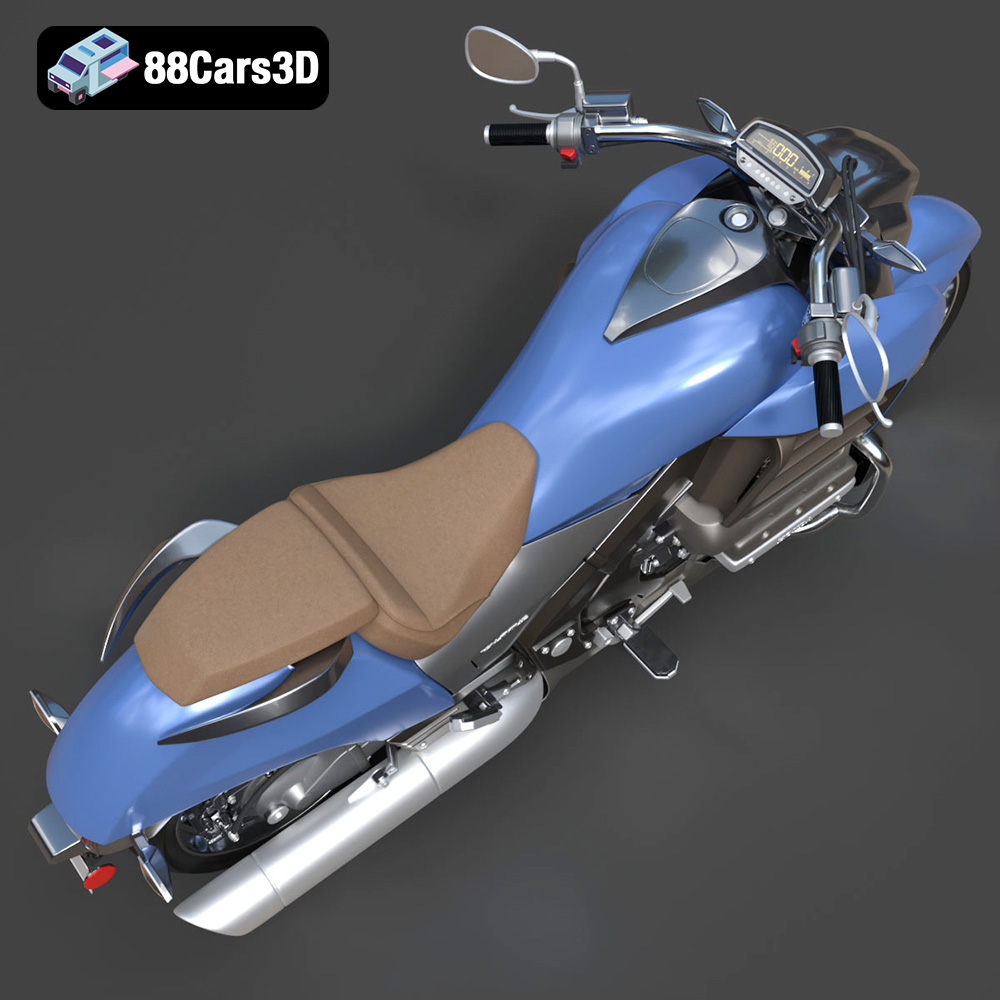
Experience the realistic precision of the Honda Valkyrie GL1800C 2015 3D Model. This authentic digital replica accurately captures the powerful stance and intricate mechanical details of the renowned motorcycle.
$39.99
.arvr
.blend
.car3dmodel
.cruiser
.fbx
.gameasset
.gl1800c
.glb
.honda
.max
.motorcycle
.obj
.ply
.rendering
.simulation
.stl
.unreal
.valkyrie