Get 20% OFF All Premium 3D & STL Models!

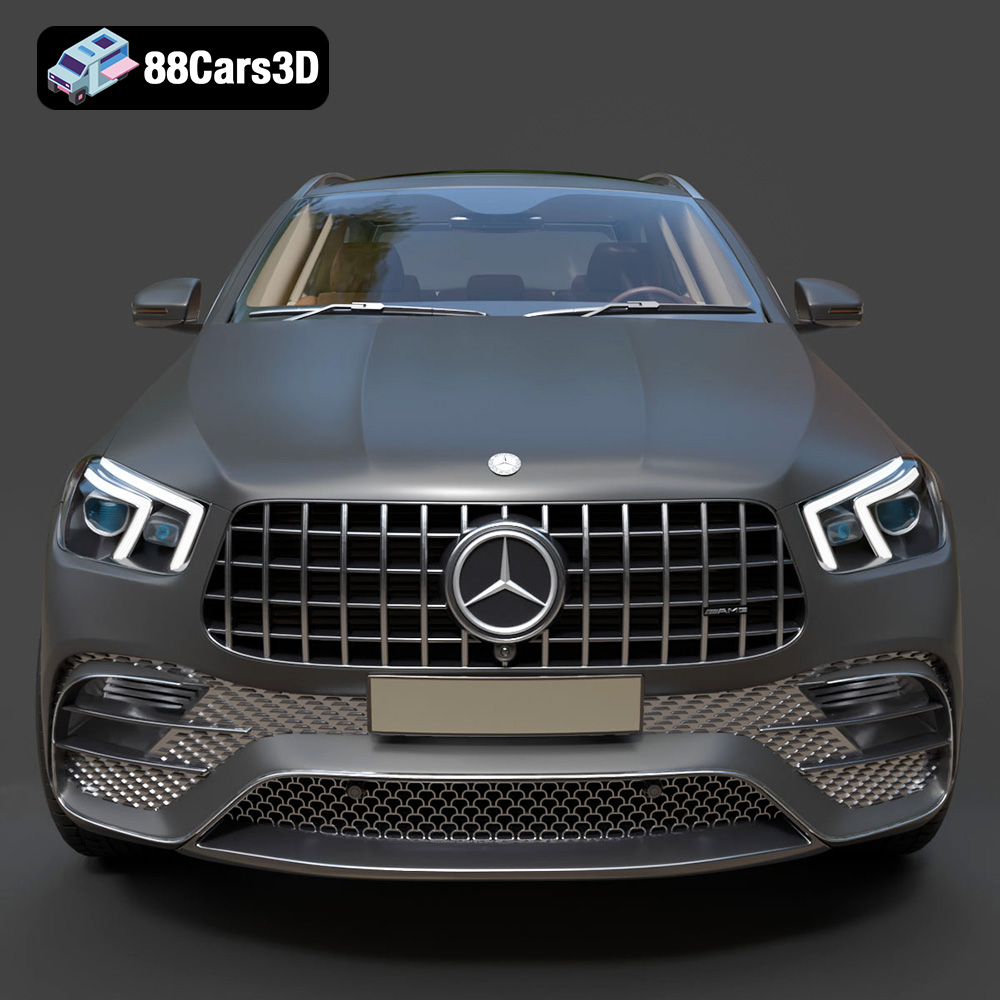
The Mercedes-Benz AMG GLE 63 2021 is a statement vehicle, blending luxury with high-performance capabilities. Now, thanks to 88cars3d.com, you can bring this impressive SUV to life in miniature form through the magic of 3D printing. This comprehensive guide will walk you through every step of the process, from selecting the right materials and preparing your STL files to post-processing and painting your finished model. Whether you’re a seasoned 3D printing enthusiast or a beginner, this guide provides the technical know-how needed to successfully 3D print your own Mercedes-Benz AMG GLE 63 2021.
The success of your 3D print hinges on selecting the appropriate printer and materials. The Mercedes-Benz AMG GLE 63 2021 model from 88cars3d.com is designed with detail in mind, which necessitates a printer capable of capturing those finer aspects.
* **FDM Printers:** These printers are more common and generally more affordable. They work by melting and extruding plastic filament layer by layer. While FDM printers can produce impressive results, they may struggle with the fine details present in the AMG GLE 63 model, particularly at smaller scales. If using an FDM printer, a nozzle size of 0.4mm or smaller is highly recommended, along with meticulous support placement.
* **SLA Printers:** SLA printers, also known as resin printers, use a light source to cure liquid resin. This process allows for significantly higher resolution and detail, making them ideal for intricate models like the AMG GLE 63. The layer height is generally much smaller than FDM printing. Resin printing is generally preferred for this model, particularly to accurately reproduce details such as the Panamericana grille, intricate lighting elements, and complex wheel designs.
* **PLA (Polylactic Acid):** PLA is a biodegradable thermoplastic polymer derived from renewable resources. It’s easy to print with and comes in a wide variety of colors. PLA is a good choice for initial prototyping or for creating models intended primarily for display. However, it’s less durable and heat-resistant than other materials.
* **PETG (Polyethylene Terephthalate Glycol-modified):** PETG offers a balance of strength, flexibility, and ease of printing. It’s more durable and heat-resistant than PLA, making it suitable for models that may be handled frequently or exposed to higher temperatures. PETG can also provide a slightly glossier finish than PLA.
* **Resin:** As mentioned earlier, resin is ideal for capturing the fine details of the AMG GLE 63 model. Different types of resin are available, each with varying properties. Standard resin offers good detail and strength, while tough resin provides increased impact resistance. Flexible resin can be used for components like tires to give them a more realistic feel. Resin prints typically require post-curing under UV light to achieve their final hardness and strength.
Choosing the right file format is crucial for ensuring a smooth and successful 3D printing experience. The Mercedes-Benz AMG GLE 63 2021 model from 88cars3d.com comes in several formats, each with its own strengths and weaknesses.
The STL (Stereolithography) file format is the workhorse of 3D printing. It represents the surface geometry of a 3D object as a collection of triangles. This simplicity makes it universally compatible with slicing software and 3D printers. However, STL files only contain information about the shape of the object; they do not store color, texture, or material properties.
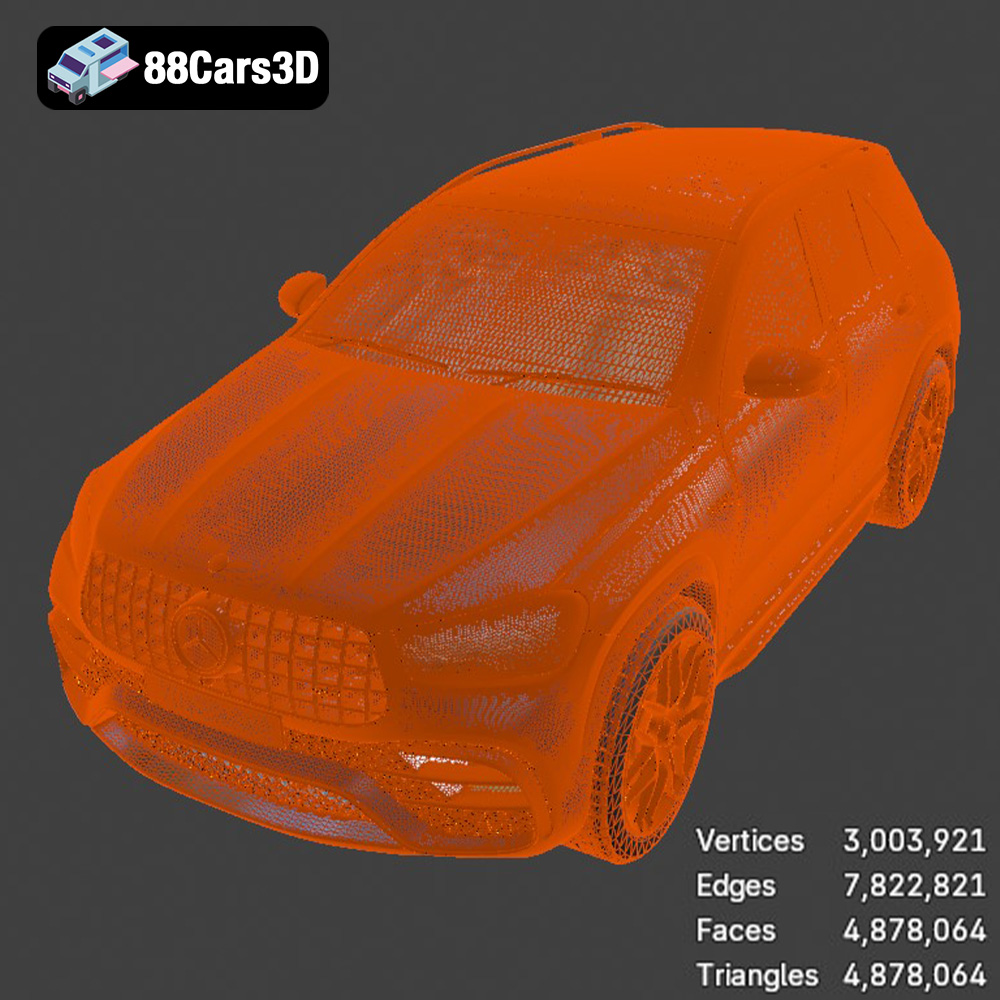
For 3D printing, STL is generally the preferred format. When exporting to STL, ensure that the mesh quality is set appropriately. A higher mesh resolution will result in a smoother surface finish on the printed model but will also increase the file size and potentially the printing time. Striking a balance between detail and file size is key. For the AMG GLE 63 model, a fine or high-quality STL export setting in your 3D modeling software is recommended. Check for and repair any mesh errors before exporting to STL.
OBJ (or .OBJ) is a more versatile format than STL, as it can store color and texture information in addition to the 3D geometry. This makes it suitable for applications where appearance is critical. However, not all 3D printers support color printing directly from OBJ files.
While OBJ is useful, be aware that most slicing software will convert the file to an STL-compatible format for printing. This process may lead to a loss of color or texture information if your printer doesn’t support these features.
PLY (Polygon File Format) is designed to store 3D data acquired from 3D scanning devices. It’s capable of capturing and storing a large amount of detail, including color and texture information. It uses a list of vertices and faces, along with additional data like normals, texture coordinates, and other material properties. This allows it to represent more complex geometric shapes.
PLY format is an uncommon choice for most consumer-grade 3D printing applications. It’s more suited to specialized applications such as archiving scanned 3D models or use with research.
The .blend format is the native file format for Blender, a popular open-source 3D modeling software. If you have Blender installed, you can open the .blend file of the AMG GLE 63 and make modifications to the model before exporting it to a printable format like STL. This could include adding custom details, adjusting the scale, or splitting the model into separate parts for easier printing.
If you plan to customize the AMG GLE 63 model, .blend offers the most flexibility. But remember to export to STL for actual 3D printing after you’re done customizing.
FBX (Filmbox) is a proprietary file format developed by Autodesk. It’s commonly used for exchanging data between different 3D software packages. FBX files can store 3D geometry, animation, materials, and textures.
FBX is not directly used in most 3D printing workflows. The geometry from an FBX file can be imported into slicing software, but the material and texture information will be ignored because FDM and SLA printers generally don’t support direct color printing (except for some specialized color 3D printers).
GLB is a binary file format representing 3D models using the glTF (GL Transmission Format) standard. Its primary advantage lies in being compact and easily loadable, making it an ideal choice for transmitting and loading 3D models in web and mobile applications. It is particularly well-suited for Augmented Reality (AR) applications.
Before printing, a GLB file isn’t a direct solution, but its usefulness resides in allowing a user to preview the model in AR to ensure the size and details align with their vision before committing to the print. If changes are needed, reverting to a more editable format such as .blend or .obj would be necessary.
.max is the file format for Autodesk’s 3ds Max, a professional 3D modeling and animation software package. Opening a .max file requires having a licensed copy of 3ds Max installed. It’s an excellent choice for those familiar with that software and wanting to edit the AMG GLE 63 model. Similar to .blend, you would need to export the final version to STL for 3D printing.
In summary, for 3D printing the Mercedes-Benz AMG GLE 63 2021, the STL format is the most practical and widely supported choice. Ensure that your chosen slicing software is compatible with STL files and that you’ve optimized the mesh quality for the desired level of detail.
Once you’ve chosen your printer and material, the next crucial step is preparing the 3D model for printing using slicing software. This software converts the 3D model into a series of layers that the printer can understand. Popular slicing software options include Cura, PrusaSlicer, Simplify3D, and Chitubox (for resin printers).
* **Layer Height:** As noted earlier, a smaller layer height results in finer details and a smoother surface finish. For FDM printing, aim for a layer height between 0.1mm and 0.2mm. For resin printing, layer heights of 0.02mm to 0.05mm are common. The suggested 0.04-0.12mm is a good target.
* **Infill Density:** Infill refers to the internal structure of the 3D printed model. A higher infill density results in a stronger but heavier model. For the AMG GLE 63, an infill density of 20-30% should provide sufficient strength without adding excessive weight or printing time.
* **Print Speed:** Print speed affects both the quality and duration of the print. Slower print speeds generally result in better quality, especially for intricate details. Experiment with different speeds to find the optimal balance for your printer and material.
* **Support Structures:** Support structures are essential for printing overhangs and complex geometries. The AMG GLE 63 model likely requires supports for areas like the exhaust system, side mirrors, and potentially the roof. Choose a support pattern that is easy to remove without damaging the model’s surface. For resin printing, consider using pre-supported versions of the model if available.
The orientation of the model on the print bed can significantly impact the print quality, strength, and support requirements.
* **Chassis Orientation:** Printing the chassis at an angle (e.g., 45 degrees) can improve its structural integrity and reduce the need for supports on the upper surfaces. Experiment with different angles to find the optimal orientation.
* **Wheel Orientation:** Wheels should be printed separately, ideally with the outer face facing upwards. This minimizes the need for supports on the visible surface and allows for a cleaner finish.
Achieving a high-quality 3D print of the AMG GLE 63 requires careful attention to detail and precise printer settings. This section delves deeper into specific settings and techniques.
* **Manual Support Placement:** Instead of relying solely on automatically generated supports, consider manually placing supports in critical areas. This allows you to strategically reinforce overhangs and minimize support contact with visible surfaces.
* **Support Interface Layer:** A support interface layer creates a denser, easier-to-remove layer between the support structure and the model. This helps prevent the supports from bonding too strongly to the model’s surface.
* **Support Density and Angle:** Adjust the support density and angle to optimize the balance between support strength and ease of removal. A lower density and steeper angle can make supports easier to break away, but may compromise their ability to support overhangs effectively.
* **Nozzle Temperature:** The ideal nozzle temperature depends on the material being used. Consult the manufacturer’s recommendations for your chosen filament or resin.
* **Bed Temperature:** Proper bed adhesion is crucial for preventing warping and ensuring that the model stays firmly attached to the print bed. Adjust the bed temperature according to the material being used.
* **Cooling Fan:** Use a cooling fan to rapidly cool each layer as it’s printed. This helps prevent warping, improve surface quality, and enhance the definition of fine details.
* **Warping:** Warping occurs when the corners of the model lift off the print bed due to uneven cooling. To prevent warping, ensure that the bed is properly leveled and heated, use a brim or raft, and avoid drafts.
* **Stringing:** Stringing is caused by filament oozing from the nozzle during travel moves. To reduce stringing, adjust the retraction settings in your slicing software.
* **Layer Separation:** Layer separation occurs when the layers of the model fail to adhere properly. To address layer separation, increase the nozzle temperature, reduce the print speed, and ensure that the bed is properly leveled.
Once the 3D printing process is complete, post-processing is essential to achieve a professional-looking finish. This typically involves removing support structures, sanding the model, and painting it to replicate the AMG GLE 63’s signature look.
Carefully remove the support structures using pliers, cutters, or a sharp knife. Take your time and avoid applying excessive force, which could damage the model. For resin prints, soaking the model in warm water can soften the supports and make them easier to remove.
Sanding is crucial for smoothing out layer lines and removing any imperfections. Start with a coarse grit sandpaper (e.g., 220 grit) and gradually move to finer grits (e.g., 400, 600, 800 grit) to achieve a smooth surface. Wet sanding can help to minimize dust and improve the finish.
After sanding, apply a primer to the model. Primer helps to fill in any remaining imperfections and provides a better surface for the paint to adhere to.
Choose high-quality paints that are suitable for plastic models. Automotive spray paints are a good option for replicating the AMG GLE 63’s factory colors. Apply multiple thin coats of paint, allowing each coat to dry thoroughly before applying the next.
For a glossy finish, apply a clear coat after the paint has dried. Polishing the clear coat can further enhance the shine.
If the model was printed in separate parts (e.g., chassis, wheels), carefully assemble the components using glue or adhesive. Ensure that the parts are aligned correctly before the glue dries.
The print time and material cost will vary depending on the size of the model, the printer settings, and the material used. Here are some rough estimates:
* **Print Time:** A 1:18 scale model could take anywhere from 12 to 36 hours to print, depending on the complexity and layer height.
* **Material Cost:** The material cost could range from $5 to $20, depending on the material and the amount used.
These are just estimates, and the actual print time and cost may vary.
Even with careful preparation, 3D printing can sometimes present challenges. Here are some common issues and their solutions:
* **Poor Bed Adhesion:** Clean the print bed with isopropyl alcohol, use a brim or raft, and adjust the bed temperature.
* **Elephant’s Foot:** Reduce the initial layer height and adjust the bed temperature.
* **Z-Wobble:** Ensure that the Z-axis is properly aligned and lubricated.
* **Gaps in Top Layers:** Increase the top layer thickness and adjust the infill overlap.
By understanding these common issues and their solutions, you can troubleshoot problems and achieve successful 3D prints. 88cars3d.com provides high-quality models, and with the right techniques, you can create stunning replicas.
Experience the perfect fusion of luxury and raw performance with this highly detailed 3D model of the 2021 Mercedes-Benz AMG GLE 63. Renowned for its commanding presence, this performance SUV features the unmistakable aggressive Panamericana front grille, massive air intakes, and the distinctive AMG quad-trapezoidal exhaust system. The dynamic styling cues perfectly capture the essence of Affalterbach’s engineering, ensuring your virtual scenes exude both prestige and power.
$19.99
.blend
.fbx
.glb
.luxury suv
.max
.obj
.ply
.rendering
.stl
.unreal
amg-gle-63
car-3d-model
game asset
game-ready
low-poly
mercedes-benz
optimized
performance suv
SUV
VR/AR