Get 20% OFF All Premium 3D & STL Models!

The Mercedes-Maybach Vision 6 2018 is a stunning concept car, a modern interpretation of classic aero coupes. Its sleek lines, dramatic proportions, and luxurious details make it a captivating subject for 3D printing enthusiasts. This guide will provide you with a comprehensive understanding of how to successfully 3D print this model, covering everything from pre-print preparation to post-processing techniques. Whether you are a seasoned 3D printing expert or a beginner, this article will walk you through the best practices to achieve a high-quality, impressive replica of this iconic vehicle. The 3D model available from 88cars3d.com is designed for a variety of applications, including 3D printing, and with the right techniques, you can bring this vision to life.
The Mercedes-Maybach Vision 6 2018 3D model can be printed using various 3D printing technologies, each with its own advantages and disadvantages. The ultimate choice depends on your desired level of detail, budget, and expertise.
FDM is the most common and affordable 3D printing technology. It involves extruding a thermoplastic filament layer by layer to create the object. FDM is suitable for larger models and functional parts, but it may struggle to capture the fine details of the Vision 6, especially at smaller scales.
* **Pros:** Low cost, wide range of materials (PLA, PETG, ABS), large build volumes.
* **Cons:** Lower resolution compared to resin printing, visible layer lines, requires more post-processing.
* **Material Recommendation:** PLA or PETG are good choices for FDM printing due to their ease of use and relatively low warping.
SLA and DLP are resin-based 3D printing technologies that use a light source to cure liquid resin layer by layer. These technologies offer significantly higher resolution and accuracy compared to FDM, making them ideal for printing intricate details and smooth surfaces. Resin printing is highly recommended in the product description for the Mercedes-Maybach Vision 6 to capture the fine details.
* **Pros:** High resolution, smooth surfaces, excellent detail reproduction.
* **Cons:** Higher cost, smaller build volumes, resin materials can be brittle, requires careful post-processing (washing and curing).
* **Material Recommendation:** Standard resin is suitable for display models. For more durable parts, consider using a tough or ABS-like resin.
Choosing the right file format is crucial for a successful 3D printing experience. The Mercedes-Maybach Vision 6 2018 3D model from 88cars3d.com is available in several formats, each designed for specific applications. Understanding the nuances of these formats will help you optimize your printing process.
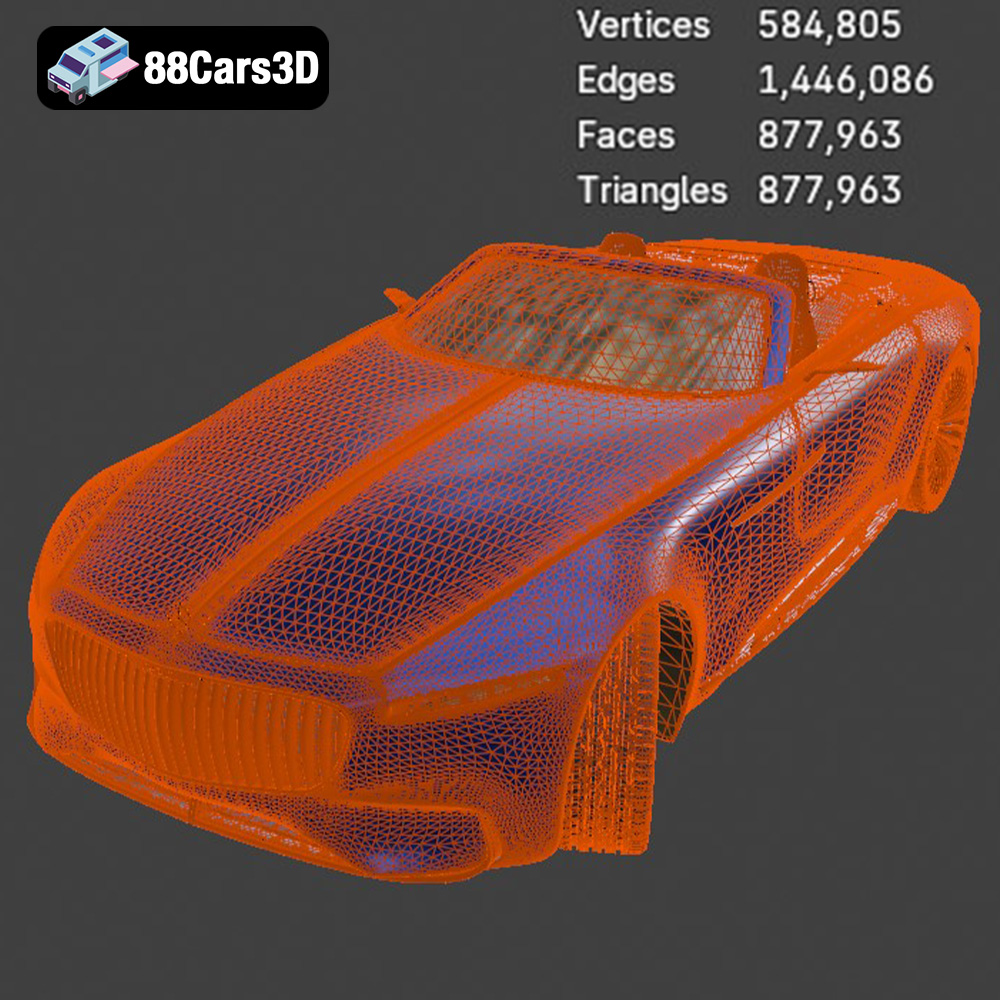
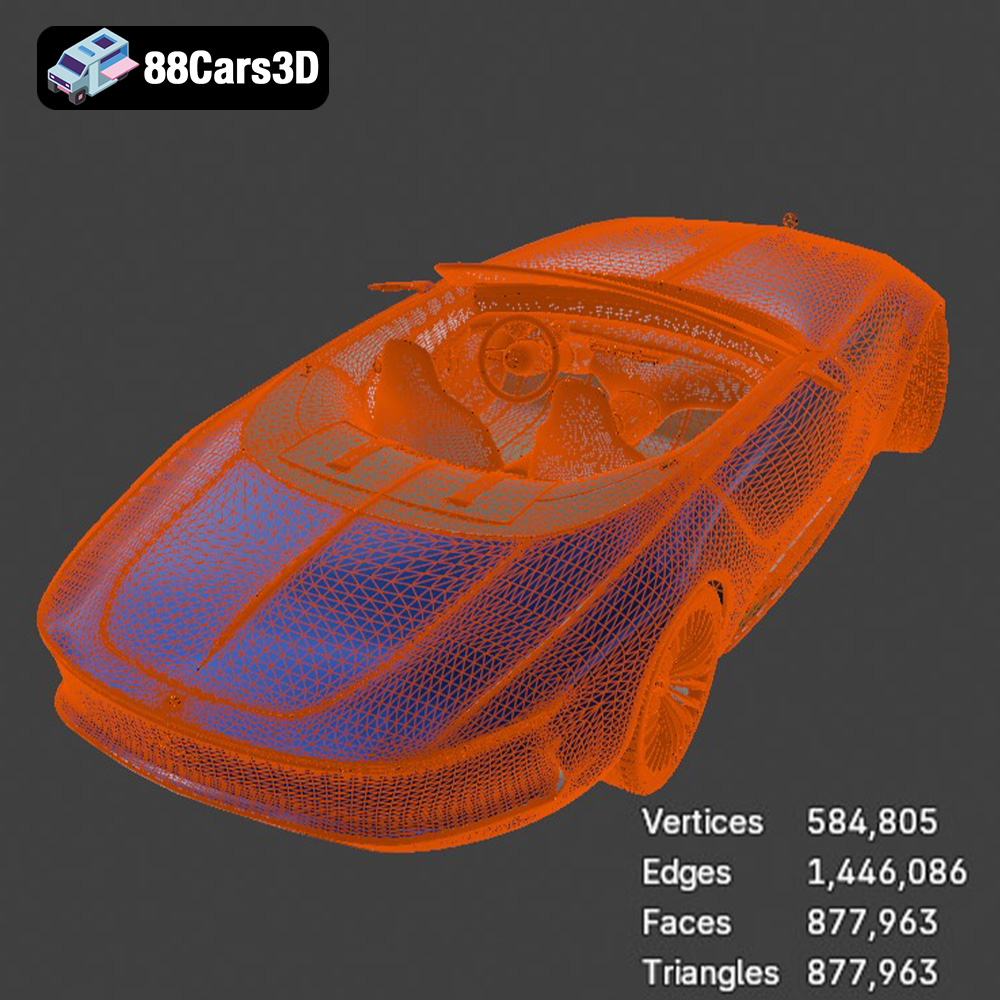
The STL (Stereolithography) format is the workhorse of 3D printing. It represents the surface geometry of a 3D object as a collection of triangles. This simplicity makes it universally compatible with slicing software and 3D printers. However, STL files only store the mesh data, lacking color, texture, or material information. For 3D printing, STL is often the preferred format due to its widespread support and efficiency in representing complex shapes. It’s the format your slicing software will use to generate the toolpaths for your printer. When preparing an STL file for printing, ensure the mesh is watertight (no holes or gaps) and that the triangles are properly oriented. Mesh repair tools in software like MeshMixer or Netfabb can help address any issues. The quality of the STL file directly impacts the final print quality; a higher triangle count results in a smoother surface but also increases file size and processing time.
OBJ (Object) is a more versatile format than STL, capable of storing color, texture, and material information in addition to geometry. While it can be used for 3D printing, it’s less common than STL, especially for single-color prints. If you plan to experiment with multi-material or full-color 3D printing, OBJ might be a suitable choice. However, ensure that your slicing software and 3D printer support color printing and can interpret the OBJ file correctly.
PLY (Polygon File Format) is designed for storing 3D data acquired from scanning devices. It excels at capturing detailed mesh information and supports color and texture data. While not as widely used as STL or OBJ in 3D printing, PLY can be beneficial for printing highly detailed models where accuracy is paramount. However, it’s crucial to check compatibility with your slicing software and ensure that the file is properly optimized for printing.
BLEND is the native file format for Blender, a popular open-source 3D modeling software. This format contains the entire Blender scene, including the model’s geometry, textures, materials, and animations. It’s not directly used for 3D printing, but it allows you to customize the model before exporting it to a printable format like STL. If you want to modify the Mercedes-Maybach Vision 6 2018 3D model, such as adding custom details or splitting it into separate parts, Blender and the .blend file provide the flexibility to do so.
FBX (Filmbox) is a proprietary file format developed by Autodesk, primarily used for exchanging 3D data between different software applications. It supports geometry, textures, materials, animations, and skeletal rigs. While FBX can be imported into some slicing software, it’s not the ideal format for 3D printing. Its primary purpose is for transferring complex 3D scenes between modeling, animation, and game development tools.
GLB (GL Transmission Format Binary) is a file format designed for efficient transmission and loading of 3D models, particularly in web and mobile applications. It’s commonly used for augmented reality (AR) and virtual reality (VR) experiences. GLB files can contain geometry, textures, materials, and animations, all packed into a single binary file. While not directly used for 3D printing, GLB allows you to preview the model in AR to get a sense of its size and appearance before committing to a print.
.MAX is the native file format for 3ds Max, a professional 3D modeling, animation, rendering, and visualization software. If you have access to 3ds Max, the .max file allows you to make significant modifications to the Mercedes-Maybach Vision 6 2018 3D model before exporting it to a printable format. This format includes all scene data, including geometry, textures, materials, lighting, and animation setups, enabling extensive customization.
Before you can start 3D printing, you need to prepare the model using slicing software. This software converts the 3D model into a series of instructions (G-code) that the 3D printer can understand. Model optimization ensures that the model is suitable for printing and minimizes potential issues.
Choosing the right slicing software is crucial. Popular options include Cura, Simplify3D, PrusaSlicer, and Chitubox (for resin printing). The choice depends on your printer, experience level, and desired features. Key settings to consider include:
* **Layer Height:** As suggested, use a layer height of 0.04-0.12mm, with resin printing highly recommended for the finest details. Lower layer heights result in smoother surfaces but increase print time.
* **Infill Density:** A 20-30% infill is sufficient for most parts. Increase infill for parts that require more strength or support.
* **Wall Thickness:** A wall thickness of 1.2-2.0mm provides adequate strength and rigidity.
* **Support Structures:** Support structures are essential for overhangs and complex geometries. Use automatic support generation or manually place supports for optimal results. Consider using tree supports, which are easier to remove.
* **Print Speed:** Adjust the print speed based on your printer and material. Slower speeds generally result in better quality.
* **Orientation:** Carefully consider the print orientation to minimize support requirements and maximize detail reproduction. Printing the frame angled can improve structural integrity. Wheels should be printed separately for better detail.
Before slicing, inspect the model for any errors, such as non-manifold geometry or holes. Use mesh repair tools in your slicing software or dedicated software like MeshMixer to fix these issues. Scaling the model is also an important consideration. The recommended scales are 1:12, 1:18, or 1:24. Choose a scale that balances detail and print size. Ensure that your printer’s build volume can accommodate the scaled model.
The choice of material significantly impacts the final appearance and properties of the 3D printed Mercedes-Maybach Vision 6 2018. Experimenting with different materials can yield unique results.
* **PLA (Polylactic Acid):** A biodegradable thermoplastic that is easy to print and offers good detail. It is a good choice for beginners and display models.
* **PETG (Polyethylene Terephthalate Glycol-modified):** A more durable and heat-resistant alternative to PLA. PETG is a good choice for parts that may be subjected to stress or high temperatures.
* **Resin (SLA/DLP):** Offers the highest level of detail and smooth surfaces. Resin is ideal for printing intricate details, such as the grille, headlights, and interior components of the Vision 6.
* **PLA:**
* Nozzle Temperature: 200-220°C
* Bed Temperature: 60-70°C
* Print Speed: 40-60 mm/s
* Cooling: 100% fan speed
* **PETG:**
* Nozzle Temperature: 230-250°C
* Bed Temperature: 70-80°C
* Print Speed: 30-50 mm/s
* Cooling: 50% fan speed
* **Resin:**
* Layer Exposure Time: Consult your resin manufacturer’s recommendations.
* Bottom Layer Exposure Time: 6-8 times the normal layer exposure time.
* Lift Speed: 60-80 mm/min
* Retract Speed: 150-180 mm/min
Post-processing is crucial for achieving a professional-looking finish on your 3D printed Mercedes-Maybach Vision 6 2018. This involves removing support structures, sanding, priming, and painting.
Carefully remove support structures using pliers, cutters, or a deburring tool. Be gentle to avoid damaging the model. Sand the surface to remove layer lines and imperfections. Start with coarse sandpaper (220 grit) and gradually move to finer grits (400, 600, 800, and 1000 grit) for a smooth finish. Wet sanding can help reduce dust and improve the surface finish.
Apply a thin layer of primer to the model to create a uniform surface for painting. Sand the primer lightly with fine-grit sandpaper (800-1000 grit). Use acrylic paints or automotive paints for the final finish. Apply multiple thin layers of paint for best results. Consider using an airbrush for a smoother and more consistent finish. As the product description says, aim for authentic factory colors with metallic finishes to truly capture the luxury of the Vision 6.
Assemble the separate parts, such as the wheels and chassis, using glue or adhesive. Add fine details, such as decals, badges, and interior components, to enhance the realism of the model. Clear coat the model to protect the paint and add a glossy finish.
Even with careful preparation, you may encounter some issues during the 3D printing process. Here are some common problems and their solutions:
* **Warping:** This occurs when the first layer of the print lifts off the build plate. Ensure the build plate is clean and level. Use a brim or raft to improve adhesion. Increase the bed temperature or use a bed adhesive.
* **Stringing:** This is when thin strands of plastic are left between parts of the print. Reduce the nozzle temperature or increase retraction settings.
* **Layer Shifting:** This occurs when the layers of the print are misaligned. Check the belts and pulleys for tightness. Reduce the print speed or acceleration.
* **Support Failure:** This happens when support structures collapse during printing. Increase the support density or thickness. Adjust the support angle to provide better support.
* **Resin Printing Issues:** Ensure proper ventilation, use correct exposure settings, and clean the build plate regularly.
Before starting the print, estimate the print time and material costs to plan your project effectively. Slicing software typically provides estimates for print time and material usage. The print time depends on the size of the model, layer height, print speed, and support requirements. Material costs depend on the type of material and the amount used. Consider these factors when planning your 3D printing project to avoid unexpected expenses or delays.
The Mercedes-Maybach Vision 6 2018 3D model from 88cars3d.com offers a fantastic opportunity to showcase your 3D printing skills. By following this comprehensive guide, you can create a stunning replica of this iconic concept car.
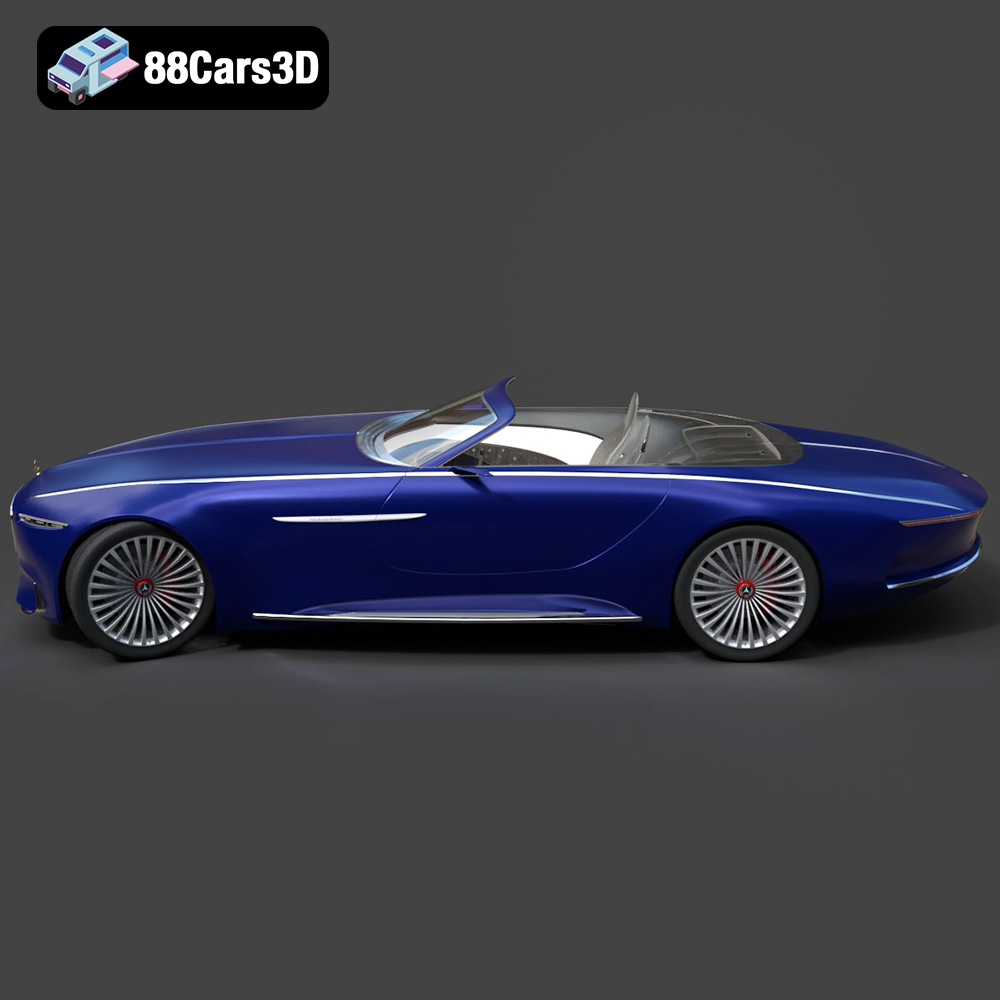
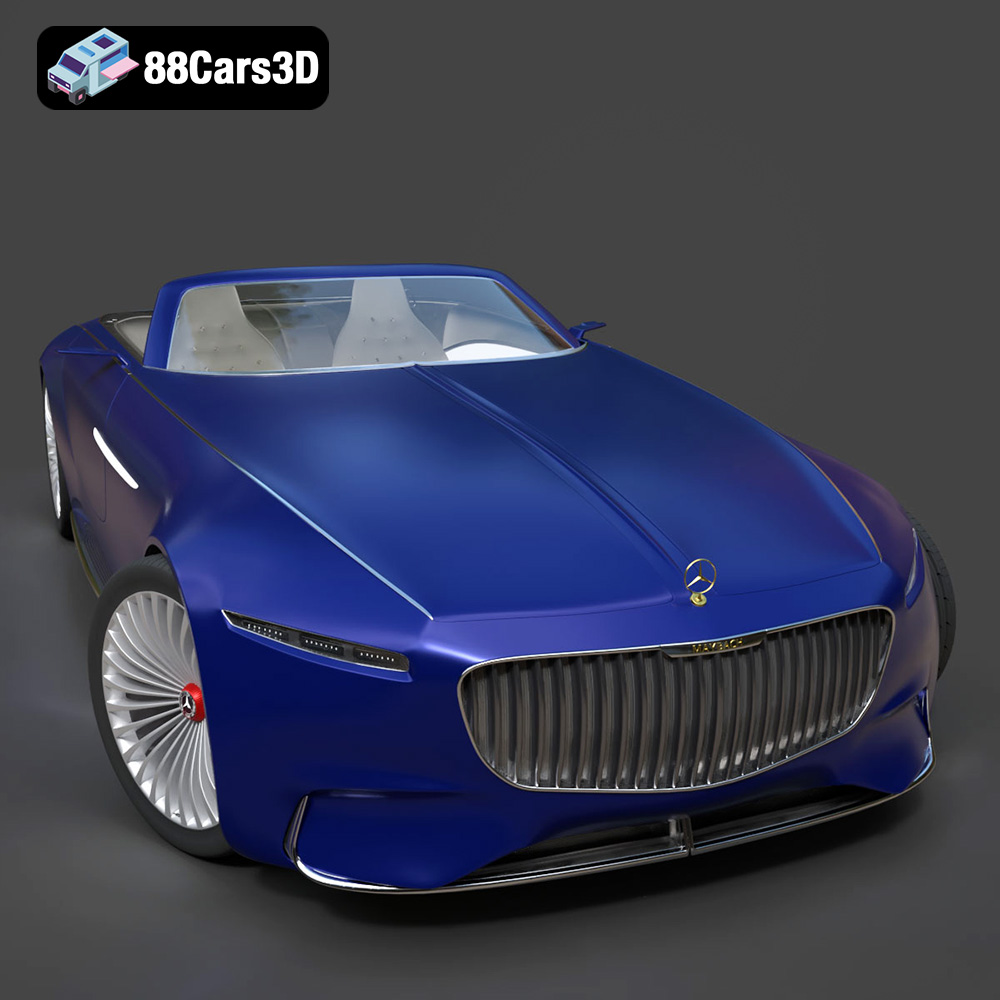
The Mercedes-Maybach Vision 6 2018 is a breathtaking electric concept car that pays a stunning homage to the glorious age of the aero coupes. It features dramatic, extreme proportions with a massively elongated hood, a sweeping low roofline, and an iconic vertical strut grille inspired by a pinstriped suit. Key visual elements include the striking gullwing doors, ultra-slim LED headlights, an aerodynamic boat-tail rear design, and massive 24-inch transparent aerodynamically optimized wheels.
$39.99
.2018
.blend
.fbx
.glb
.max
.obj
.ply
.rendering
.stl
.unreal
car-3d-model
concept-car
game asset
game-ready
low-poly
luxury car
mercedes-maybach
optimized
vision-6
VR/AR