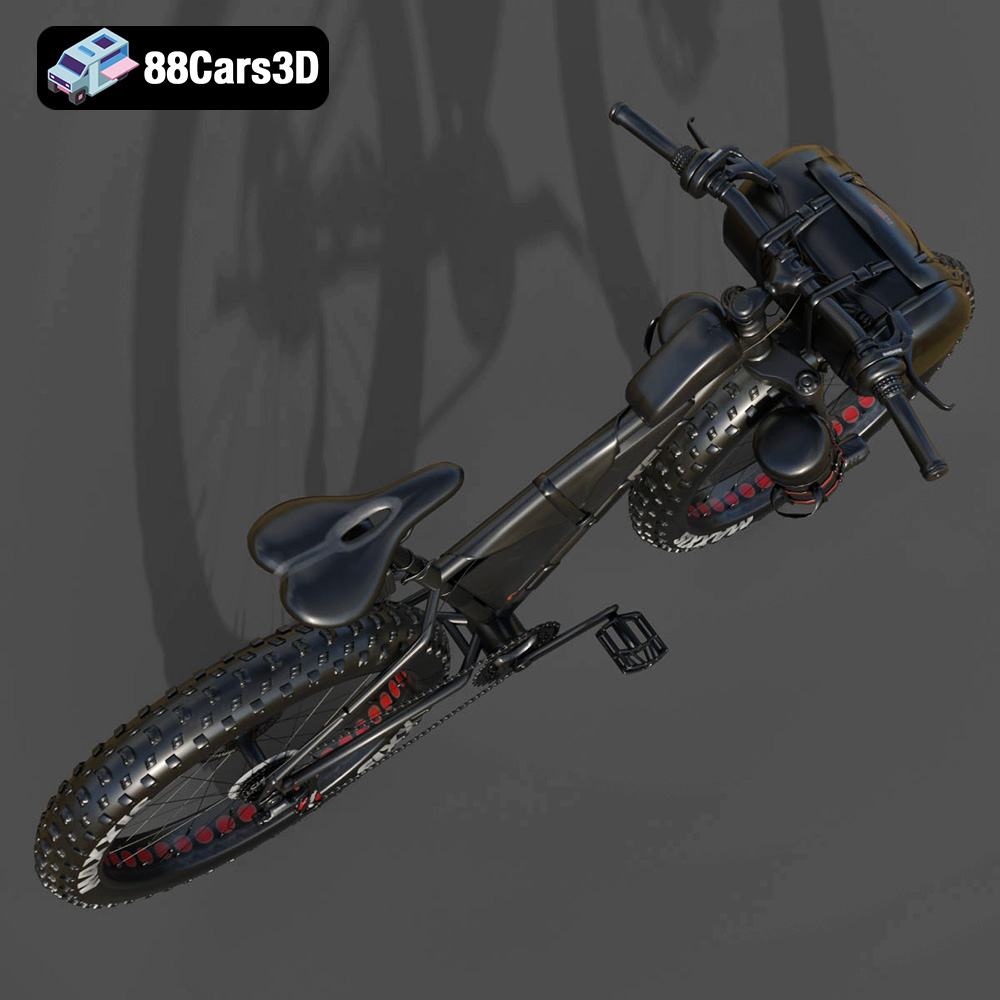
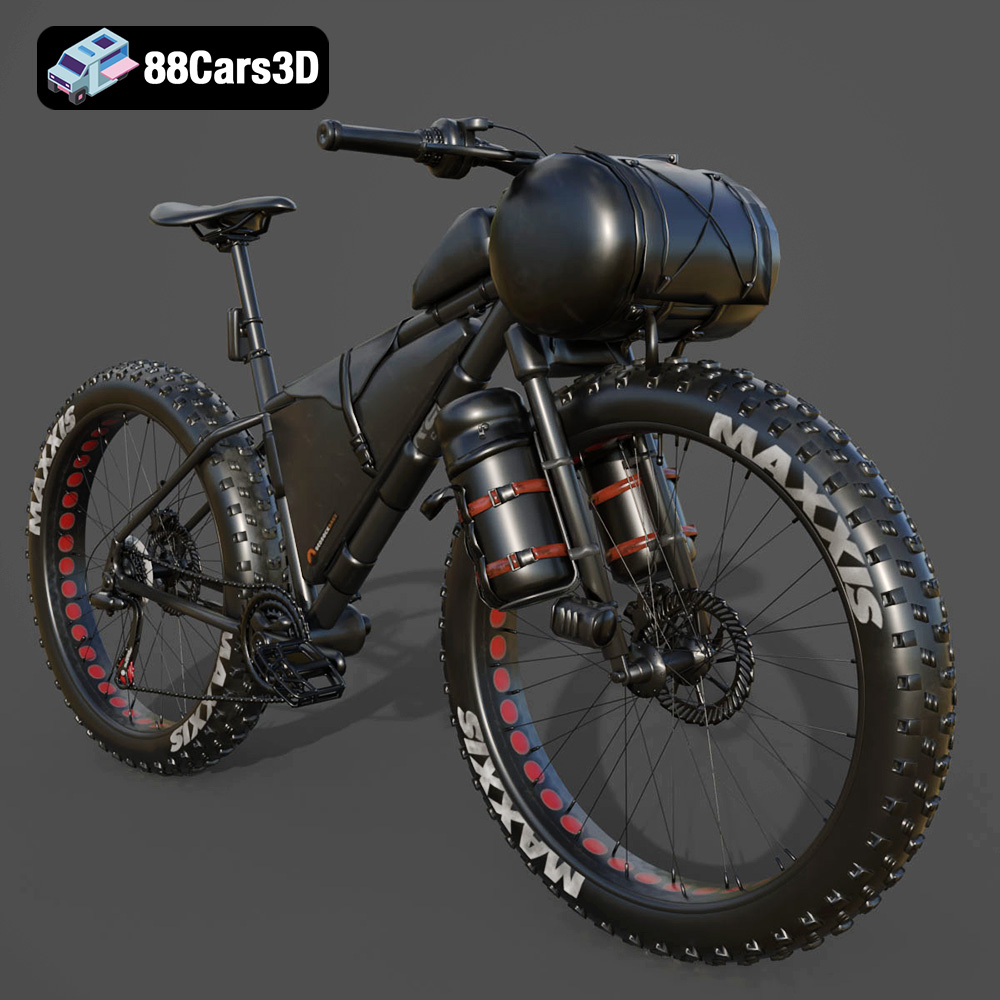
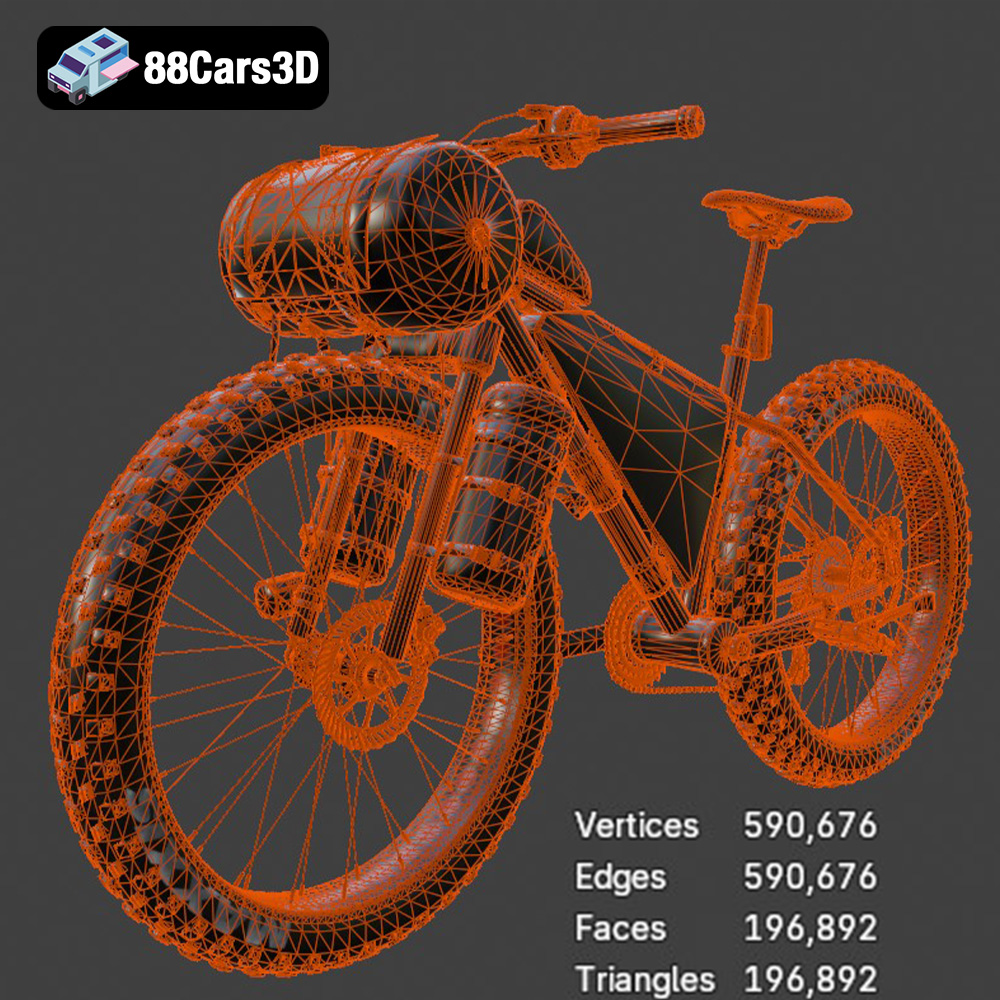
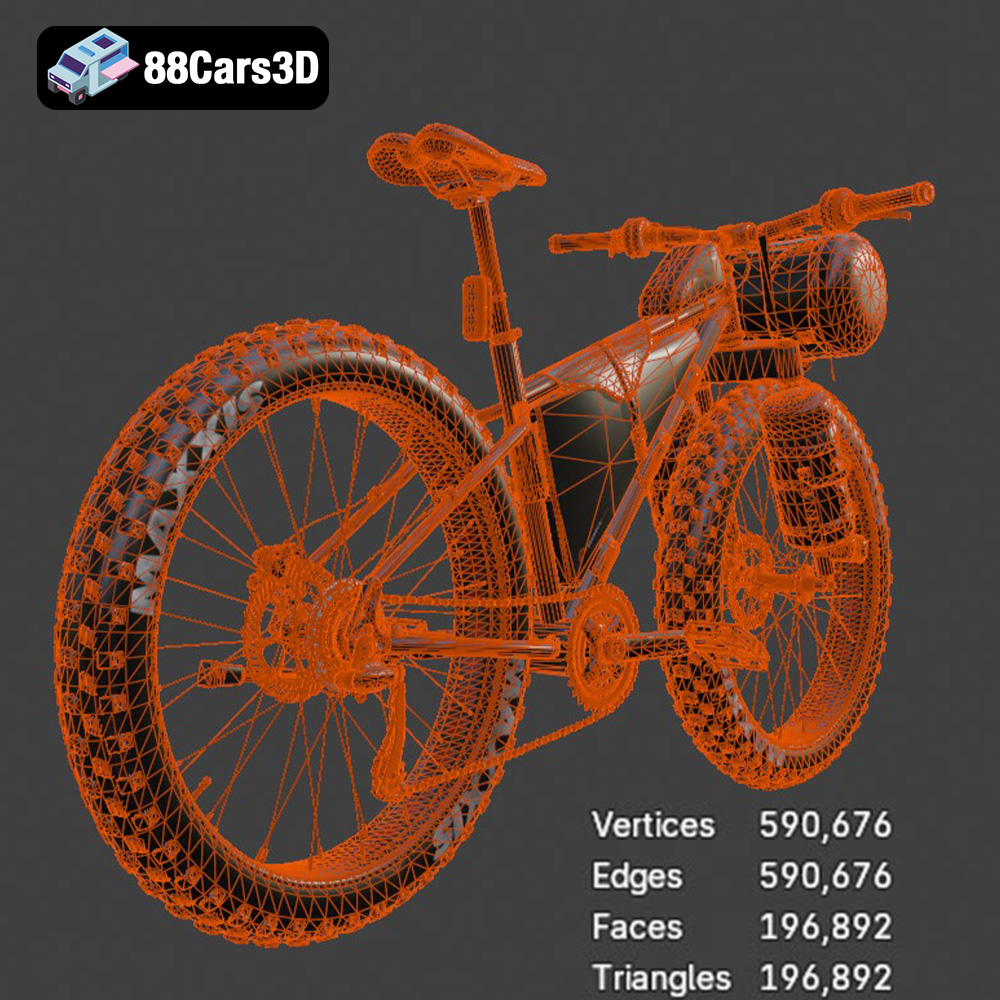
Get 20% OFF All Premium 3D & STL Models!

In the vibrant and ever-evolving landscape of 3D design, the demand for high-quality, technically sound assets is paramount. Whether you’re a seasoned game developer pushing the boundaries of realism, an automotive designer visualizing a concept, or an architect integrating vehicles into a scene, the core requirement remains consistent: an exceptional 3D model. These digital representations are the backbone of everything from cinematic renders to interactive virtual reality experiences, demanding meticulous attention to detail, robust optimization, and versatile compatibility.
The journey from concept to a fully realized digital vehicle is intricate, involving a deep understanding of geometry, textures, lighting, and performance optimization. It’s a field where shortcuts often lead to compromised quality, and where true professionalism shines through in the fidelity and usability of the final asset. This is precisely where expertly crafted 3D car models become indispensable. They don’t just fill a scene; they elevate it, providing the gravitas and visual richness necessary to captivate an audience.
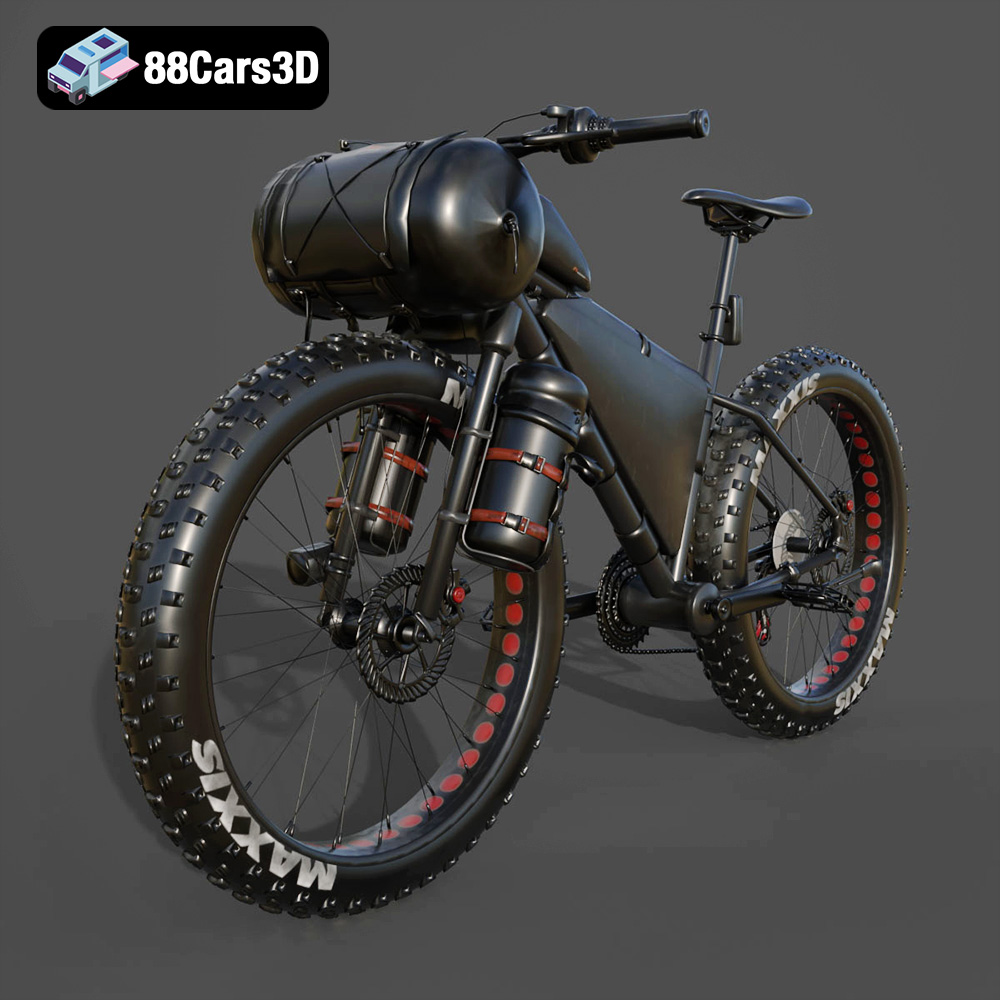
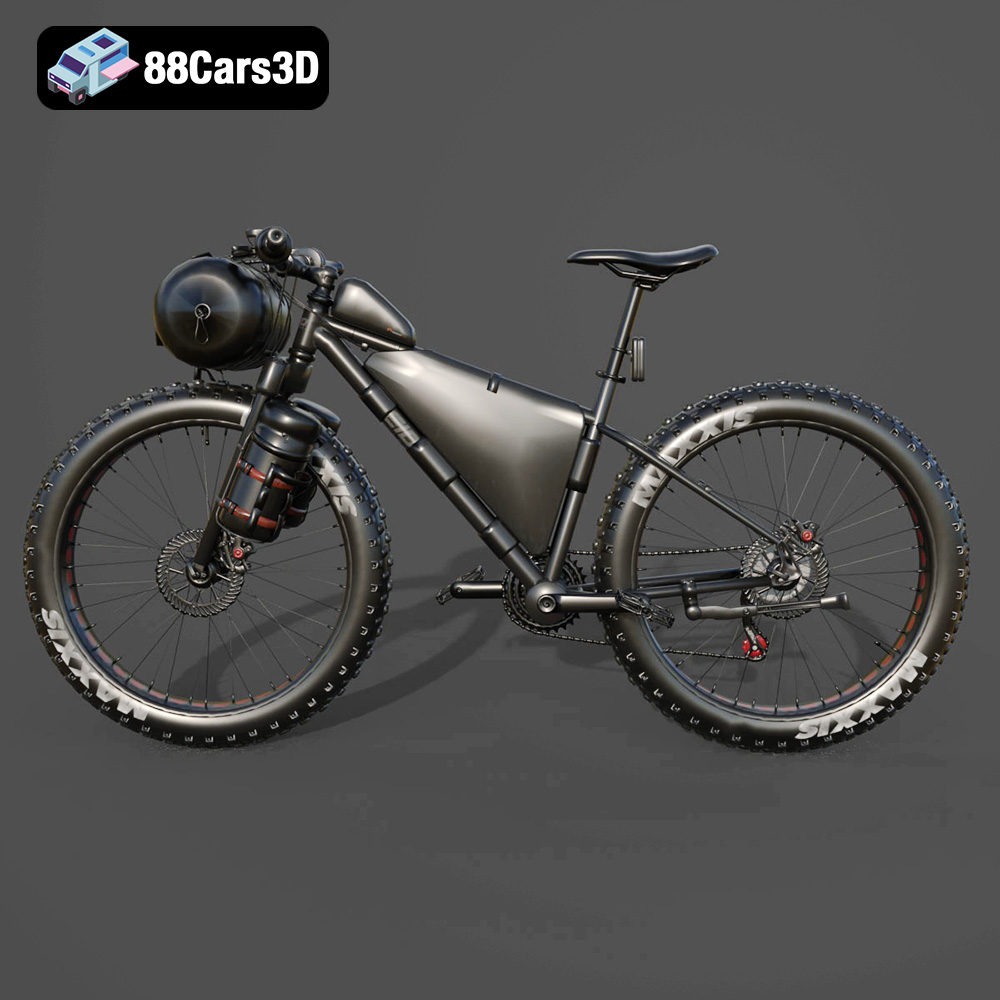
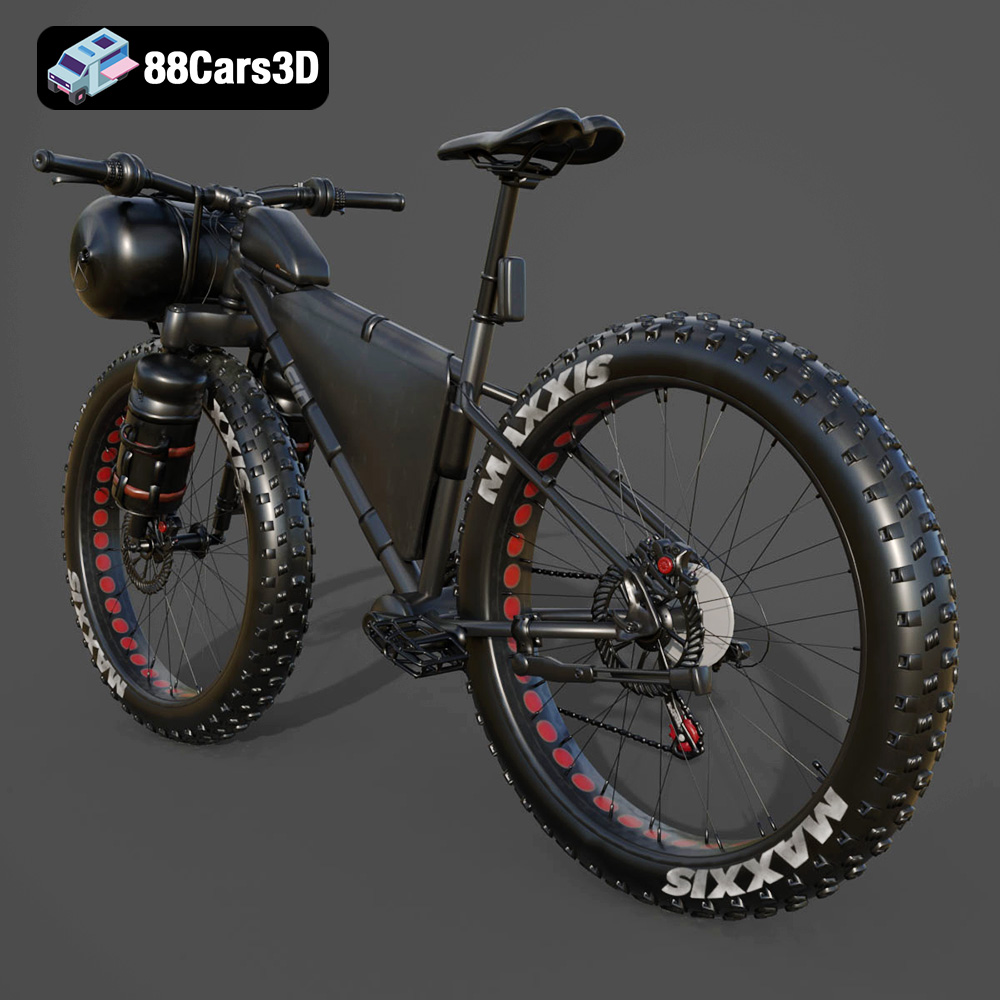
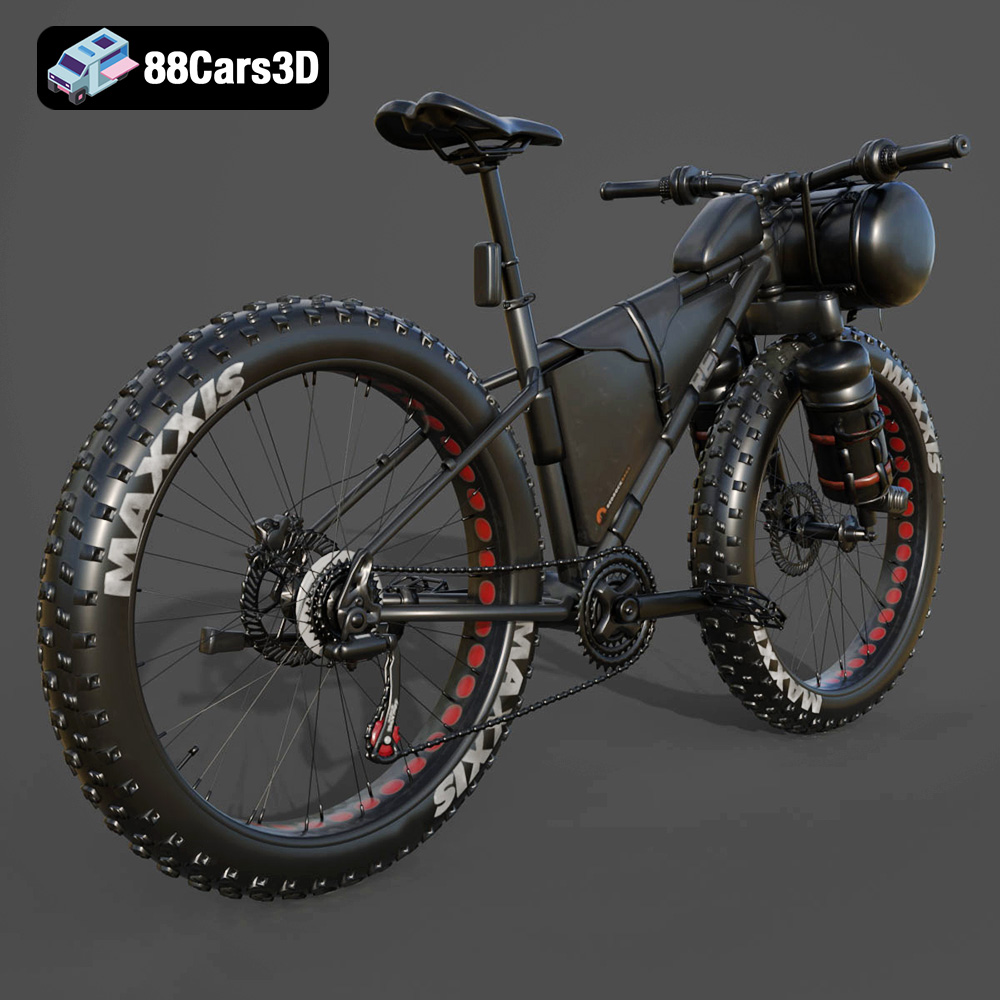
Today, we delve into the world of professional 3D asset utilization, exploring the technical nuances, essential workflows, and diverse applications that define modern digital creation. As our guide, we’ll feature an exemplary model that embodies these principles: The F.A.T. Bike 3D Model. This custom-engineered two-wheeler, available on 88cars3d.com, is a testament to the blend of aesthetic appeal and technical excellence required by today’s demanding projects, offering a rugged versatility perfectly suited for a multitude of digital environments, from urban exploration games to off-road simulations.
The interoperability and utility of any 3D model are intrinsically tied to the file formats in which it is provided. Each format serves a specific purpose, offering unique advantages for different stages of a professional workflow, from initial design and animation to real-time rendering and physical fabrication. Grasping these distinctions is crucial for maximizing efficiency and ensuring seamless integration into diverse projects.
The .blend format is the native file type for Blender, the popular open-source 3D creation suite. When a model is supplied as a .blend file, it means you’re getting a fully editable Blender scene. This includes not only the mesh data but also all materials, textures, lighting setups, cameras, animation data, and even modifiers and rigging information. For users working within Blender, this offers unparalleled flexibility for customization, allowing for deep modifications to the geometry, material properties, and overall scene composition without loss of fidelity. It’s the ideal format for artists who want to dissect, learn from, or extensively modify the original asset, making it a powerful foundation for further development.
.fbx (Filmbox) is arguably the most widely adopted format for exchanging 3D data between different software applications. Developed by Autodesk, FBX excels at retaining a broad range of information, including geometry, materials, textures, animations, and skeletal data. This makes it an ideal choice for pipelines involving multiple software packages, such as exporting models from a DCC (Digital Content Creation) tool like Maya or 3ds Max into real-time engines like Unreal Engine or Unity. Its robust support for animation and rigging data makes it particularly valuable for game development and cinematics, ensuring that even complex animated sequences transfer accurately across platforms.
The .obj (Object) format is a classic and highly universal standard, primarily used for transferring basic 3D geometry and UV mapping information. While it doesn’t typically carry animation, rigging, or advanced material definitions as comprehensively as FBX, its simplicity and widespread support make it incredibly reliable for cross-software compatibility. Almost every 3D application can import and export OBJ files, making it a go-to for ensuring a baseline level of asset transfer. For models like The F.A.T. Bike, an OBJ file provides the core mesh, allowing artists to then re-establish materials and textures within their preferred software.
.glb (GL Transmission Format Binary) is a modern, self-contained file format designed for efficient transmission and loading of 3D scenes and models in web and real-time applications. It packages all necessary data (geometry, materials, textures, animations) into a single binary file, making it highly optimized for augmented reality (AR), virtual reality (VR), and browser-based display. Its compact nature and ease of integration make it perfect for interactive web viewers, mobile AR experiences, and rapid prototyping in immersive environments, ensuring quick load times and smooth performance.
The .stl (Stereolithography) format is the ubiquitous standard for 3D printing. It represents a 3D model as a collection of unconnected triangular facets, defining only the surface geometry without color, texture, or material information. For designers looking to transform digital models into physical objects, like enthusiasts wanting a tangible replica of The F.A.T. Bike, an STL file is essential. It’s the language understood by most slicing software, preparing the model for additive manufacturing. While simple, its precision in defining external surfaces is critical for successful prints.
.ply (Polygon File Format) is another format primarily focused on storing 3D scanner data and meshes. It can store a wider range of properties than STL, including color, transparency, surface normals, and even texture coordinates for each vertex or face. While not as universally adopted as OBJ or FBX for general 3D exchange, PLY is highly valued in scientific and engineering fields, CAD applications, and 3D scanning workflows where precise mesh data with additional attributes is required for analysis or detailed reconstruction.
A native .unreal asset signifies a model specifically prepared and optimized for direct import and use within Unreal Engine. This often implies that the asset has undergone a conversion or packaging process that ensures all PBR materials, LODs (Levels of Detail), collision meshes, and potentially even Blueprints are set up correctly for the engine’s real-time rendering pipeline. For developers targeting Unreal Engine, this format offers the most streamlined integration, minimizing setup time and maximizing performance straight out of the box.
Similar to .blend for Blender, the .max format is the native project file for Autodesk 3ds Max, a powerful 3D modeling, animation, and rendering software. A .max file encapsulates the entire scene, including geometry, materials, textures, lighting, cameras, animation keyframes, and any specific plugins or modifiers used. For professionals working within the 3ds Max ecosystem, this provides complete control and editability, making it ideal for high-end rendering, complex animation projects, and detailed architectural visualization, where the full capabilities of 3ds Max can be leveraged.
The availability of The F.A.T. Bike in such a comprehensive array of formats – .blend, .fbx, .obj, .glb, .stl, .ply, .unreal, and .max – underscores its versatility and commitment to supporting diverse professional workflows. This comprehensive approach ensures that, regardless of your preferred software or target application, you have the right starting point for your project.
Automotive rendering stands as a pinnacle of 3D visualization, demanding meticulous attention to detail, realistic material definition, and sophisticated lighting setups. The goal is always photorealism, to create images so convincing they blur the line between digital and reality. Achieving this relies heavily on the quality of the initial 3D car models.
For truly stunning renders, the underlying geometry of a 3D model must be impeccable, and then complemented by expertly crafted materials and lighting. Photorealistic materials adhere to Physically Based Rendering (PBR) principles, accurately simulating how light interacts with surfaces in the real world. This means defining parameters like albedo (base color), roughness, metallicness, normal maps, and ambient occlusion. The F.A.T. Bike model, with its custom-stitched saddle, industrial-chic lighting elements, and chunky all-terrain treads, provides an excellent foundation for PBR material application. The ability to customize body/tank colors, modify tire textures, and adjust material finishes (matte, gloss, metallic) allows artists to achieve a vast range of visual styles, from showroom pristine to rugged and worn.
Lighting is the soul of any render. A well-lit scene can highlight form, texture, and reflections, bringing a model to life. Techniques include HDRI (High Dynamic Range Image) environment lighting for realistic reflections and global illumination, coupled with targeted area lights or spotlights to emphasize specific features like the high-intensity LED projector headlight. Within 3ds Max, for example, artists can use advanced renderers like V-Ray or Corona to simulate complex light bounces and atmospheric effects, transforming the raw model into a captivating visual narrative. Blender’s Cycles and Eevee renderers offer similar capabilities, providing powerful tools for artists to bring out the aggressive stance and detailed frame geometry of The F.A.T. Bike.
Professional automotive rendering workflows typically involve several stages. It often begins with importing the 3D model into a DCC application like 3ds Max or Blender. Here, artists will verify the model’s topology, ensure proper UV mapping for texture application, and assign PBR materials. The F.A.T. Bike’s optimized geometry and separated components (wheels, suspension, steering) streamline this process, allowing for quick material assignment and scene assembly. Next, the environment is set up, whether it’s an expansive outdoor scene with realistic terrain or a controlled studio environment with infinite backdrops and softbox lighting. Cameras are positioned, and often animated, to capture dynamic angles. Finally, the scene is rendered, often at high resolutions, with post-processing in applications like Adobe Photoshop or DaVinci Resolve to refine colors, add depth of field, and enhance overall visual impact. This meticulous process ensures that models like those found on 88cars3d.com translate into stunning visual campaigns and product showcases.
In the realm of game development, balancing visual fidelity with real-time performance is a constant challenge. Game-ready assets, such as The F.A.T. Bike 3D Model, are engineered from the ground up to meet these stringent demands, ensuring smooth frame rates without sacrificing visual quality.
The core of game asset optimization lies in managing polycount – the number of polygons (triangles) that make up a model. While high-poly models are excellent for pre-rendered cinematics, they can cripple real-time performance. The F.A.T. Bike, with its ~200,000 triangles, strikes an excellent balance for modern real-time engines like Unreal and Unity. This polycount allows for significant detail in crucial areas, such as the detailed motor housing and aggressive tire treads, while remaining efficient enough for interactive experiences.
Further optimization often involves implementing Levels of Detail (LODs). This technique involves creating multiple versions of the same model, each with a progressively lower polycount. The game engine then automatically switches between these LODs based on the camera’s distance from the object. Close up, the high-detail version is displayed; further away, a lower-poly version is used, drastically reducing the computational load. The F.A.T. Bike’s robust base geometry makes it an ideal candidate for generating efficient LODs within Unreal Engine or Unity, ensuring it performs optimally across various distances within a game world.
Integrating a 3D vehicle model into a game engine is a multi-step process. For Unreal Engine, a common workflow involves importing the .fbx or .unreal file. The engine automatically handles many aspects, but further setup is often required. This includes setting up PBR materials within the engine’s material editor, creating collision meshes for physics interactions, and configuring the skeletal mesh for character or vehicle rigging. The F.A.T. Bike’s separated components (wheels, suspension, steering) and proper pivot setup are crucial here, enabling realistic animation of wheel rotation, suspension travel, and steering. Developers can then leverage Unreal’s Blueprint system or C++ to implement vehicle physics, control schemes, and interactive elements. Similarly, in Unity, the .fbx file is imported, materials are assigned, and scripts are written in C# to manage vehicle behavior, ensuring the “Game-Ready & Optimized” nature of the model truly shines in dynamic environments.
The “optimized geometry for first-person POV” feature of The F.A.T. Bike further highlights its suitability for immersive gameplay, ensuring the player’s immediate surroundings are always rendered with high fidelity, critical for open-world games and racing titles.
The utility of high-quality 3D car models extends far beyond traditional screen-based rendering and gaming. With advancements in additive manufacturing and immersive technologies, these digital assets are now crucial for physical prototyping, interactive virtual experiences, and augmented reality.
Transforming a digital 3D model into a physical object via 3D printing requires specific considerations, and the .stl format is the universal language for this conversion. The F.A.T. Bike, available as an STL download, opens up possibilities for hobbyists and professionals to create tangible replicas. However, successful 3D printing hinges on more than just the file format. The model must have “manifold” geometry, meaning it has no holes or non-watertight surfaces, which is critical for slicing software. The product description provides excellent guidance on print settings: recommended scales (1:12, 1:18, 1:24), layer height (0.04–0.12 mm for fine detail, suggesting resin printing), wall thickness, infill, and the necessity of supports for complex parts like handlebars and exhaust. This detailed advice ensures that users can achieve high-quality physical prints, moving from the virtual world to a display-scale model with confidence. Post-processing steps like sanding, primer, and painting with authentic finishes further enhance the physical model’s realism.
The F.A.T. Bike’s optimization and comprehensive file format support make it ideal for cutting-edge AR/VR applications. The .glb format, specifically, is a game-changer for these platforms, offering a compact, self-contained asset optimized for quick loading and efficient rendering in mobile AR apps, virtual showrooms, and immersive VR configurations. Imagine a potential customer using an AR app to place a life-sized F.A.T. Bike in their driveway or a virtual showroom allowing users to explore every angle and detail of the bike in a fully immersive environment. The model’s real-world scale accuracy and detailed exterior features (like the robust tubular frame and aggressive tread patterns) translate seamlessly into these experiences, providing a sense of presence and interactivity that traditional imagery cannot match. For developers building virtual training simulations or interactive configurators, a model like The F.A.T. Bike provides the precision and optimization necessary for a smooth, high-fidelity user experience.
Professional production pipelines, whether for game development, film VFX, or architectural visualization, are built on efficiency and quality. Sourcing reliable, high-fidelity 3D assets is a critical component of this. Online marketplaces like 88cars3d.com play a pivotal role by providing access to meticulously crafted models, allowing artists and studios to focus on creativity rather than starting from scratch.
The initial phase of any project often involves asset acquisition. Rather than spending valuable development time modeling complex vehicles from the ground up, studios can leverage pre-made, optimized assets. The F.A.T. Bike 3D Model is an excellent example of a production-ready asset that can significantly cut down development cycles. Its detailed product description, technical specifications, and comprehensive file format availability (from .blend for native Blender work to .max for 3ds Max projects) clearly communicate its suitability for various needs. This transparency saves time and prevents compatibility headaches.
Once acquired, customization is key. Even a high-quality model like The F.A.T. Bike often needs tailoring to fit a specific project’s aesthetic or technical requirements. The model’s structure, with its separated components for the drivetrain, suspension, and steering, greatly facilitates this. Artists can easily change body/tank colors, modify tire textures, or adjust material finishes. For instance, an urban exploration game might opt for sleeker street-variant tires, while an off-road racing simulator would embrace the aggressive all-terrain treads. This modularity and ease of customization ensure that the base model can be adapted to countless scenarios without extensive re-modeling, providing immense value to any professional production.
Consider a scenario where a mid-sized game studio is developing an open-world action-adventure title set in a post-apocalyptic urban landscape. The F.A.T. Bike, with its rugged aesthetic and game-ready optimization (~200,000 triangles), would be an ideal choice for a player-controlled vehicle or an environmental prop. The studio could download the .unreal format for direct integration into their Unreal Engine project. The proper pivot setup for steering and wheel rotation means animators can quickly implement realistic vehicle physics and animations. If the game also features cinematic cutscenes, the .max or .blend file could be used to render high-fidelity close-ups, leveraging the full detail of the model. For merchandising or promotional materials, the .stl file could even be used to 3D print scale models, demonstrating the multifaceted utility of a single, well-crafted asset.
Another example might be an automotive visualization agency creating a lifestyle advertisement. They could use The F.A.T. Bike model in 3ds Max for a stunning studio render. They’d adjust lighting to highlight the robust frame geometry and use custom material finishes to emphasize its industrial-chic aesthetic. The detailed motor housing and suspension setup would be showcased in close-up shots, all thanks to the model’s inherent detail and flexibility. The consistent quality and technical robustness of models available on platforms like 88cars3d.com empower professionals across diverse industries to achieve their creative visions efficiently and with outstanding results.
In the demanding world of 3D modeling, rendering, and game development, the difference between a good project and a truly exceptional one often lies in the quality of its foundational assets. We’ve explored the intricate technicalities, from understanding the nuances of various file formats like .fbx, .obj, and .blend, to optimizing models for real-time engines and preparing them for the tangible world of 3D printing. The journey highlights that a high-quality 3D car model is far more than just a collection of polygons; it is a meticulously engineered piece of digital art, designed for versatility and performance.
The F.A.T. Bike 3D Model stands as a prime example of such an asset. Its optimized geometry, separated components for rigging, real-world scale accuracy, and comprehensive file format support (including .stl, .glb, and .unreal) make it an invaluable tool for a wide spectrum of creative endeavors. Whether you’re aiming for photorealistic renders, immersive game environments, compelling AR/VR experiences, or even physical prototypes, this model provides the technical robustness and visual fidelity required to achieve professional-grade results. It empowers artists and developers to streamline their workflows, save precious time, and push the boundaries of their creative visions.
For those seeking to elevate their projects with assets that marry aesthetic excellence with technical precision, exploring curated marketplaces like 88cars3d.com is an essential step. Investing in professionally crafted 3D models like The F.A.T. Bike ensures that your digital creations are built on a solid, versatile, and high-performance foundation, ready for any challenge the modern digital landscape presents.
Discover the rugged versatility and commanding presence of The F.A.T. Bike, a masterclass in custom two-wheeled engineering. Characterized by its massive, signature wide tires and aggressive stance, this bike seamlessly blends modern electric and custom motorcycle aesthetics with raw off-road capability. The model captures every meticulous detail, from its reinforced structural frame to the chunky all-terrain treads and minimalist, industrial-chic lighting elements.
$19.99