Get 20% OFF All Premium 3D & STL Models!

In the dynamic worlds of game development, architectural visualization, cutting-edge AR/VR experiences, and high-fidelity cinematic rendering, the demand for exceptionally detailed and technically sound 3D car models is relentless. From bringing virtual cities to life to showcasing future vehicle designs with stunning accuracy, these digital assets form the bedrock of immersive and convincing digital environments. A truly outstanding 3D car model isn’t just a visual representation; it’s a meticulously engineered digital twin, built to perform flawlessly across diverse platforms and applications.
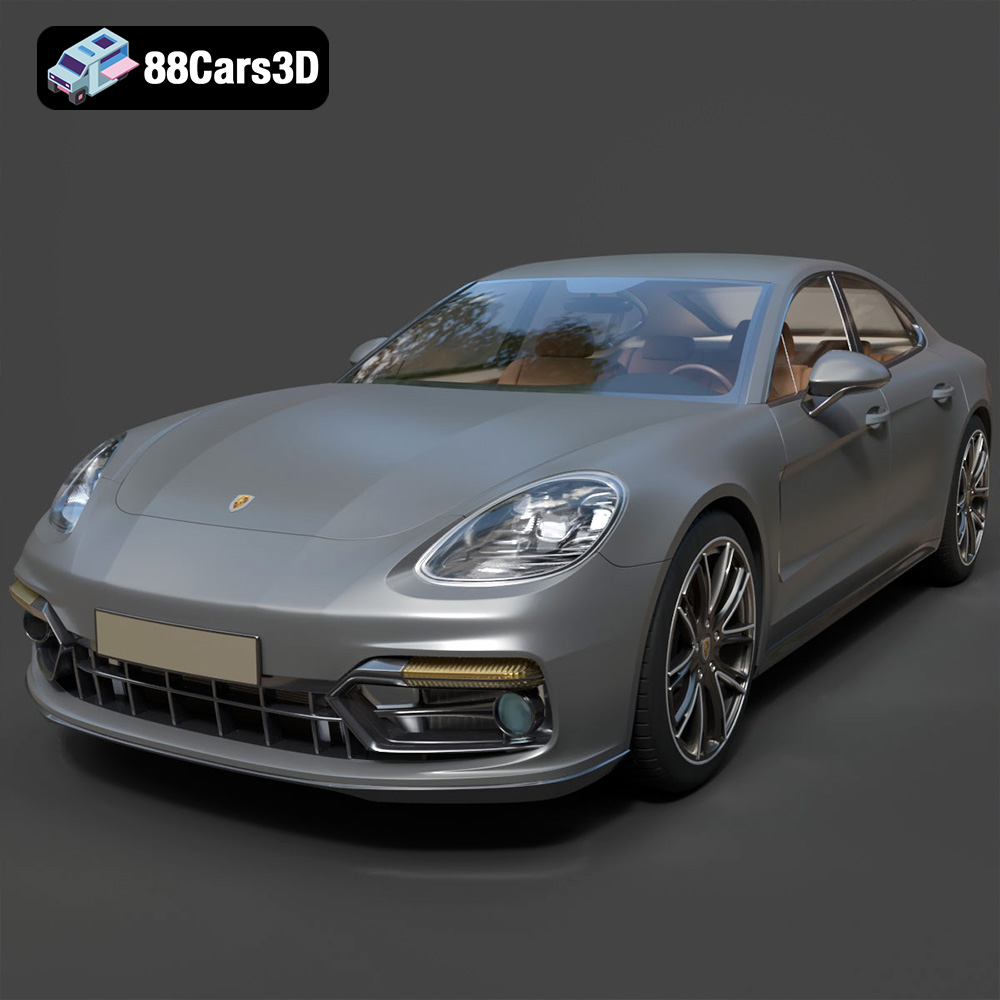
The journey from concept to a pixel-perfect rendering or a smooth, game-ready asset requires a deep understanding of topology, materials, texturing, and file formats. It’s about balancing aesthetic fidelity with performance optimization, ensuring that a vehicle looks incredible whether viewed up close in a static render or speeding through a virtual landscape in real-time. This expertise is precisely what defines a top-tier asset, like the Porsche Panamera GTS 3D model available on 88cars3d.com. This model encapsulates the fusion of sports car performance and luxury sedan comfort, providing artists and developers with a powerful tool to elevate their projects.
The versatility of a 3D model often lies in its ability to adapt to various software environments and pipelines. This adaptability is primarily governed by the file formats it supports. Each format is designed with specific use cases in mind, offering unique advantages for compatibility, functionality, and optimization. Understanding these differences is crucial for any professional working with 3D car models, ensuring a seamless workflow from creation to deployment.
The .blend file format is the native format for Blender, a powerful open-source 3D creation suite. When you download a .blend file, you’re getting a fully editable Blender scene, complete with all its associated data: meshes, materials, textures, lighting, cameras, animation data, and even physics simulations. This makes it an ideal choice for artists who primarily work within Blender and require full control over the asset. You can easily modify geometry, adjust material parameters, re-rig components, or integrate the model into a larger Blender project without any loss of data or conversion artifacts. For the Porsche Panamera GTS 3D model, the .blend file allows for extensive customization, from fine-tuning shaders to preparing custom animation sequences.
.fbx (Filmbox) is arguably one of the most widely adopted proprietary file formats for 3D data exchange, especially prevalent in game development and animation studios. Developed by Autodesk, .fbx excels at transferring complete scenes or individual assets between different 3D software packages (like 3ds Max, Maya, Blender, Cinema 4D) and real-time engines such as Unreal Engine and Unity. It efficiently encapsulates geometry, materials (with some limitations on complex shaders), textures, skeletal animations, and blend shapes. Its robust support for animation data makes it indispensable for animated 3D car models, ensuring that wheel rotations, door openings, or suspension travel translate accurately into game engines or renderers. For an optimized asset like the Panamera GTS, .fbx ensures its game-ready attributes, like separated meshes and proper pivots, are preserved across pipelines.
The .obj (Wavefront OBJ) format stands as a universal staple for exchanging 3D geometry. It’s a simpler format compared to .fbx, primarily focusing on mesh data (vertices, normals, UV coordinates) and material references (via an accompanying .mtl file). While it doesn’t typically carry animation or complex rigging information, its widespread compatibility across virtually all 3D software makes it invaluable. When you need to transfer just the raw mesh data, perhaps for sculpting, retopology, or simply importing into a software that might not fully support .fbx, .obj is the reliable choice. It’s excellent for static renderings or as a base for further development, offering a clean foundation for cross-software workflows.
.glb (GL Transmission Format Binary) is the binary version of .gltf, an open-standard format developed by the Khronos Group. Its primary strength lies in its optimization for efficient transmission and loading of 3D scenes and models within web browsers, AR (Augmented Reality), and VR (Virtual Reality) applications. A single .glb file packages all necessary data—geometry, materials, textures, and even animations—into one self-contained binary blob, reducing HTTP requests and improving load times. This makes it perfect for interactive product viewers, virtual showrooms, or mobile AR experiences showcasing 3D car models. The Porsche Panamera GTS in .glb format is perfectly suited for immersive virtual configurators or web-based visualizations.
.stl (Standard Tessellation Language or Stereolithography) is synonymous with 3D printing. It represents a 3D model as a collection of unconnected triangular facets, defining only the surface geometry of an object. While it lacks color, texture, or material information, its simplicity and ubiquity make it the de-facto standard for additive manufacturing. When preparing a 3D car model for physical output, converting it to .stl is the crucial step. The Panamera GTS 3D model, when converted to .stl, allows hobbyists and professionals alike to bring its detailed design into the physical world, creating display-scale replicas or prototypes with specific print settings for optimal results.
.ply (Polygon File Format or Stanford Triangle Format) is another format for storing 3D data, particularly useful for scanned data, point clouds, and precision meshes. It can store not only geometry but also color, transparency, normals, texture coordinates, and even properties per face or vertex. While less common for general artistic asset exchange compared to .fbx or .obj, it’s favored in scientific, engineering, and CAD applications where precise mesh information and additional attributes are critical for analysis, reverse engineering, or high-fidelity reproduction. For highly accurate measurements or specific manufacturing processes, .ply can offer advantages.
The .unreal format refers to assets specifically packaged or exported for Unreal Engine. While not a standalone file extension in the traditional sense like .fbx, it signifies a model that has been meticulously prepared and configured within the Unreal Engine environment. This means it has likely undergone proper material setup, collision geometry creation, LOD (Level of Detail) generation, and blueprint integration. An .unreal asset, such as the Porsche Panamera GTS available, is an engine-ready asset, implying minimal setup for direct implementation, making it incredibly valuable for game developers and real-time visualization artists seeking plug-and-play solutions.
.max is the native file format for Autodesk 3ds Max, a leading software for 3D modeling, animation, and rendering in architectural visualization, product design, and game development. Similar to .blend, a .max file encapsulates an entire 3ds Max scene, including geometry, materials, textures, lights, cameras, modifiers, and animation data. It offers full editability within 3ds Max, allowing designers to delve deep into the model’s construction, make complex adjustments, or prepare it for high-end V-Ray or Corona renders. For those working within the Autodesk ecosystem, the .max format for the Porsche Panamera GTS provides the ultimate flexibility for professional animation and rendering pipelines.
Creating a premium 3D car model is a sophisticated blend of artistic vision and technical precision. It goes far beyond simply tracing blueprints; it involves capturing the soul of a vehicle, understanding its engineering, and translating that into a digital format that performs flawlessly. The quality of a 3D asset directly impacts the realism and performance of any project it’s integrated into, making the initial investment in a high-caliber model an undeniable advantage.
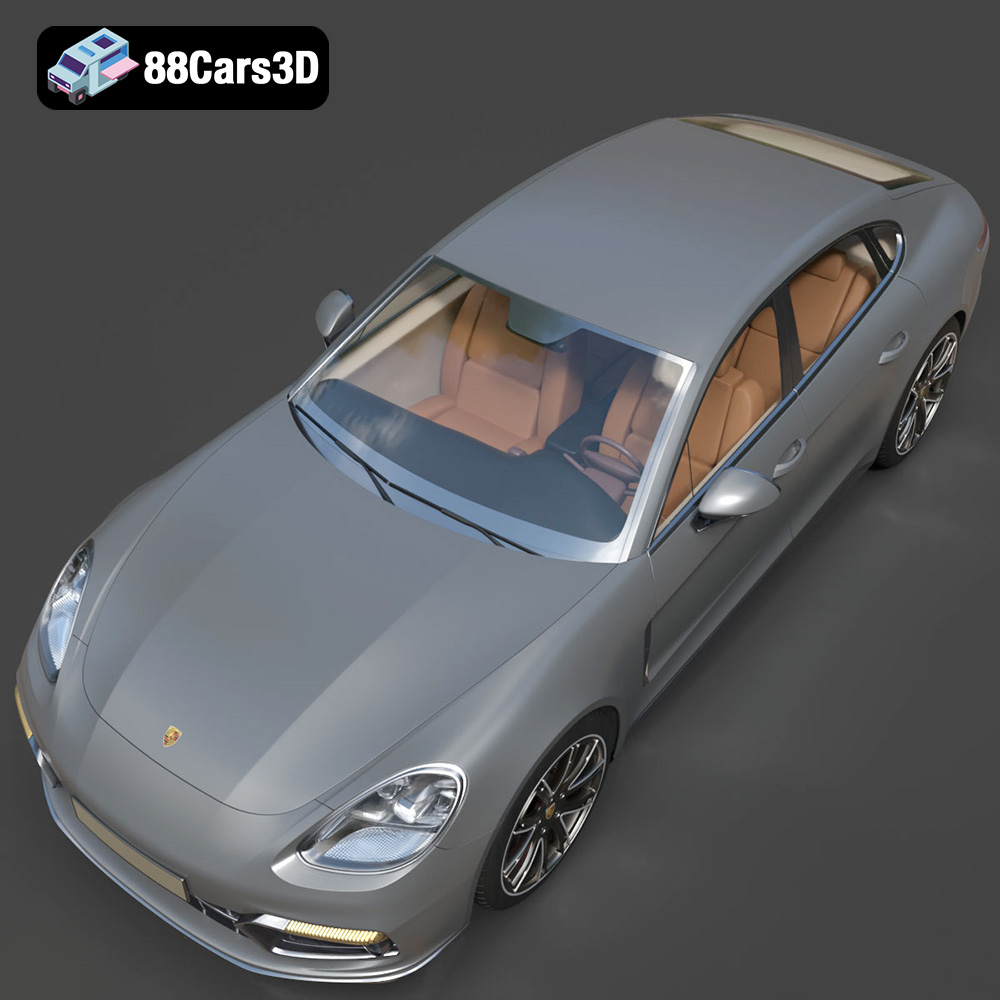
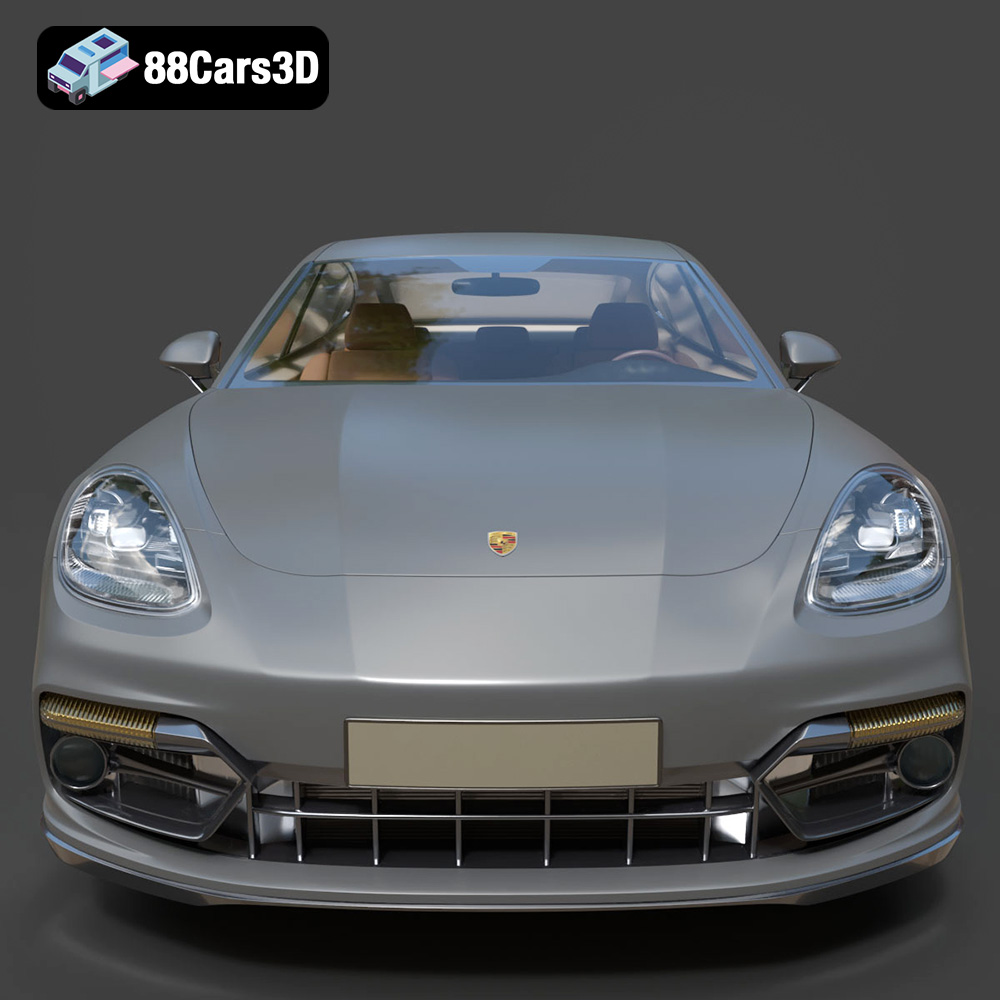
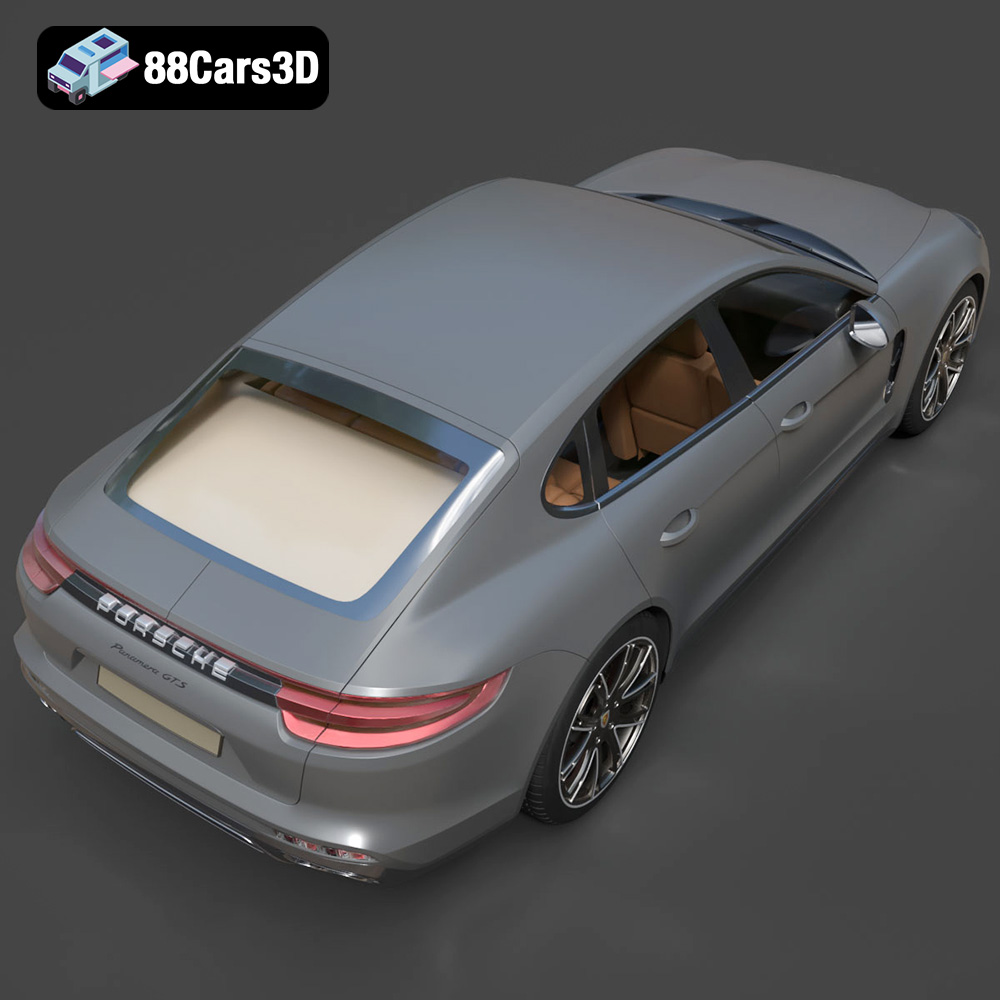
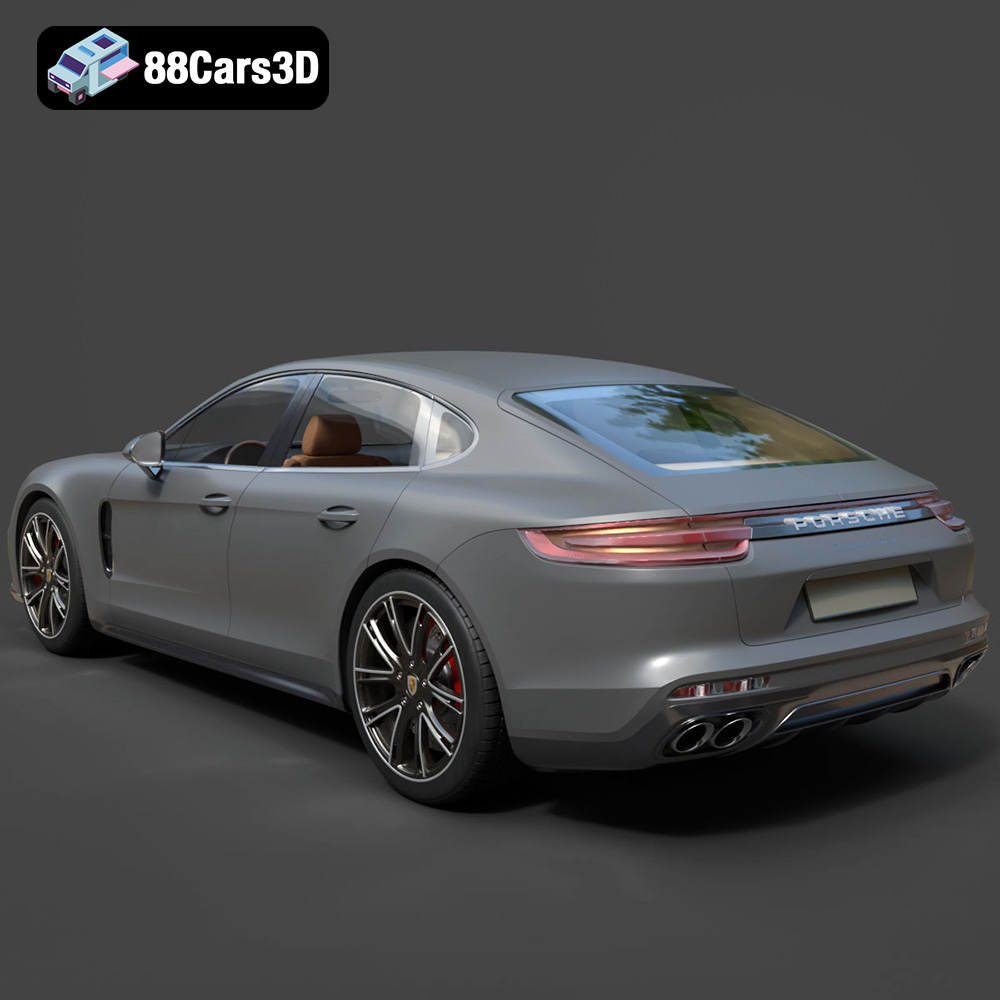
A truly exceptional 3D car model differentiates itself through its uncompromising attention to detail, mirroring its real-world counterpart with stunning accuracy. This includes not just the prominent body lines, but also the subtle nuances that contribute to a vehicle’s character. For instance, the Porsche Panamera GTS 3D model available on 88cars3d.com boasts accurate frame geometry, GTS-specific aerodynamic fascia, and the signature sports exhaust system. It extends to high-fidelity LED matrix headlights, continuous rear taillight strips, and sport-design alloy wheels complete with low-profile performance tires and detailed brake calipers. The interior is equally crucial, featuring premium sport seats with realistic Alcantara and leather texturing, a GT sports steering wheel, and an intricate center console. These elements aren’t just for show; they are crucial for creating truly immersive experiences, whether for close-up renders or first-person perspectives in virtual environments.
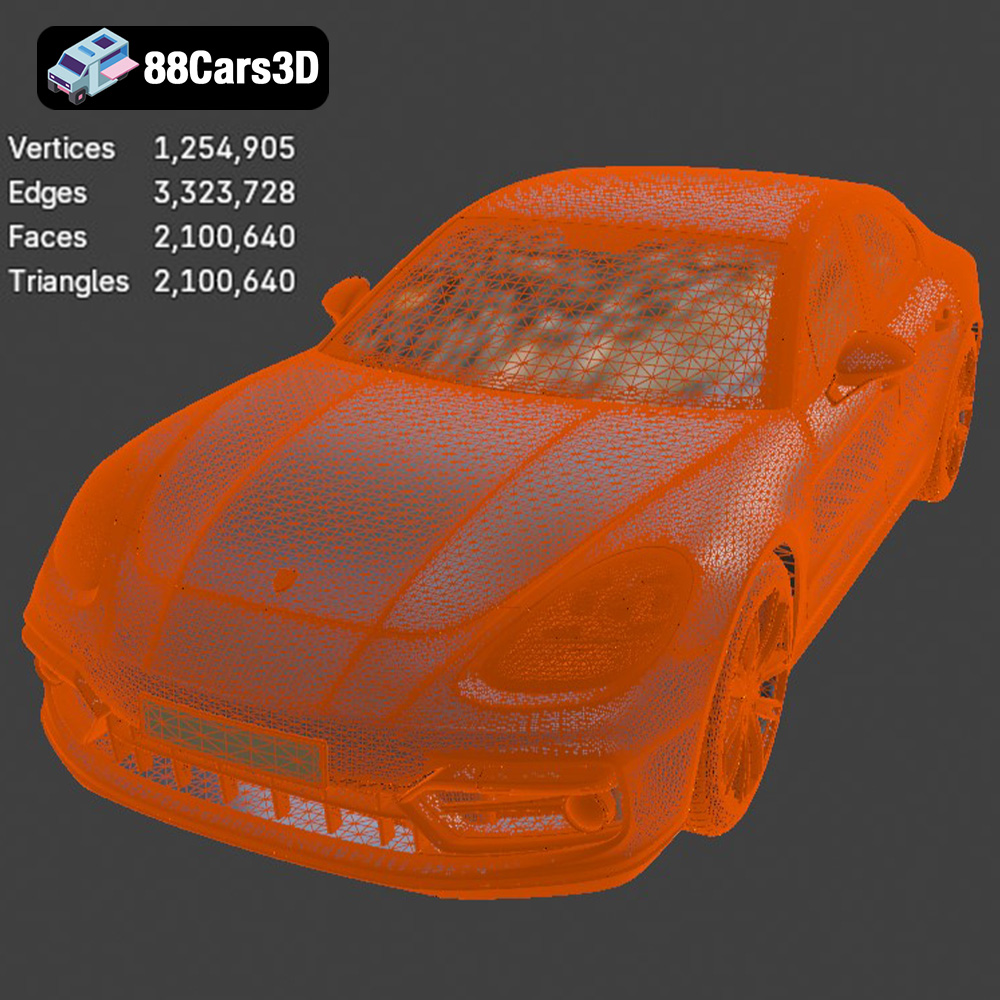
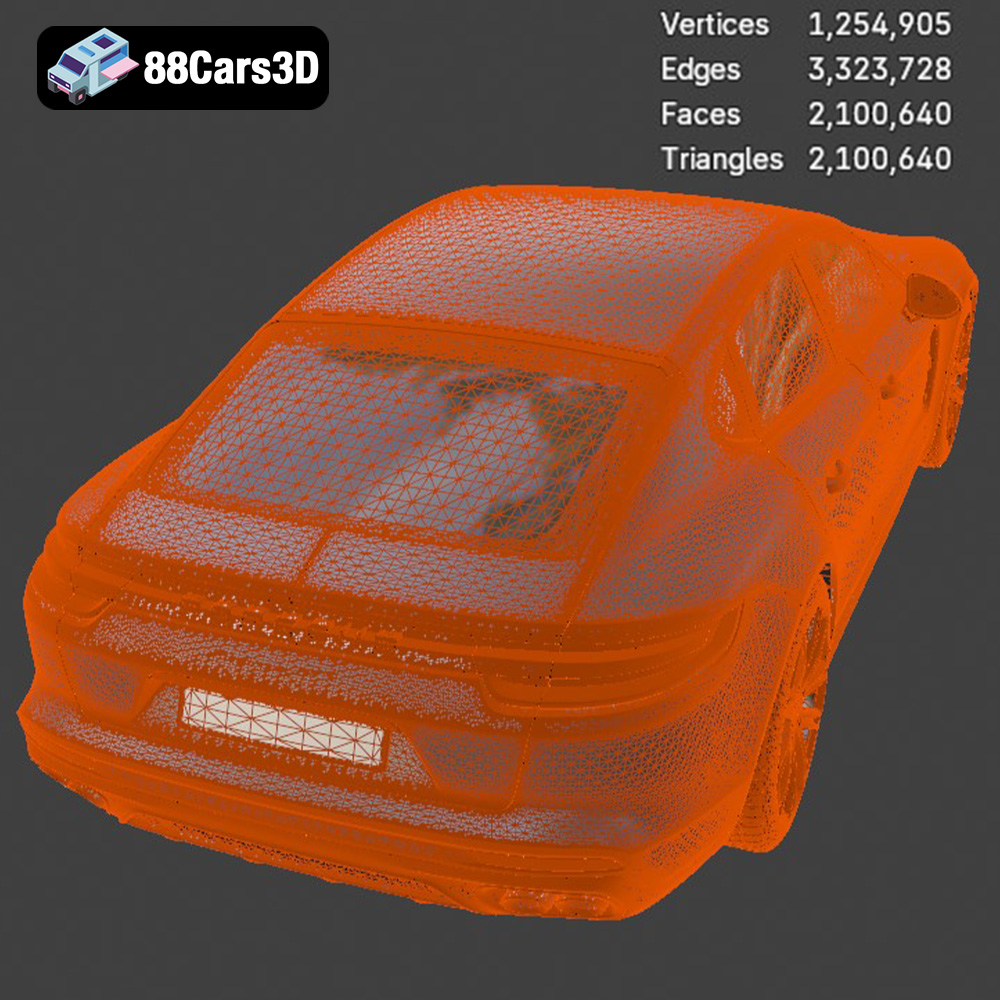
While visual fidelity is paramount, it must be balanced with performance, especially for game development and real-time applications. This is where optimized topology comes into play. A “game-ready” model means its mesh density (poly count) is carefully managed to maintain visual quality without overburdening rendering engines. The Porsche Panamera GTS 3D model, with its approximately 450,000 triangle count, strikes this ideal balance. This polycount allows for high-end visual realism in static renders while remaining efficient enough for smooth integration into real-time engines like Unreal and Unity. Furthermore, intelligent mesh separation and grouping (e.g., separate wheels, suspension, doors, steering) are vital for animation and interaction, ensuring components can be manipulated independently without complex rigging.
The Porsche Panamera GTS 3D model from 88cars3d.com is designed as a versatile asset, ready to be deployed across a spectrum of professional applications. Its meticulous construction and multi-format availability empower artists and developers to integrate it seamlessly into their workflows, regardless of their target platform or creative vision.
For game developers, the pursuit of realism often comes with the challenge of optimization. The Panamera GTS 3D model directly addresses this. Its game-ready topology, with approximately 450,000 triangles, ensures it can be integrated into open-world games, racing titles, and simulators without significant performance overhead. Crucially, the model features proper pivot setups for steering, wheel rotation, and suspension travel, which are essential for realistic vehicle physics and animation in engines like Unreal and Unity. Developers can easily animate doors, steering, and suspension components, allowing for dynamic interactions and enhanced player immersion. The inclusion of .fbx and .unreal file formats further streamlines this process, providing assets that are practically plug-and-play for real-time environments.
The growing demand for AR/VR experiences in automotive marketing and virtual showrooms requires 3D models that are not only visually stunning but also optimized for mobile and standalone VR platforms. The Porsche Panamera GTS model, especially in its .glb format, is perfect for this. Its optimized geometry ensures smooth performance in immersive virtual showrooms, configurators, and mobile AR experiences, allowing users to interact with the vehicle in a highly realistic and performant manner. Whether exploring the luxurious interior or viewing the sleek exterior in a real-world setting via AR, the model provides a compelling and responsive experience.
For rendering and visualization artists, the Panamera GTS 3D model offers an incredible foundation for creating breathtaking images and animations. Its accurate frame geometry, detailed engine block representation, and high-fidelity exterior and interior features provide all the necessary components for photorealistic renders. With the ability to easily customize body colors (Carmine Red, Jet Black Metallic, etc.), modify tire textures, and adjust material finishes (matte, gloss, metallic, carbon fiber), artists have complete creative control. This allows for the creation of striking brand campaigns, luxury lifestyle scenes, studio lighting setups, and even virtual car configurators where every detail shines under carefully crafted lighting scenarios.
Integrating a complex 3D car model like the Porsche Panamera GTS into professional production pipelines requires an understanding of specific software tools and their capabilities. Each major 3D application offers unique strengths, and knowing how to leverage the various file formats ensures maximum flexibility and efficiency.
For artists and studios entrenched in either 3ds Max or Blender, the availability of native file formats (.max and .blend respectively) for the Porsche Panamera GTS is a significant advantage. Within 3ds Max, users can access the full project file, allowing for intricate adjustments to the mesh using modifiers, setting up complex V-Ray or Corona render scenes, or defining elaborate animation sequences. The separated mesh components (wheels, doors, suspension) facilitate straightforward rigging and animation, whether for cinematic shots or interactive presentations. Similarly, Blender users can take full advantage of their software’s non-destructive workflows, powerful Eevee and Cycles render engines, and comprehensive animation toolset to customize the model, create unique materials with node-based shaders, or integrate it into larger architectural or environmental scenes. This native access means artists can fully deconstruct, modify, and re-engineer aspects of the model to fit exact project requirements without conversion losses.
Unreal Engine stands at the forefront of real-time rendering, and integrating high-quality 3D car models is a cornerstone of its application. The .fbx format is the primary conduit for bringing external 3D assets into Unreal. When importing the Panamera GTS .fbx, Unreal automatically handles many aspects, but further steps are crucial for optimal performance and realism. This includes setting up materials using Unreal’s physically based rendering (PBR) system, where textures for color (Albedo/Base Color), roughness, metallic, and normal maps are assigned to create photorealistic surfaces. Collision geometry will need to be generated or defined for realistic vehicle interactions. For a vehicle, it’s essential to set up custom blueprints for vehicle physics, allowing for realistic driving mechanics, suspension compression, and wheel rotation based on input. The “engine-ready” nature implied by the .unreal format suggests that many of these initial setup steps have already been considered or implemented, making it faster to drop the asset into a scene and begin developing interactive gameplay or visualizations.
The utility of a high-quality 3D car model extends beyond screens and into the physical world through 3D printing. For enthusiasts, collectors, and designers, having a physical representation of a detailed vehicle like the Porsche Panamera GTS is incredibly rewarding. The .stl format plays a crucial role in bridging this gap.
Converting the Porsche Panamera GTS 3D model to .stl opens up possibilities for creating display-scale hobbyist models. However, successful 3D printing requires careful preparation and understanding of printing parameters. The recommended scales (1:12, 1:18, 1:24) are crucial for balancing detail retention with printability. For fine details inherent in a luxury sports sedan, resin printing is often recommended over FDM, allowing for layer heights as low as 0.04–0.12 mm. Ensuring adequate wall thickness (1.2–2.0 mm) is vital for structural integrity, preventing fragile parts. Infill percentages (20–30%) provide internal strength without excessive material use. Supports are almost always required for complex overhangs such as the exhaust system, mirrors, and steering wheel, necessitating strategic placement to minimize post-processing. Print orientation also matters; printing the main frame angled can enhance structural integrity, while wheels are best printed separately for cleaner results. Post-processing, including sanding, priming, and applying authentic factory colors with metallic finishes, transforms a raw print into a stunning miniature replica of the Porsche Panamera GTS.
The journey from a blank canvas to a fully realized, interactive, or rendered automotive masterpiece is paved with critical decisions about the assets we choose. High-quality 3D car models are more than just digital files; they are investments in realism, performance, and creative freedom. They empower game developers to create immersive worlds, architects to visualize realistic street scenes, and marketing professionals to craft compelling product showcases.
The Porsche Panamera GTS 3D model stands as a testament to this commitment to excellence. Its meticulous detail, optimized topology, and comprehensive suite of file formats (including .blend, .fbx, .obj, .glb, .stl, .ply, .unreal, and .max) ensure its versatility across virtually any professional pipeline. Whether your project demands real-time performance in Unreal Engine, photorealistic rendering in 3ds Max, interactive AR experiences, or even a physical 3D printed replica, this model provides the robust foundation needed to achieve exceptional results.
By choosing premium 3D car models from trusted sources like 88cars3d.com, you not only save valuable development time but also elevate the overall quality and impact of your work. Embrace the power of expertly crafted digital assets and drive your projects toward unparalleled realism and engagement.
Experience the perfect fusion of sports car performance and luxury sedan comfort with our highly detailed Porsche Panamera GTS 3D model. Capturing the iconic heritage of Porsche design, this model features the aggressive GTS-specific aerodynamic fascia, signature sports exhaust system, and distinctive flyline proportions that make it a true standout. Every styling cue, from the menacing front air intakes to the continuous rear LED light bar and sleek widebody stance, has been meticulously recreated to reflect the vehicle’s dynamic road presence.
$19.99
.blend
.fbx
.glb
.max
.obj
.ply
.porsche
.rendering
.stl
.unreal
car-3d-model
game asset
game-ready
low-poly
luxury car
optimized
panamera-gts
sports-sedan
VR/AR