
The world of 3D modeling for automotive design, rendering, and game asset development demands precision, efficiency, and stunning visual fidelity. Artists constantly strive to create immaculate surfaces, intricate mechanical details, and photorealistic renders that truly capture the essence of a vehicle or a complex hard surface object. While Blender, the powerful open-source 3D creation suite, offers an incredible array of built-in tools, its true strength is often amplified by its vibrant ecosystem of community-driven and commercial add-ons. These extensions are not mere conveniences; they are transformative tools that streamline tedious tasks, unlock advanced functionalities, and push the boundaries of what’s possible within Blender.
For automotive and hard surface artists, selecting the right add-ons can dramatically accelerate workflows, improve model quality, and enhance productivity across every stage of production—from initial concept and blocking to final rendering and optimization for various platforms. This comprehensive guide will delve into the most impactful Blender add-ons that empower artists to tackle the unique challenges of automotive and hard surface modeling, ensuring clean topology, realistic PBR materials, efficient UV mapping, and seamless export for rendering, game engines, AR/VR, and even 3D printing. Whether you’re a seasoned professional looking to optimize your pipeline or a student eager to master Blender for these demanding niches, understanding and leveraging these add-ons is key to achieving exceptional results. Platforms like 88cars3d.com thrive on models built with such meticulous attention to detail, a testament to the power of a well-equipped Blender workflow.
In automotive and hard surface modeling, the quality of your mesh topology is paramount. Smooth, reflective surfaces, especially on a car body, immediately reveal any imperfections. A clean, efficient edge flow ensures that subdivision surfaces behave predictably, allowing for crisp creases without pinching, and that the model deforms correctly if it’s intended for animation. Blender’s native modeling tools are robust, offering fundamental operations like the Loop Cut and Slide (Ctrl+R) for adding detail along edge loops, the Knife tool (K) for precision cuts, and the incredibly versatile Bevel Modifier for controlling hard edges and creating smooth transitions. However, for the complex, often boolean-heavy workflows typical of hard surface and automotive design, add-ons provide an indispensable layer of automation and non-destructive power that significantly elevates productivity and output quality.
For complex boolean operations and rapid prototyping, add-ons like **Hard Ops** and **Boxcutter** are industry benchmarks. These add-ons revolutionize hard surface modeling by turning destructive boolean operations into a fluid, non-destructive workflow. Instead of applying boolean modifiers and dealing with the resulting messy topology, Hard Ops and Boxcutter allow artists to perform cuts, slices, and additions with unprecedented speed and control, maintaining a clean modifier stack. For instance, when designing intricate vents on a car bumper or adding precise panel lines, these tools enable quick iterations and adjustments without committing to the geometry until satisfied. They offer a comprehensive suite of operations, from simple cuts to complex shapes, all managed through intuitive hotkeys and a context-sensitive menu. This allows for rapid ideation and refinement of complex mechanical components, ensuring sharp edges and consistent bevels that are critical for realistic automotive rendering. The ability to quickly experiment with different designs and apply bevels and chamfers automatically saves countless hours in manual edge cleanup.
Even with the best modeling practices, converting high-detail sculpts or CAD imports into clean, animation-friendly, and game-ready meshes often requires meticulous retopology. While Blender provides native tools such as the Shrinkwrap Modifier combined with snapping, which are foundational for manual retopology, specialized add-ons make this process significantly faster and more intuitive. **Retopoflow** is a prime example, offering a suite of dedicated tools that allow artists to draw new topology directly onto existing high-resolution meshes. Features like instant face creation, precise edge loop drawing, and automatic snapping to the underlying surface simplify the challenging task of maintaining optimal quad flow and even polygon distribution. This is especially crucial for organic forms within automotive design, such as seat contours or tire sidewalls, or for ensuring smooth deformation if a car part needs to articulate. For game assets and real-time visualization, good retopology is not just about aesthetics; it’s about performance. A well-optimized mesh, typically ranging from 50,000 to 200,000 polygons for a hero car model (depending on LODs), ensures efficient rendering and smooth playback across different platforms. Retopoflow’s capabilities help achieve this balance between visual quality and technical efficiency, crucial for both high-end rendering and interactive experiences.
UV mapping, often considered one of the more tedious aspects of 3D production, becomes even more challenging with the complex, curved, and often highly detailed surfaces found in automotive and hard surface models. Achieving clean, undistorted UVs is essential for applying realistic PBR materials and textures without stretching or seams becoming overly apparent. Blender’s native UV Editor (UV Editor documentation) offers a range of unwrapping methods, from Smart UV Project to Seam-based unwrapping, providing a solid baseline. However, the sheer volume of parts in a car model—from the chassis and interior to individual bolts and intricate engine components—can make manual UV work an enormous undertaking. Add-ons step in to automate, optimize, and accelerate this critical stage, ensuring your 3D car models are perfectly prepared for the texturing phase.
For automotive and hard surface assets, maximizing texture space and minimizing distortion are key. This is where advanced UV add-ons truly shine. **UVPackmaster** is a powerful solution known for its exceptional packing algorithms. Unlike basic packers, it intelligently rearranges UV islands to achieve incredibly tight packing, often resulting in 90-95% UV space utilization. This is invaluable when working with multiple texture sets for different materials (e.g., paint, glass, rubber), as it allows for higher texture resolutions (e.g., 4K or 8K for primary surfaces) within optimal memory budgets. UVPackmaster also offers features like non-overlapping island guarantees, crucial for baking operations, and density control, ensuring that larger or more important parts receive proportionally more UV space. Another excellent add-on is **Zen UV**, which provides a streamlined toolkit for marking seams, unwrapping, and managing UVs. It offers a more artist-friendly approach to the entire UV process, with features like “Smart Seams” and “Detect Seams” that can drastically reduce the time spent on manual seam placement, particularly on complex shapes with many hard edges. For game assets, efficiently packed UV maps are critical for creating texture atlases, which reduce draw calls and improve real-time performance, making these add-ons indispensable for game developers.
Once UVs are laid out, bringing your models to life with realistic PBR materials is the next crucial step. PBR (Physically Based Rendering) workflows rely on a set of texture maps (Albedo/Base Color, Metallic, Roughness, Normal, etc.) to accurately simulate how light interacts with different surfaces. While Blender’s Shader Editor is incredibly powerful, enabling complex node-based material creation, add-ons can significantly speed up the setup and management of these shader networks. The **Node Wrangler** add-on, often considered essential and even built-in with Blender, is a game-changer. It provides a plethora of shortcuts for common node operations: easily connecting texture maps with a few clicks, adding Principled BSDF shaders with pre-configured image texture nodes, and previewing individual channels. For instance, selecting the Principled BSDF node and pressing `Ctrl+Shift+T` allows you to instantly load multiple PBR textures and connect them to their respective inputs, saving minutes of repetitive work on every material. This functionality is invaluable when working with detailed 3D car models that might have dozens of unique materials. Beyond Node Wrangler, many artists utilize **Material Library add-ons** (or Blender’s native Asset Browser for organizing custom assets) to store and quickly apply pre-made, high-quality PBR materials. This allows for rapid iteration of different paint finishes, interior leathers, tire rubbers, and metallic components. By establishing a reusable library of realistic materials, artists can focus on fine-tuning the look rather than rebuilding shader networks from scratch, enhancing consistency and efficiency in large-scale projects, such as an entire car showroom scene.
Photorealistic rendering is the ultimate goal for many automotive and hard surface visualization projects. The subtle interplay of light, shadow, and physically accurate materials is what transforms a 3D model into a compelling image or animation. Blender offers two powerful built-in rendering engines: Cycles, its unbiased path tracer known for incredible realism, and EEVEE, its real-time renderer offering impressive speed and visual quality. (For more details, consult the official Blender 4.4 documentation on Cycles and EEVEE). While these engines provide a robust foundation, several add-ons elevate the rendering experience by simplifying complex lighting setups, enhancing environmental realism, and optimizing the render process itself.
Achieving compelling automotive renders often hinges on realistic lighting. Cars, with their highly reflective surfaces, react intensely to their environment, making accurate environment lighting crucial. Add-ons like **HDRi Maker** or similar tools streamline the process of using High Dynamic Range Images (HDRIs) for illumination. These add-ons provide an intuitive interface for quickly loading, rotating, and adjusting HDRIs, instantly transforming your scene’s lighting. Instead of manually setting up complex lighting rigs, an HDRI can simulate everything from a sunny outdoor scene to a professional studio setup with just a few clicks. HDRi Maker often includes libraries of high-quality HDRIs, further accelerating the workflow. For more dynamic and customizable exterior scenes, **Physical Starlight and Atmosphere** is a standout. This add-on generates a procedurally driven sky, sun, and atmospheric system that is scientifically accurate. It allows artists to simulate time of day, atmospheric conditions (haze, fog), and even celestial elements with fine-grained control. This means you can create stunning sunsets, dramatic overcast skies, or clear midday renders for your 3D car models without relying solely on static HDRIs, offering unparalleled flexibility and realism. The ability to control sun angle, cloud density, and atmospheric scattering dynamically ensures that the lighting perfectly complements the automotive design, bringing out every curve and highlight.
Rendering high-resolution automotive scenes can be time-consuming, especially with Cycles. Efficient render management becomes crucial. While Blender’s built-in render queue and animation output options are functional, third-party add-ons can provide more advanced features for batch rendering, distributed rendering across multiple machines, and detailed progress tracking. For example, some add-ons offer tighter integration with external render farm services, simplifying the submission and management of complex render jobs. After rendering, the post-processing and compositing stage is where raw renders are refined to achieve their final polish. Blender’s native compositor (Compositor documentation) is incredibly powerful, allowing artists to combine render passes, add effects, and color correct. However, specific add-ons can enhance this workflow further, providing specialized nodes for advanced grading, lens effects, or integration with external image editing software. Understanding render passes (like Z-depth, Normal, Ambient Occlusion, and Cryptomatte) is key here, as they provide the flexibility to adjust individual aspects of the render in compositing, reducing the need for costly re-renders. By layering and manipulating these passes, artists can achieve cinematic looks, subtle glares, or perfect color balance, ensuring the final image of a 3D car model is polished to perfection.
Creating stunning 3D car models for visualization is one challenge; preparing them for real-time applications like game engines (Unity, Unreal Engine) or interactive AR/VR experiences is another entirely. These platforms demand highly optimized assets that balance visual quality with performance constraints, such as polygon count, draw calls, and texture memory. Blender’s native tools, including the Decimate Modifier, are helpful for reducing mesh density, but add-ons offer more sophisticated and automated solutions tailored for game development.
For any detailed 3D car model in a game or AR/VR environment, **Level of Detail (LOD)** management is critical. LODs are simplified versions of a mesh that are swapped in when the object is further from the camera, significantly reducing the computational load. While Blender allows manual LOD creation, specialized add-ons or external tools with Blender integration, such as Simplygon (a commercial solution), automate this process. These tools analyze the mesh, preserve critical silhouette details, and generate multiple LOD levels (e.g., LOD0 at 100k polys, LOD1 at 50k, LOD2 at 20k) with minimal visual degradation. This ensures smooth performance across varying distances without manual intervention, saving immense amounts of time. Furthermore, reliable export to game engines is paramount. The **Better FBX Exporter** is a highly recommended add-on for this purpose. While Blender has a built-in FBX exporter (FBX documentation), the “Better FBX Exporter” often provides more control over export settings, ensuring that models, animations, and materials transfer correctly to Unity, Unreal Engine, or other pipelines. It addresses common issues like scale discrepancies, material assignment problems, and object hierarchy preservation, making the transition from Blender to a game engine much smoother and less prone to errors. Proper export ensures that your meticulously crafted 3D car models function as intended in real-time environments.
The requirements for AR/VR experiences are even more stringent due to the need for high frame rates and low latency across mobile devices or standalone headsets. This means aggressive optimization strategies. Add-ons that assist with efficient export to formats like **GLB (glTF Binary)** and **USDZ** are invaluable. These formats are optimized for web and mobile 3D, supporting PBR materials, animations, and efficient mesh data. Specific add-ons often provide pre-configured export settings that automatically handle:
* **Mesh Simplification**: Further decimation or remeshing to achieve target polygon counts (e.g., often below 10,000-20,000 triangles for a mobile AR car model).
* **Texture Compression**: Converting high-resolution textures (e.g., 4K) into more efficient, mobile-friendly formats (e.g., PVRTC, ETC2) and resolutions (e.g., 2K or even 1K) to reduce memory footprint.
* **Draw Call Reduction**: Techniques like texture atlasing, where multiple smaller textures are combined into one larger texture, are vital. Some add-ons assist in this process by automatically packing UV islands and consolidating materials.
* **Real-time Shader Compatibility**: Ensuring that PBR materials translate correctly to the target AR/VR renderer, often by baking complex shader networks into simpler texture maps.
For instance, an add-on might offer a “Mobile AR Export” preset that automates many of these steps, allowing artists to quickly generate optimized assets for platforms like Apple ARKit or Google ARCore, expanding the reach and utility of their 3D car models beyond traditional rendering.
Beyond traditional rendering and game development, 3D car models and hard surface assets frequently find application in specialized fields like 3D printing and require robust data management for large-scale projects or collaborative environments. Blender add-ons provide tailored solutions to address the unique challenges of these workflows, ensuring model integrity and efficient production pipelines.
When a highly detailed 3D car model is destined for additive manufacturing, it needs to conform to specific geometric requirements to be successfully printed. Errors in the mesh can lead to print failures, costing time and materials. Blender has a fantastic built-in add-on called the **3D Print Toolbox**, which is an absolute must-have for anyone preparing models for 3D printing. You can enable it in Blender’s Preferences under Add-ons. This tool provides crucial diagnostic and repair functions:
* Manifold Checks: It identifies non-manifold geometry (e.g., internal faces, zero-thickness edges), which are critical errors for 3D printing as they define ambiguous volumes.
* Volume Calculation: Provides real-world dimensions and volume estimates, essential for material planning and scaling.
* Wall Thickness Analysis: Highlights areas where the mesh walls are too thin for successful printing, allowing artists to reinforce them.
* Mesh Repair Tools: Offers one-click solutions to make meshes manifold, seal holes, and clean up common issues.
Consider a detailed car rim model: ensuring that spokes and intricate internal structures have sufficient wall thickness and are manifold is paramount. The 3D Print Toolbox simplifies these complex checks, turning hours of manual inspection into a quick, guided process. This meticulous preparation ensures that a digital 3D car model translates flawlessly into a physical object, whether for prototyping, miniature collector’s items, or architectural scale models.
Working on complex automotive projects, especially in professional studios or as part of a team, necessitates efficient asset management and seamless data flow between different software and artists. While Blender’s Asset Browser provides excellent native functionality for organizing and reusing assets within Blender, dedicated add-ons can further enhance pipeline integration. These tools often offer:
* **Smart Asset Linking/Appending**: Streamlining the process of linking or appending objects, materials, and collections from external Blender files while maintaining clean references and easy updating. This is critical for modular automotive design, where different components (wheels, interior, engine) might be modeled in separate files.
* **Version Control Integration**: Some add-ons provide interfaces for integrating with version control systems (like Git or Perforce), which are essential for tracking changes, collaborating with multiple artists, and managing large datasets for complex 3D car models.
* **Batch Operations**: Automating tasks like renaming objects, cleaning up scene data, or converting file paths across multiple linked assets, ensuring consistency in naming conventions and project structure.
* **External Software Bridges**: Add-ons that facilitate smoother import/export and data exchange with other industry-standard software like CAD packages (for precision engineering data) or advanced rendering suites (like V-Ray for 3ds Max or Maya, if those are part of a broader pipeline). This is particularly useful when working with original automotive CAD data which often needs to be converted and optimized within Blender for visualization purposes.
Such advanced data management ensures that a project involving numerous intricate hard surface components remains organized, efficient, and adaptable to changes, making it possible to manage complex projects for large-scale visualization or game development, providing a robust backbone for any serious 3D production.
Blender’s evolution into a top-tier 3D content creation tool has been nothing short of remarkable, and a significant part of this growth is attributable to its expansive and innovative add-on ecosystem. For automotive and hard surface artists, these extensions are not just optional extras; they are indispensable tools that streamline intricate processes, enhance precision, and dramatically improve output quality. From the initial stages of crafting complex vehicle bodies with perfect topology using powerful boolean tools, through the painstaking process of efficient UV mapping and rapid PBR material setup, to achieving photorealistic renders with advanced lighting and optimizing assets for demanding game engines or immersive AR/VR experiences, add-ons amplify Blender’s inherent capabilities.
By embracing tools like Hard Ops/Boxcutter for non-destructive modeling, Retopoflow for pristine quad meshes, UVPackmaster or Zen UV for optimal texture space utilization, and Node Wrangler for accelerating PBR material creation, artists can tackle the most challenging aspects of automotive and hard surface design with confidence and efficiency. Furthermore, specialized add-ons for 3D printing preparation or advanced pipeline management underscore how these extensions cater to a wide array of professional needs, from producing physical prototypes to managing complex collaborative projects.
The journey of creating high-quality 3D car models and hard surface assets is one of continuous learning and adaptation. Integrating these powerful Blender add-ons into your workflow will not only elevate the quality of your work but also empower you to explore new creative horizons and meet the stringent demands of today’s 3D industry. We encourage all artists to experiment, discover, and leverage these tools to their fullest potential. And remember, when you’re seeking high-fidelity 3D car models that exemplify exceptional craftsmanship, platforms such as 88cars3d.com offer a curated selection of assets designed with these very best practices in mind, ready to integrate seamlessly into your enhanced Blender workflow. Invest in your tools, refine your skills, and let your automotive and hard surface creations truly shine.
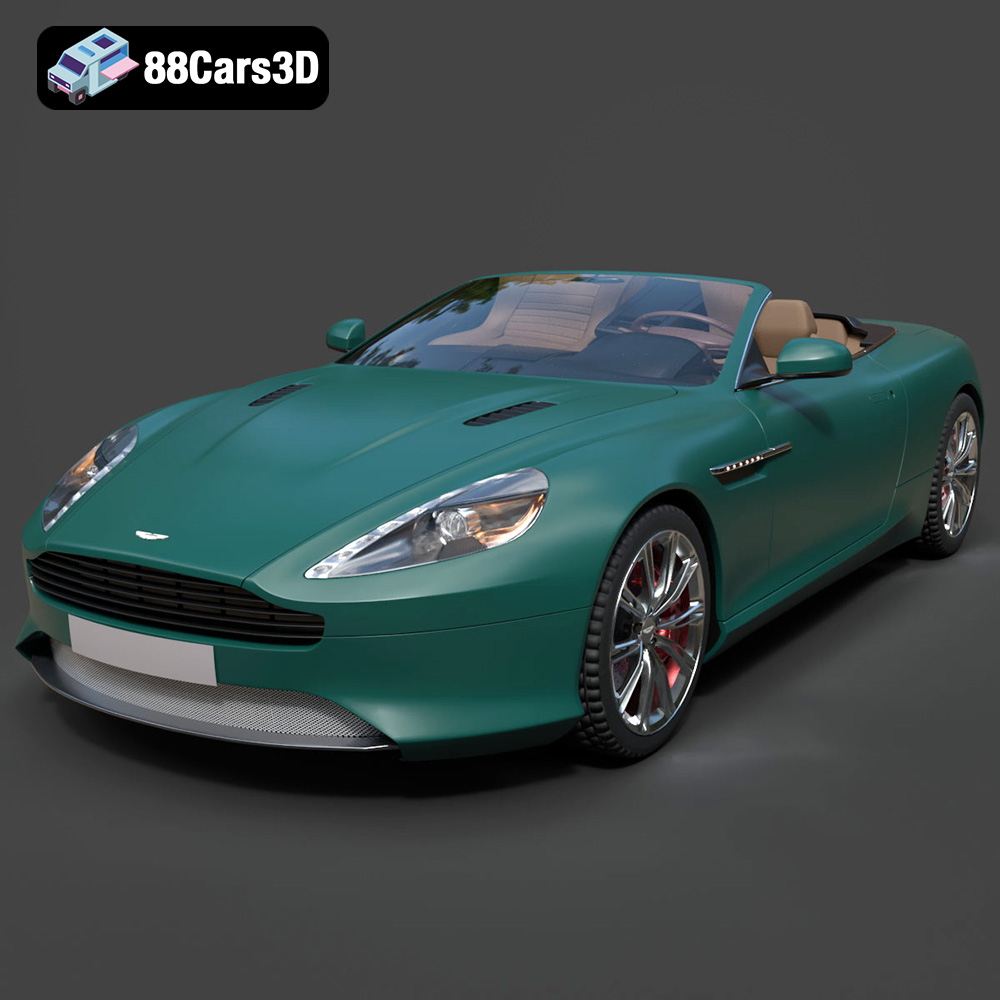
Texture: Yes | Material: Yes
Download the highly detailed, game-ready Aston Martin Virage Volante 2012 3D Model. Features sleek open-top GT design, iconic front grille, and detailed luxury interior trim. Includes .blend, .fbx, .obj, .glb, .stl, .ply, .unreal, and .max formats for game development, AR/VR, and rendering.
Price: $157.00
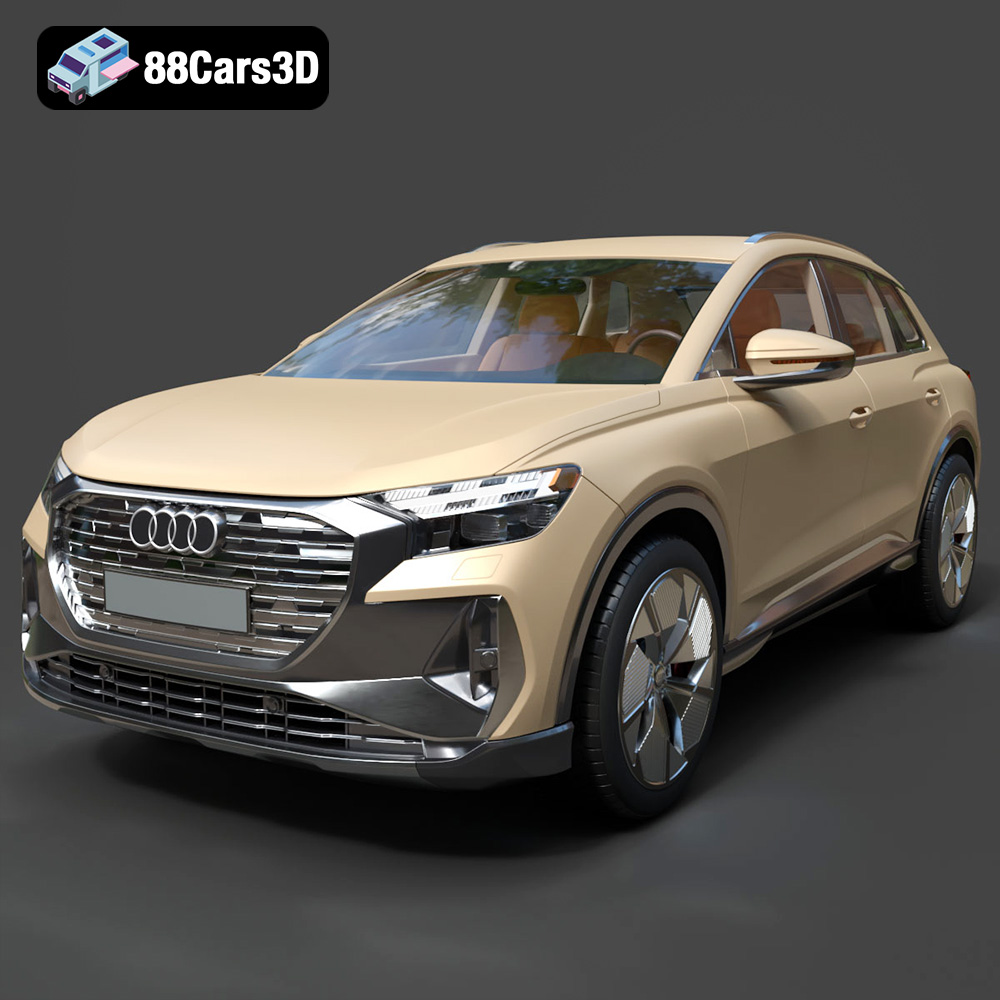
Texture: Yes | Material: Yes
Download the highly detailed, game-ready Audi Q4 e-tron 2021 3D Model. Features sleek electric SUV styling, signature Singleframe grille, and detailed Matrix LED lighting. Includes .blend, .fbx, .obj, .glb, .stl, .ply, .unreal, and .max formats for game development, AR/VR, and rendering.
Price: $299.50
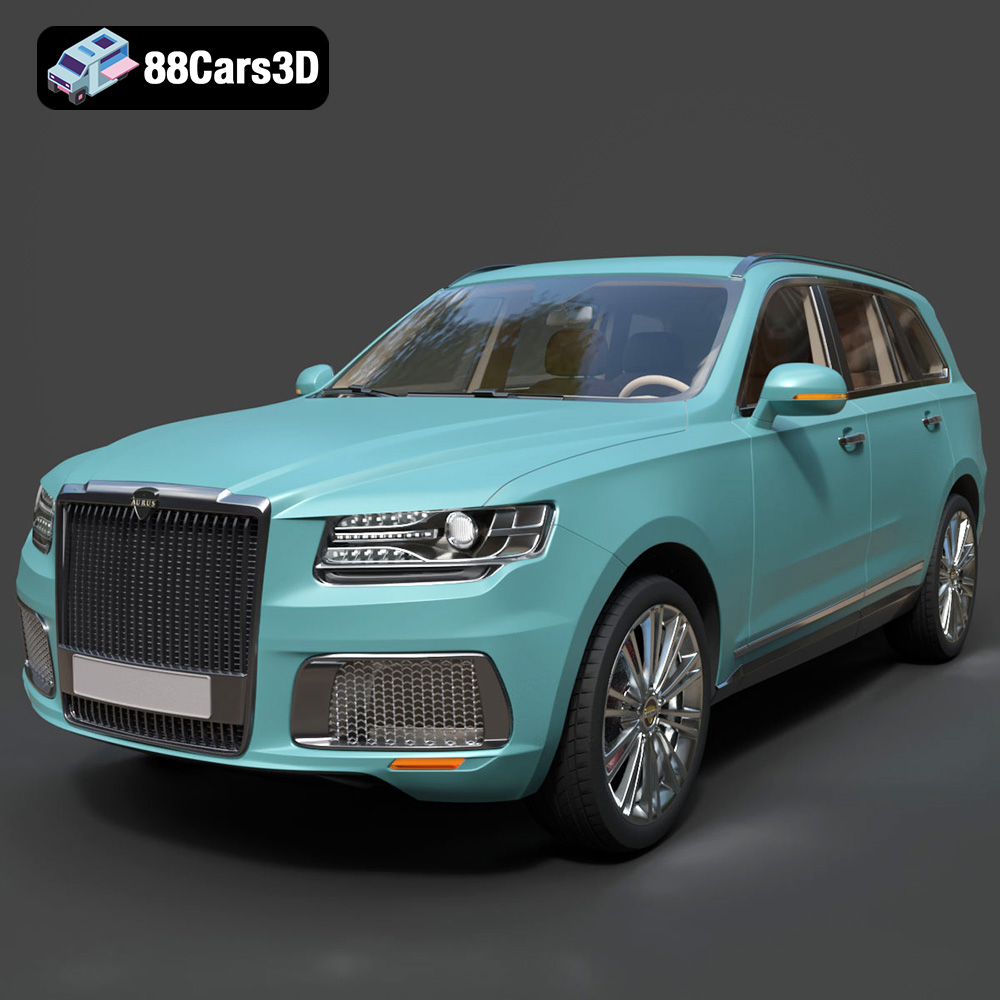
Texture: Yes | Material: Yes
Download the highly detailed, game-ready Aurus Komendant 2020 3D Model. Features an imposing front grille, executive full-size SUV silhouette, and detailed luxury interior. Includes .blend, .fbx, .obj, .glb, .stl, .ply, .unreal, and .max formats for game development, AR/VR, and rendering.
Price: $232.99
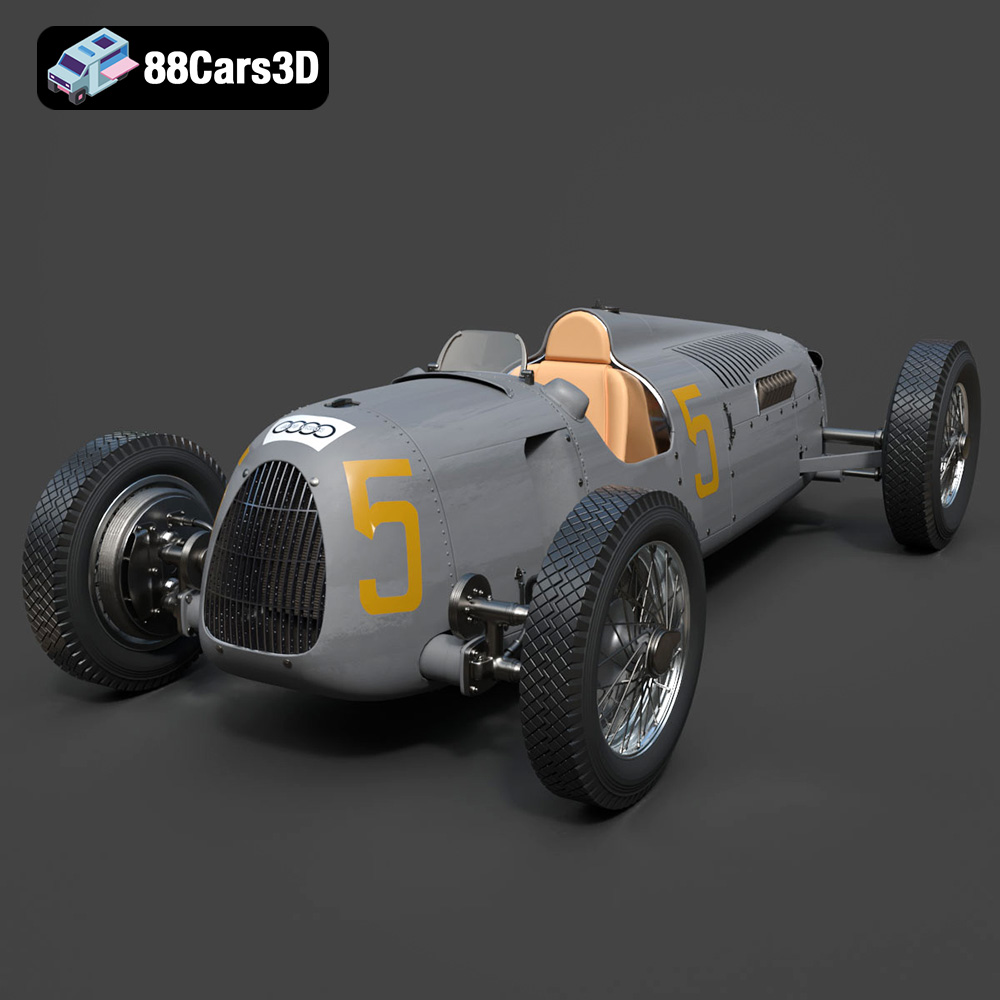
Texture: Yes | Material: Yes
Download the highly detailed, game-ready Auto Union Type C 1936 3D Model. Features iconic V16 engine detailing, classic Silver Arrows bodywork, and detailed open cockpit layout. Includes .blend, .fbx, .obj, .glb, .stl, .ply, .unreal, and .max formats for game development, AR/VR, and rendering.
Price: $152.00
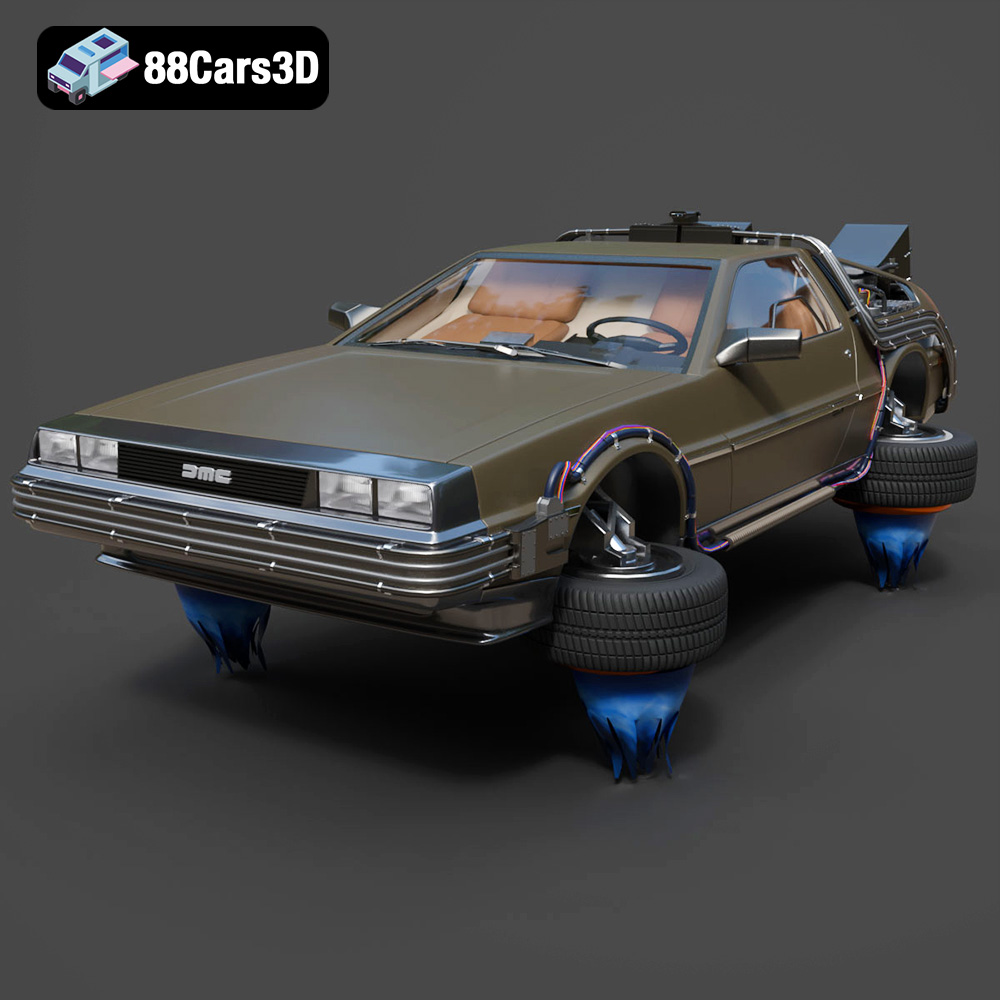
Texture: Yes | Material: Yes
Download the highly detailed, game-ready Back To The Future 2 DeLorean 3D Model. Features Mr. Fusion reactor, hover conversion wheels, and full flux capacitor interior. Includes .blend, .fbx, .obj, .glb, .stl, .ply, .unreal, and .max formats for game development, AR/VR, and rendering.
Price: $211.50
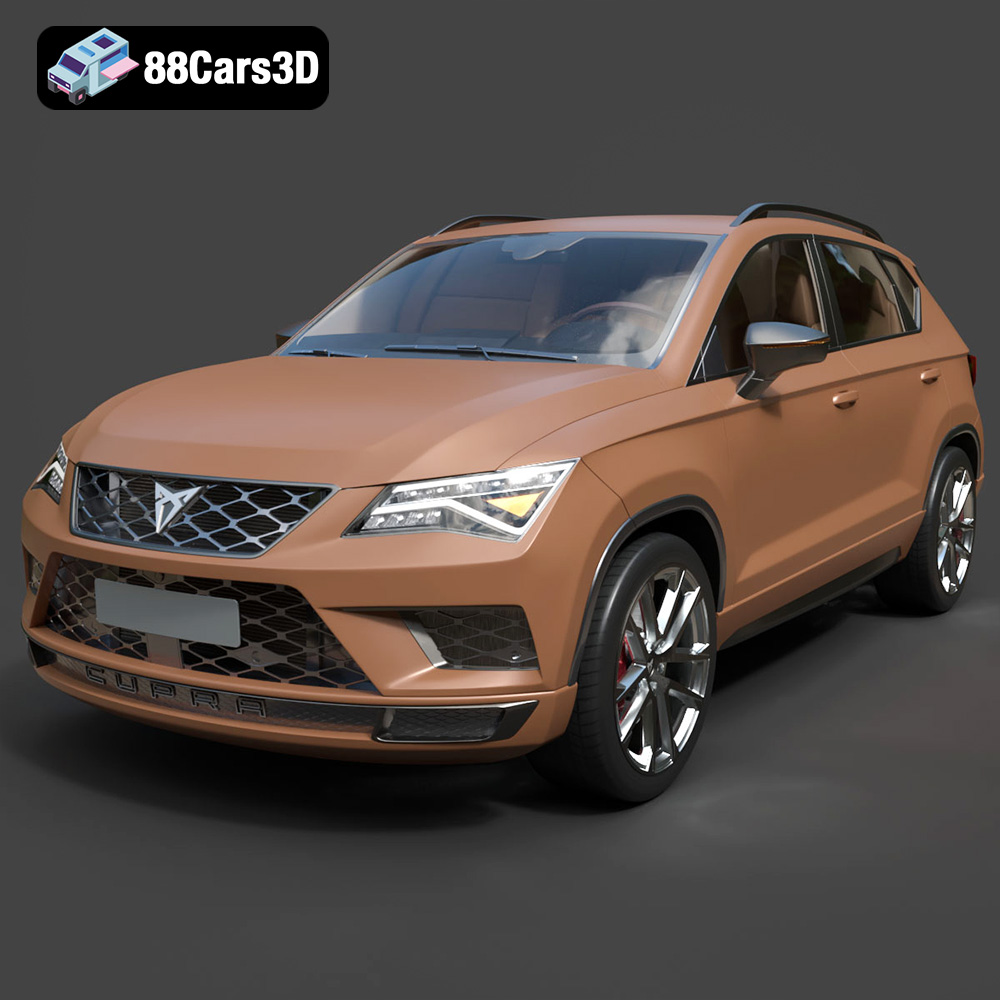
Texture: Yes | Material: Yes
Download the highly detailed, game-ready Seat Ateca Cupra 2019 3D Model. Features aggressive sporty styling, quad exhaust outlets, and high-detail interior. Includes .blend, .fbx, .obj, .glb, .stl, .ply, .unreal, and .max formats for game development, AR/VR, and rendering.
Price: $203.50
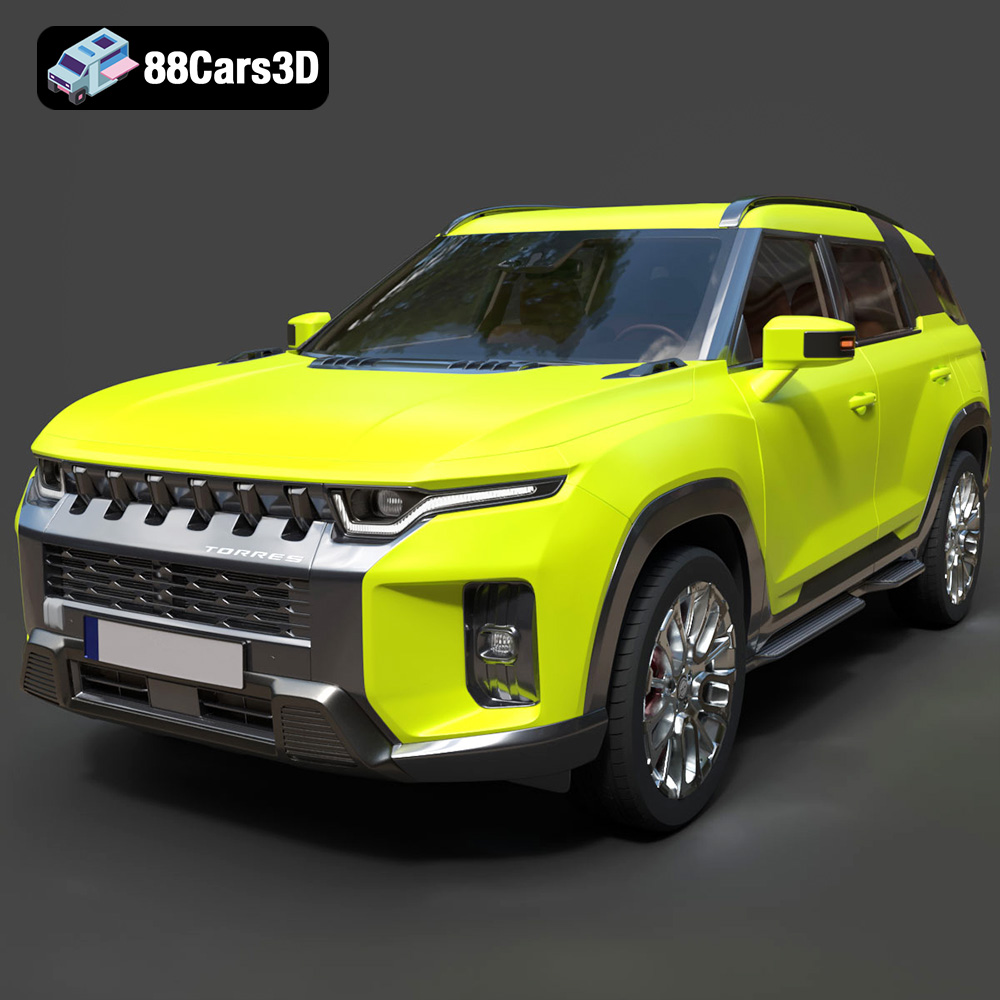
Texture: Yes | Material: Yes
Download the highly detailed, game-ready SsangYong Torres 2023 3D Model. Features rugged SUV styling, signature front grille, and precise body geometry. Includes .blend, .fbx, .obj, .glb, .stl, .ply, .unreal, and .max formats for game development, AR/VR, and rendering.
Price: $279.50
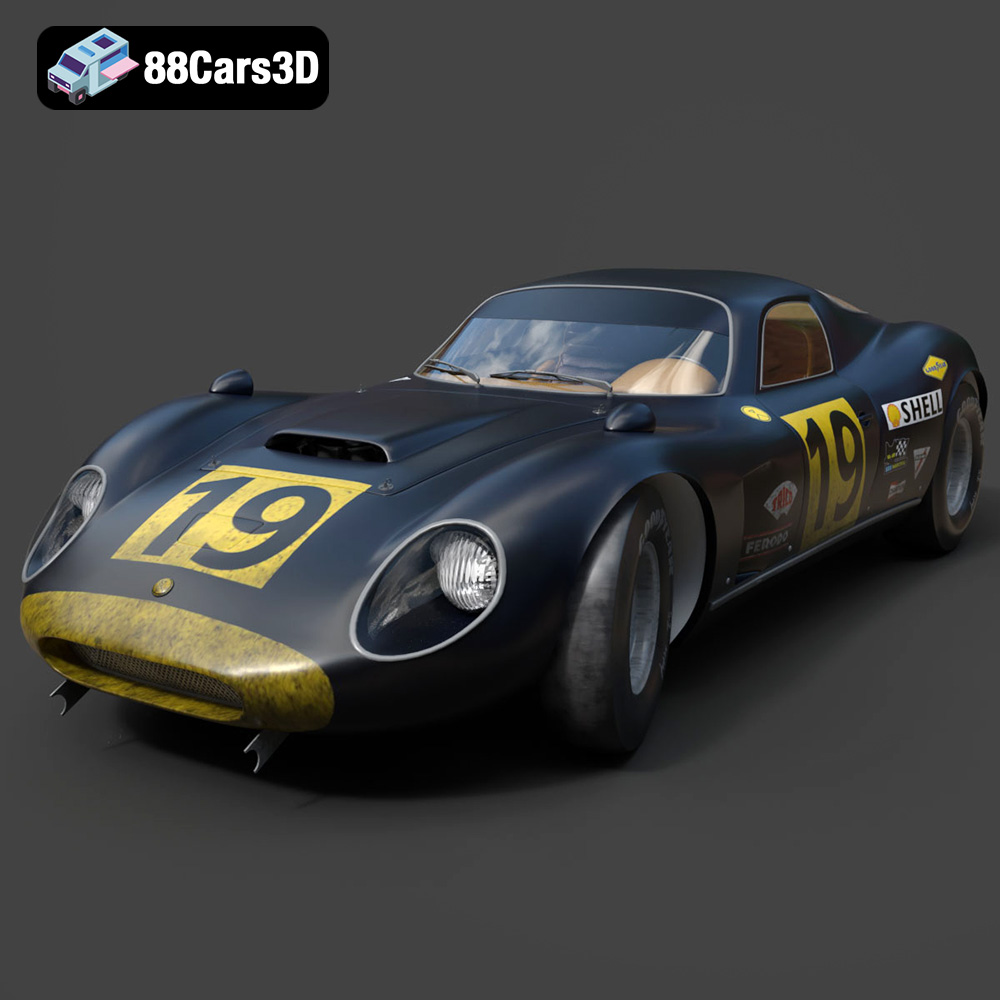
Texture: Yes | Material: Yes
Download the highly detailed, game-ready Chevrolet Corvette Stingray 3D Model. Features sculpted bodywork, detailed aggressive front grille, and iconic sport exhaust. Includes .blend, .fbx, .obj, .glb, .stl, .ply, .unreal, and .max formats for game development, AR/VR, and rendering.
Price: $122.99
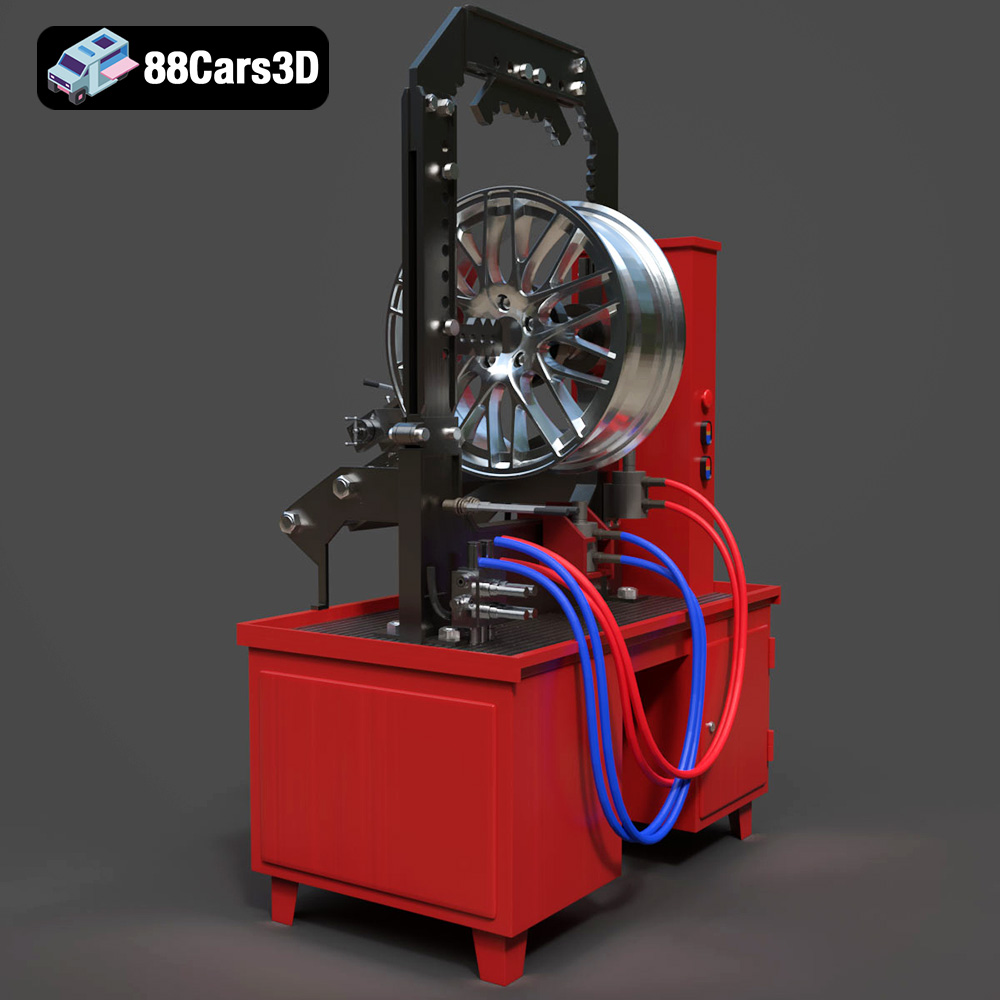
Texture: Yes | Material: Yes
Download the highly detailed, game-ready Stand for Straightening Alloy Wheels 3D Model. Features heavy-duty hydraulic press components, integrated lathe system, and realistic workshop controls. Includes .blend, .fbx, .obj, .glb, .stl, .ply, .unreal, and .max formats for game development, AR/VR, and rendering.
Price: $147.99
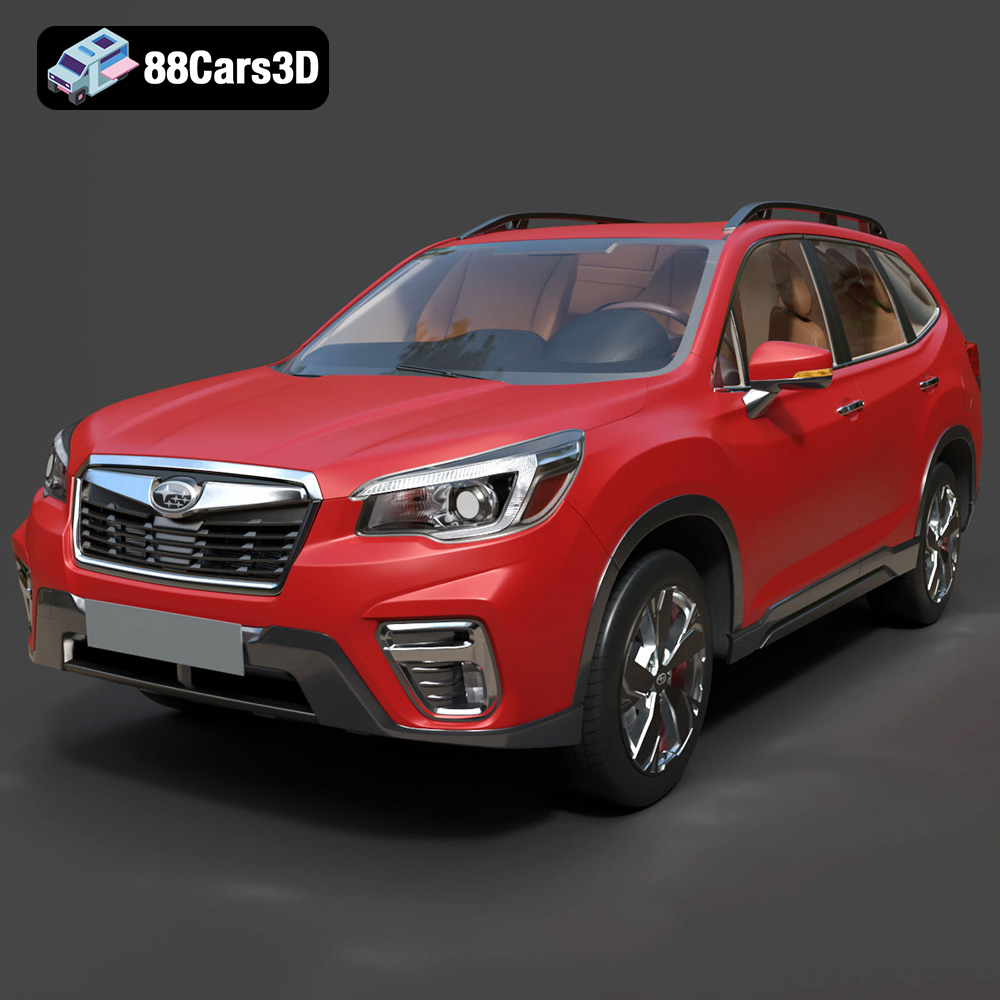
Texture: Yes | Material: Yes
Download the highly detailed, game-ready Subaru Forester 2019 3D Model. Features authentic crossover styling, detailed interior, and accurate exterior geometry. Includes .blend, .fbx, .obj, .glb, .stl, .ply, .unreal, and .max formats for game development, AR/VR, and rendering.
Price: $245.50
